All Activity
- Past hour
-
2.4m
-
Lameghino joined the community
-
10% off all pokes this weekend
-
3m
-
Grahamsito joined the community
-
1.9m
-
Vegeta143 GMT + 5.30
-
start (100k) with shiringa1 account
-
Thank you for your assistance, Hizukii. I appreciate your help in keeping the thread clean. The auction will continue as planned.
-
Aoilui joined the community
-
IGN: Napogrammes Timezone: gmt+1
-
Start pawn
-
Hello @Alexthegod666, Please avoid making any unnecesary comments on other player's posts. @Doz1 both messages have been deleted. Please keep going with your auction normally! Best regards, Hizukii
-
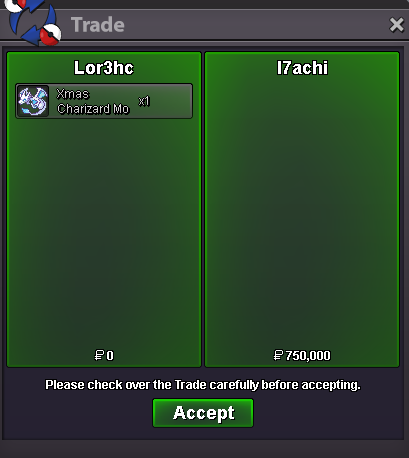
Sirgalahad42 joined the communitySelled Xmas Charizard Mount at I7achi
 Tradezie joined the community1.7mSoniczzz joined the community
- Today
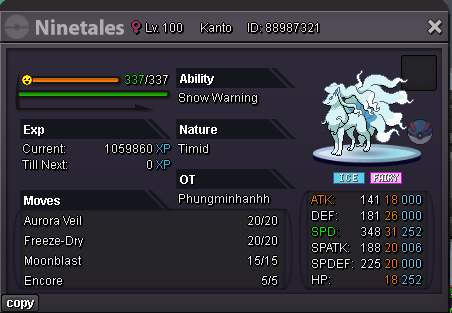
Silvur joined the communityAuction Details: Start Price: 1m End Point: 24 hours (after start price is met) Insta Price: 10m Minimum Raise: 200k Start Price: 1m End Point: 24 hours (after start price is met) Insta Price: 10m Minimum Raise: 100k Accepted Payments: Pokedollars, Coin Capsules (x1 Coin Capsule = 500k), IV Reroll Tickets (x1 IV Reroll Ticket = 750k) Important Reminders: This is a Gold Server auction. If bidding from an alternative server, state that you will transfer upon winning. If you intend to purchase with an alt account, specify the account alongside your bid. If a bid is received in the final 15 minutes of the auction, the end point will be delayed by 15 minutes from that bid and will be delayed by 15 minutes for each new bid thereafter, until the current offer has been held for a full 15 minutes.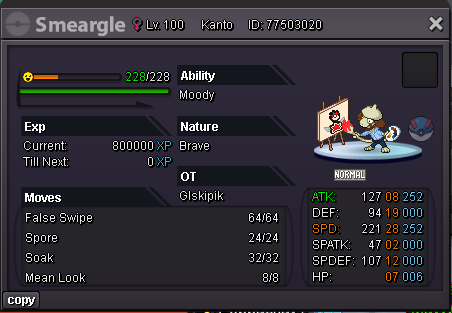
Account
Navigation
Search
Configure browser push notifications
Chrome (Android)
- Tap the lock icon next to the address bar.
- Tap Permissions → Notifications.
- Adjust your preference.
Chrome (Desktop)
- Click the padlock icon in the address bar.
- Select Site settings.
- Find Notifications and adjust your preference.
Safari (iOS 16.4+)
- Ensure the site is installed via Add to Home Screen.
- Open Settings App → Notifications.
- Find your app name and adjust your preference.
Safari (macOS)
- Go to Safari → Preferences.
- Click the Websites tab.
- Select Notifications in the sidebar.
- Find this website and adjust your preference.
Edge (Android)
- Tap the lock icon next to the address bar.
- Tap Permissions.
- Find Notifications and adjust your preference.
Edge (Desktop)
- Click the padlock icon in the address bar.
- Click Permissions for this site.
- Find Notifications and adjust your preference.
Firefox (Android)
- Go to Settings → Site permissions.
- Tap Notifications.
- Find this site in the list and adjust your preference.
Firefox (Desktop)
- Open Firefox Settings.
- Search for Notifications.
- Find this site in the list and adjust your preference.
.thumb.png.65ec3814f0dbaef639a5422a70380ad2.png)