




New Trade Zone
Trade Zone is now live
Use the new Trade Zone for auctions and instant-price trades so Pokemon and item offers are easy to find.

Oblivionwingnsk
Registered User
-
Joined
-
Last visited
Everything posted by Oblivionwingnsk
-
7m
-
6m
-
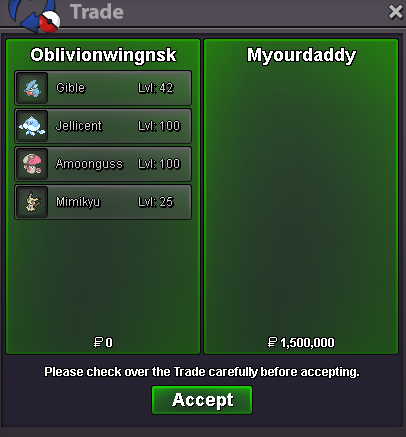
Negotiation: Combined 1.9m to 1.5m
-
Bump: Update (2nd September 2023) Reassessed and recalibrated the pricing for some Pokemon. Added Gibles and Mimikyu
-
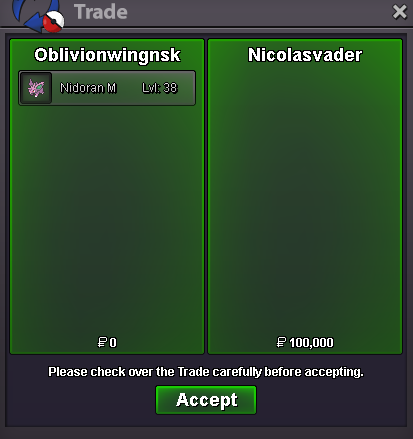
5m4.5m4m3.5m3m2.8m2.6m2.4m2mNegotiation: 200k to 150k
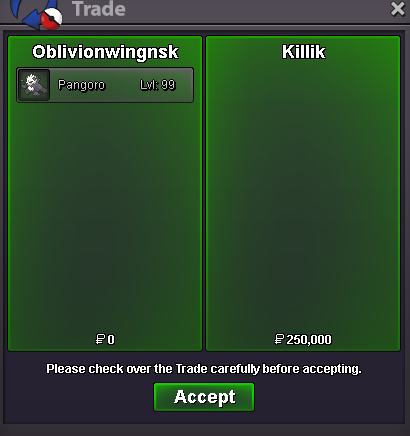
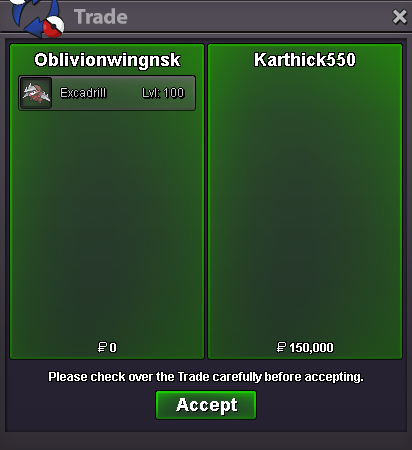 @Killik Alright sure, just notify me when you're free to come online (in-game) then we can proceed with the transaction. 👍@Killik Unfortunately I don't.Negotiation: 1.2M to 800k
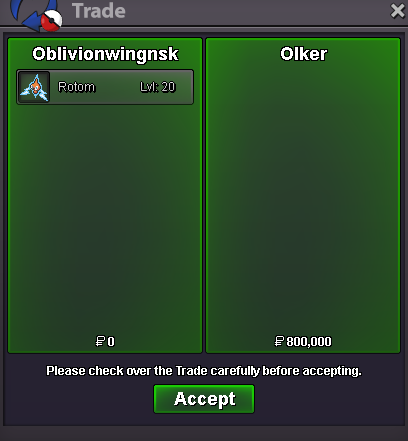 @Pvpking1 Alright sure, just let me know where/when you want, we'll proceed with the transaction. I can come online when you're free.Negotiation: 300k to 250k
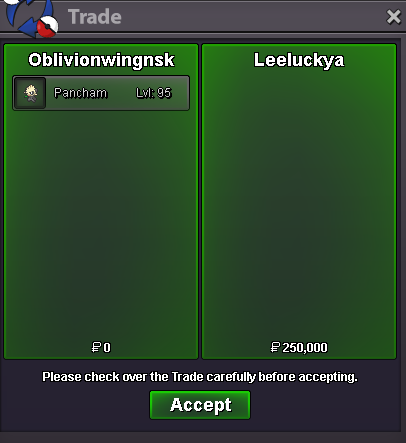 Negotiation: 300k to 250k
 Bump: Update (13th July 2023) Reassessed and recalibrated the pricing for some Pokemon. Added Joltik, Larvesta and Pancham.


.png.be597f4aa77a6b76540d3d8bd59f2fc9.png)
Account
Navigation
Search
Configure browser push notifications
Chrome (Android)
- Tap the lock icon next to the address bar.
- Tap Permissions → Notifications.
- Adjust your preference.
Chrome (Desktop)
- Click the padlock icon in the address bar.
- Select Site settings.
- Find Notifications and adjust your preference.
Safari (iOS 16.4+)
- Ensure the site is installed via Add to Home Screen.
- Open Settings App → Notifications.
- Find your app name and adjust your preference.
Safari (macOS)
- Go to Safari → Preferences.
- Click the Websites tab.
- Select Notifications in the sidebar.
- Find this website and adjust your preference.
Edge (Android)
- Tap the lock icon next to the address bar.
- Tap Permissions.
- Find Notifications and adjust your preference.
Edge (Desktop)
- Click the padlock icon in the address bar.
- Click Permissions for this site.
- Find Notifications and adjust your preference.
Firefox (Android)
- Go to Settings → Site permissions.
- Tap Notifications.
- Find this site in the list and adjust your preference.
Firefox (Desktop)
- Open Firefox Settings.
- Search for Notifications.
- Find this site in the list and adjust your preference.