




New Trade Zone
Trade Zone is now live
Use the new Trade Zone for auctions and instant-price trades so Pokemon and item offers are easy to find.

Sirprank
Registered User
-
Joined
-
Last visited
-
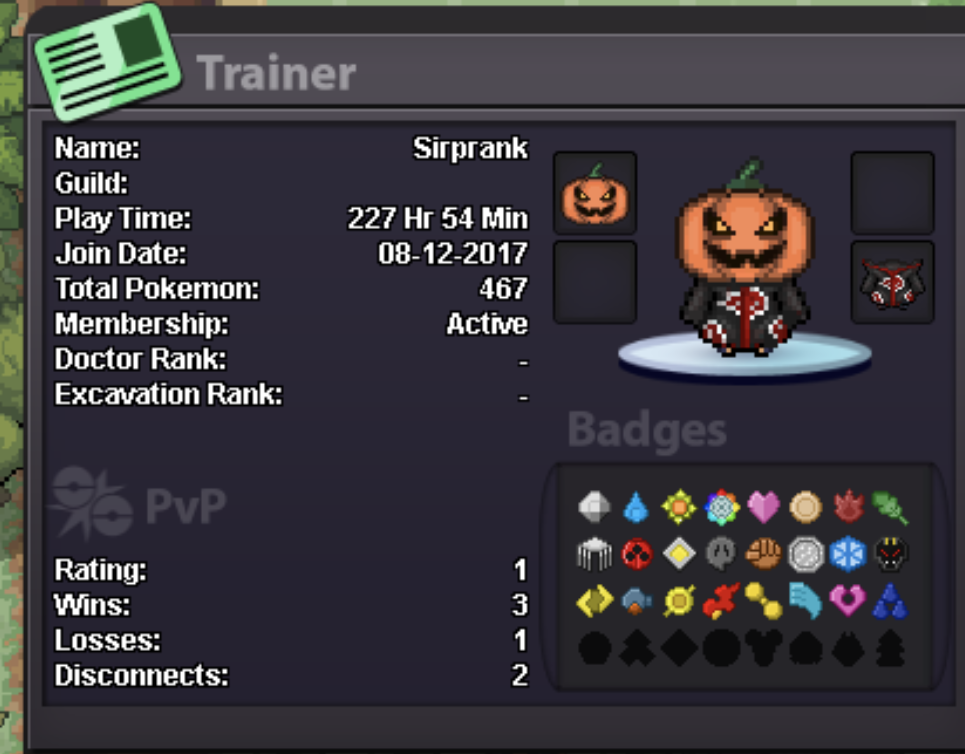
Looking for a active, friendly and chilled guild to join and just enjoy the game with others in a social aspect below is a pic of my trainer card ld
-
1. What's your Player name (IGN)? Sirprank 2. Number of hours played? 228 3. What's your favorite Pokemon? shedninja 4. What do you enjoy doing the most in PRO? (Hunting, PvP, trading, etc) hunting event pokemons and getting good ivs 5. How old are you? (Optional) 25

-
Message me here or in game, good price
-
Application Format: 1. What's your Player name (IGN)? Sirprank 2. Number of hours played? 176 3. What's your favorite Pokemon? Darkrai 4. What country are you from? Australia 5. How old are you? 24 6. When's your Birthday? (Optional) nty