New Trade Zone
Trade Zone is now live
Use the new Trade Zone for auctions and instant-price trades so Pokemon and item offers are easy to find.

Acyst
Suspended
-
Joined
-
Last visited
Everything posted by Acyst
-
-
Updated
-
Bump
-
-
-
Bump
-
-
Updated
-
Okay bro
-
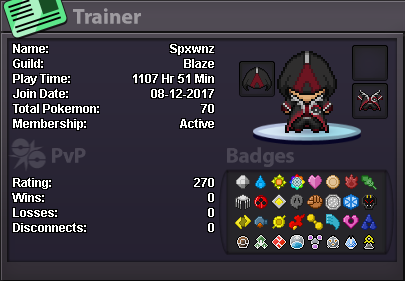
Why do you want to join NoMercy? - The reason why I want to Join "NoMercy" is because I would like to be in a guild that is focus on PvP, another reason is that this guild seem very active! The last reason is I've met alot of "NoMercy" members in game and became good friends with them, I would like to join and meet more people. What can you contribute to NoMercy? - I can participate in events and maybe even host events myself. Have you ever been banned in PRO, and why? - To be honest, I actually have been banned from PRO. the reason is because I was arguing with a staff member. Other than having fun playing the game, what are your goals in PRO? - My only goal for PRO is to push everyday and try to hit ladders. How old are you and other than English, what languages do you speak? - Im 17 years old, on August 3 I will be 18. I speak English only What is your discord name and ID tag number? (Example: teerav#0975) - ( Spxwnz®#2044 ) Provide a screenshot of your Trainer Card. -
-
Bump
-
Updated
-
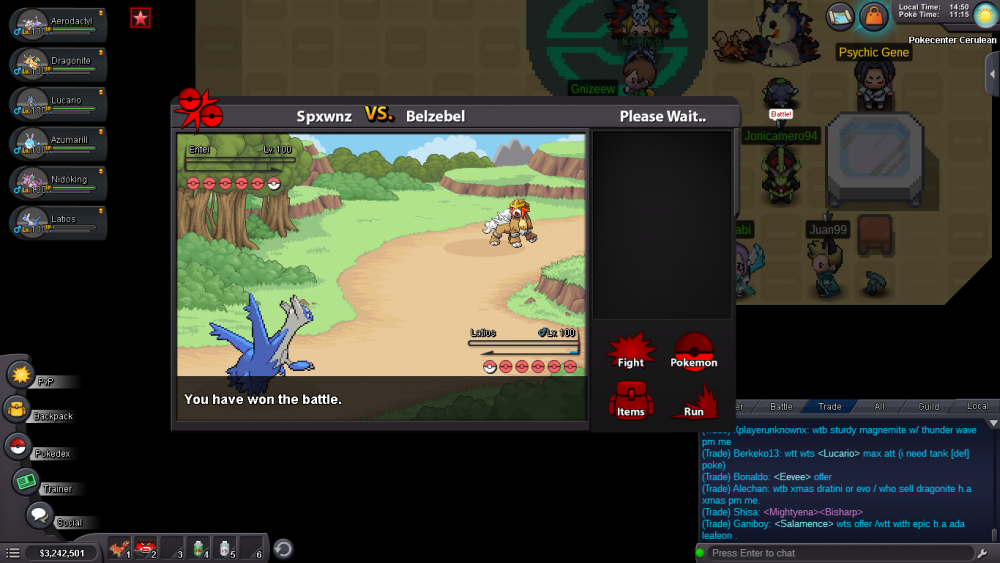
Discord : Spxwnz®#2044
-
Updated
-
Bump
-
Bump
-
Bump
-
Bump
-
Can only do insta prices bro
-
Bump
-
-
Pokemon added
-
Pokemons added
-
I need money atm
-
Bump