New Trade Zone
Trade Zone is now live
Use the new Trade Zone for auctions and instant-price trades so Pokemon and item offers are easy to find.

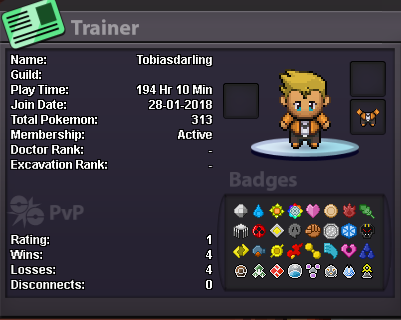
Tobiasdarling
Registered User
-
Joined
-
Last visited
-
Why do you want to join Eternity?: I was told about it from a friend, and thought that joinning this guild, could help me improve in PRO! Real name / ingame name: Tobias Kruse / tobiasdarling How old are you?: 23 Ur country/ which language(s) do you speak?: Denmark, speak danish, english and a bit german. Discord name+tag / how often u r online there?: tobiasdarling / I always have it open, while playing. What is your goal on pro/are you interested in pvp/already pvping?: I'm done with story, right now i'm improving my team for PVP, and then i wanna become the best ;) Screenshot of your trainercard: