




New Trade Zone
Trade Zone is now live
Use the new Trade Zone for auctions and instant-price trades so Pokemon and item offers are easy to find.

Luis314159
Registered User
-
Joined
-
Last visited
-
-
Bump C.o: 2M Minimum raise: 300k Ends in 47 hours and 9 minutes
-
S.o: 2M Minimum raise: 300k Insta: 16M Auction will end 3 days (72 hours) after first bid Payment methods: Pokedollars, CCs = 350k, IV RR = 750k, and Nature RR = 350k
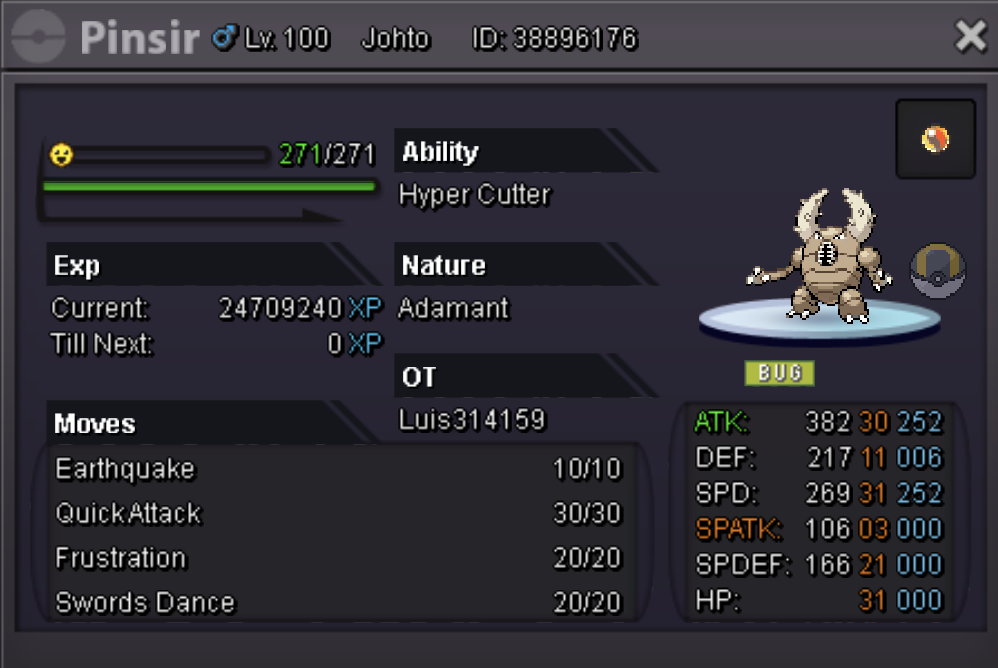
-
Player name: Luis314159 Server: Gold Timezone: GMT-7
-
Gold Ign: luis314159 I never used an IV reroll
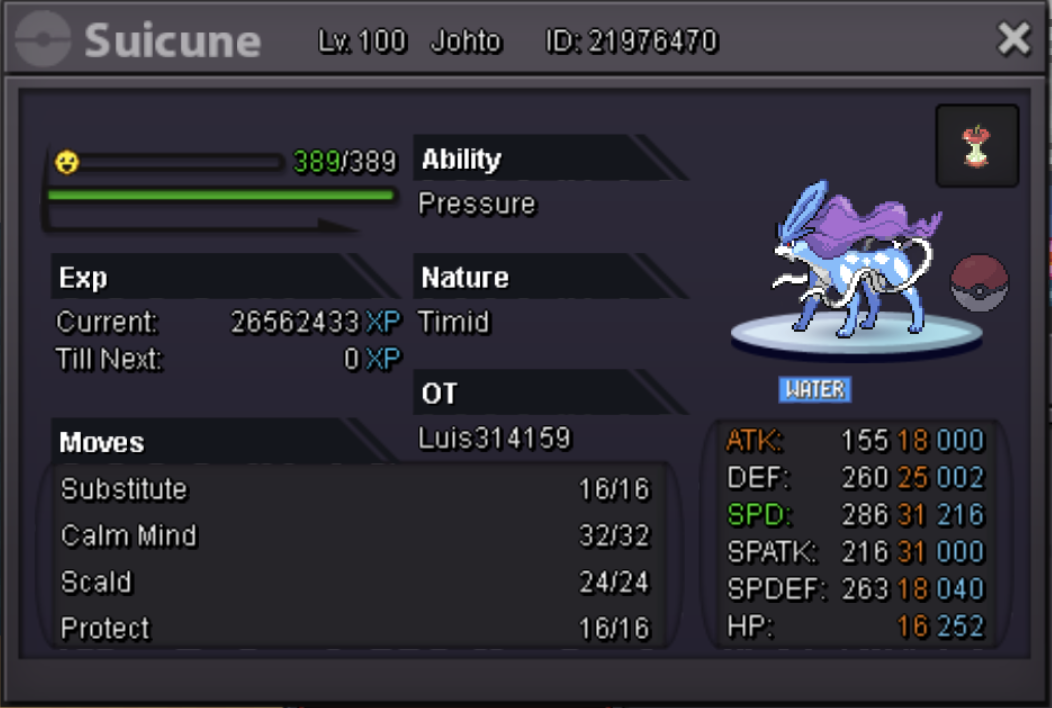
-
Congratulations to Kboww with the final offer of 6.25m!
-
CLOSED! Any bids from now are not valid
-
To everyone interested: Please be careful with bidding on the last minute--all auctions on forums follow the 15-minute rule, so last-minute strategy doesn't work, and the internet/browser could be slow to update and the auction might close before your bid gets posted.
-
C.o. 6.25m by Kboww. Auction end time is 15 minutes from now at 8:19AM GMT
-
C.o. 6m by Cateto21plus. Because of the last minute bid, the auction is extended by 15 minutes from the bid and will now end at 8:14AM GMT
-
C.o. 5.75m by Joyax. 16 minutes left!
-
C.o. 5.5m by Hersummer. 2 hours left! Reminder that all auctions on forums follow the final 15-minute rule: this means that if someone bids in the last 15 minutes of the auction, the auction will be extended for 15 minutes until there are no more new offers for 15 minutes.
-
C.o. 4m by HinataHyugaa. 3hrs 18mins left!
-
Bump. C.o. 3.75m by Kboww. 9 hours 10 minutes left!
-
C.o. 3.75m by Kboww. 25hrs 45mins left!
