




New Trade Zone
Trade Zone is now live
Use the new Trade Zone for auctions and instant-price trades so Pokemon and item offers are easy to find.

Jonzy
Registered User
-
Joined
-
Last visited
-
Bump
-
Bump, reduced price a little bit.
-
Bump
-
Hi! Selling my Tech Impish (Mega) Scyther. S.o 400k, min raise 50k. Auction lasts for 48h after first bid. Insta: 2m I accept CC (400k), RR (500k) and Pokedollars. HF and GL 🙂

-
Ferrothorn Auction ended, winner is Kostly. Add me Discord Jonzy#1147
-
Bump. Ferrothorn c.o 300k, auction ends in approx 40 minutes.
-
Nidoking auction ended, Pepemelenas won. Add me in discord Jonny#1147 or DM me on forum.
-
Bump Nidoking auction ends today 22:45 pm. Ferrothorn auction ends tomorrow 11:05 am.
-
C.o Ferrothorn 300k

-
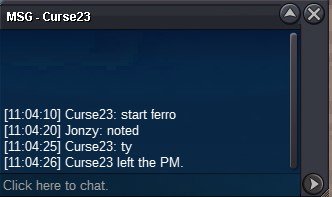
Bid on Ferrothorn started, 48h from now. C.o. 200k
-
Hi! These are seperate auctions. If you want to bid on one of the both mons, just type which one is related to your bid. I accept CC = 400k, RR = 500k and Pokedollars. Both Pokemon s.o. is 200k, min raise is 100k. The auction lasts for 48h after the first bid. Insta Nidoking: 2m Insta Ferrothorn: 4m Ty & GL!


-
Dionthecreator won the auction. Add me discord Jonzy#1147 Thanks all.
-
Quick information to prevent misunderstandings: Auction ends at 19:30 pm, last bid at that time wins the auction. Since I have to work till 22:00 I will give out the pokemon after I'm back home.
-
Auction ended.
-
1.1m
