




New Trade Zone
Trade Zone is now live
Use the new Trade Zone for auctions and instant-price trades so Pokemon and item offers are easy to find.

Luk21
Registered User
-
Joined
-
Last visited
-
-
-
-
From what i know , when you lend the pokemon the ev training wont count and the evs will be reseted to what they were like when he first gave it to you
-
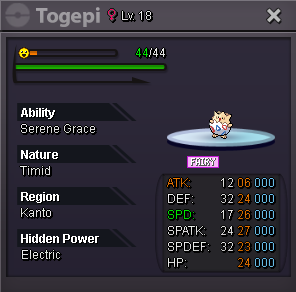
Wanna start an auction on this toge : The auction will last for 2 days after start. Start : 500k ... Insta price: 1,5m If i feel like the final offer is too low , i have the right to cancel it Currently acceping only pokedollars
-
-
900k for scizor
-
SOLD INSTA TO Taky1230..Ty everyone
-
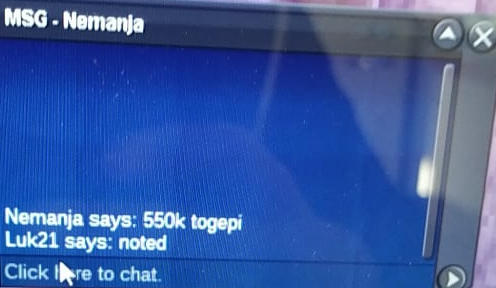
550 In game from Nemanja.. Again , sorry for the quality i have to take photo from my phone
-
noted , the auction ends 1 day after Excavier's bid
-
thank you :)
-
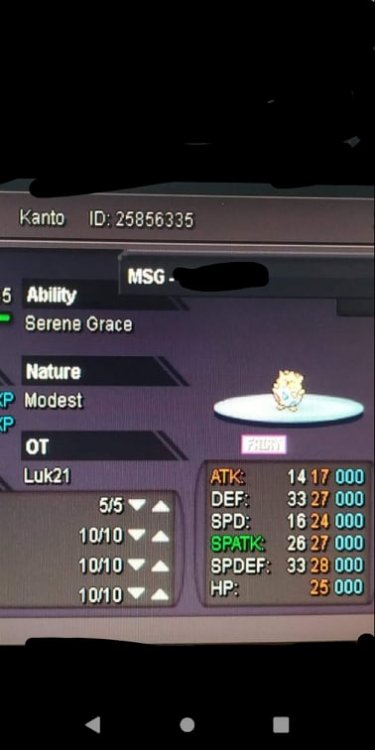
I wanna start an auction on the following togepi (lvl 49 untrained) Sorry for the bad photo , the pc im using does not have a screenshot button (lol) The auction will last 1 day after the first bid which is 500k and the insta is 1m (25k min bids) GL everyone
-
Hey , sorry mate this is the selling section . I think you made a mistake :P.. Good luck.
-
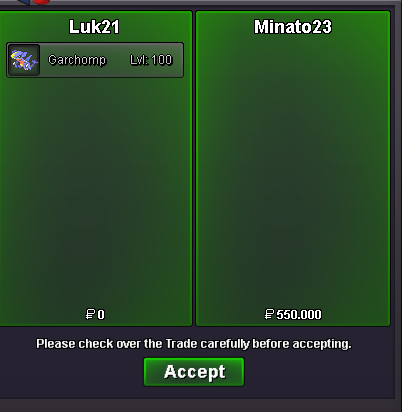
sold in game INSTA
-

