




New Trade Zone
Trade Zone is now live
Use the new Trade Zone for auctions and instant-price trades so Pokemon and item offers are easy to find.

Binsarhuang
Registered User
-
Joined
-
Last visited
-
Thanks moderator for solving this problem.
-
Hello, can i get some attention here ?
-
why the staff haven't contact me about my problem yet ? or are they just hoping i will solve it by myself with jayden0104 ?
-
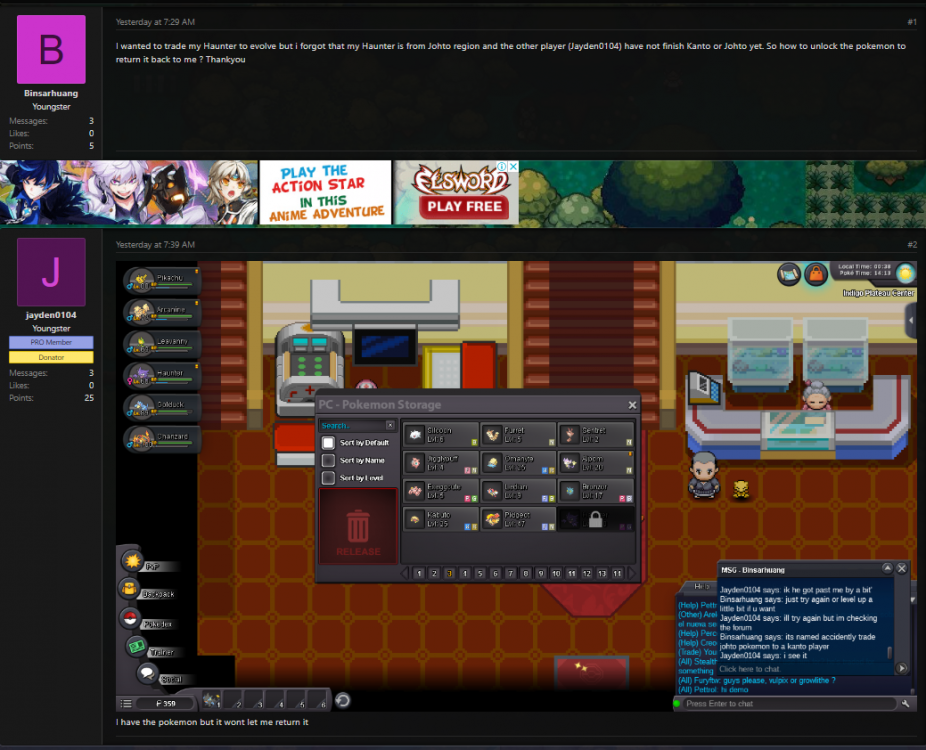
I trade my Johto pokemon for evolving to a Kanto player and it's locked in his PC, Can you help me to return it to my PC ? my id : Binsarhuang Other person : Jayden0104 Thankyou.
-
I was hoping that maybe the staff can help me to return it to my PC though :)
-
waiting for response.
-
I wanted to trade my Haunter to evolve but i forgot that my Haunter is from Johto region and the other player (Jayden0104) have not finish Kanto or Johto yet. So how to unlock the pokemon to return it back to me ? Thankyou
