New Trade Zone
Trade Zone is now live
Use the new Trade Zone for auctions and instant-price trades so Pokemon and item offers are easy to find.

Moominjunie
Registered User
-
Joined
-
Last visited
-
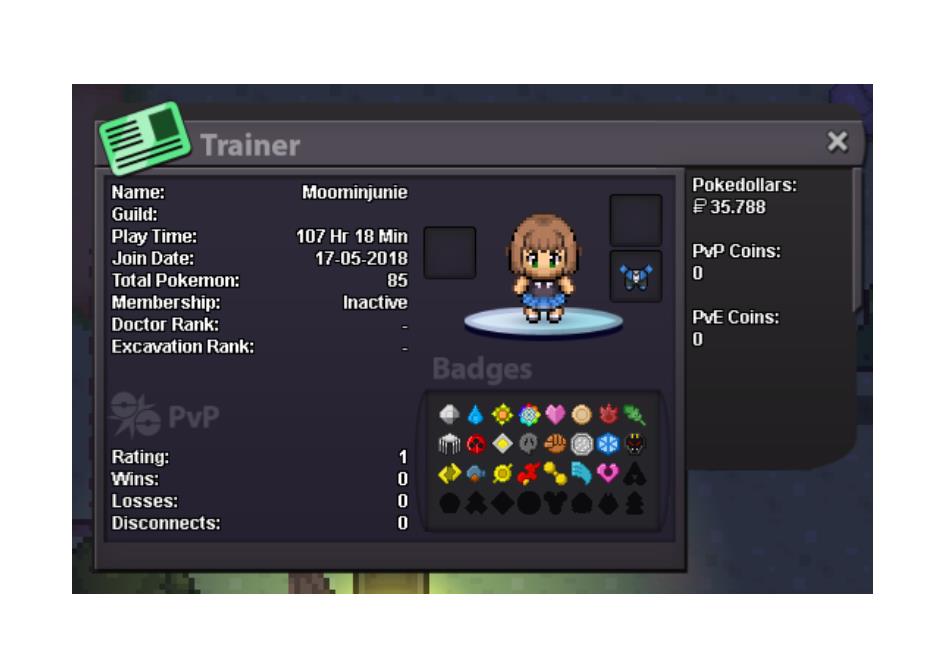
Application 1. What's your Player name (IGN)? moominjunie 2. Number of hours played? 107 3. What's your favourite Pokemon? Eeevee 4. What country are you from? Brazil 5. How old are you? 17 6. When's your Birthday? (Optional) 11/02/2002
-
Why do you want to join Eternity? I really like PRO, but playing alone gets boring after a while Real name / ingame name: Samara / moominjunie How old are you? 17 years old Ur country/ which language(s) do you speak? Im from Brazil, speak portuguese, english and a little bit of spanish Discord name+tag / how often u r online there? moominjunie#8488, i'm usually online after 2pm What is your goal on pro/are you interested in pvp/already pvping? My goal is to get a complete eevee team lol, I don't pvp cause I think my pokemon suck Screenshot of your trainercard