




New Trade Zone
Trade Zone is now live
Use the new Trade Zone for auctions and instant-price trades so Pokemon and item offers are easy to find.


Thelucyfer
Registered User
-
Joined
-
Last visited
Everything posted by Thelucyfer
-
yea i need to congrats winner and i will go online i need like 10 min
-
I thnik some low budget for godly 😉
-
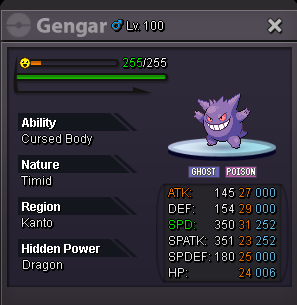
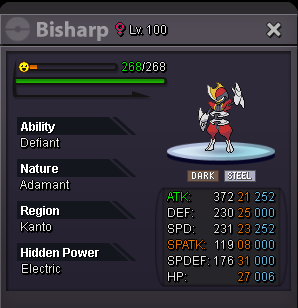
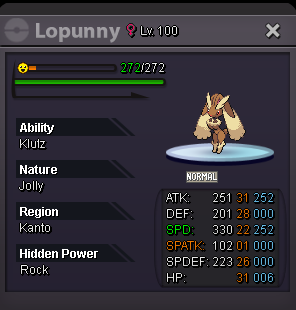
Information Contact: In-Game : TheLucyfer Forum : TheLucyfer (Pref) Accepting: - PokeDollar - Coin Capsule : 400k - Rare Candies : 5k My time zone is (GMT+2) so the end of the offers will also be at that time. I wish everyone good luck! ----------------------------------------------------------------------------------------------------------------------------------------------------------------------------------------------------------------- Pokemons s.o: 150k min bid: 25k no insta end time: 5:35 07.10.2024 END s.o: 100k min bid: 25k no insta end time: 15:56 06.10.2024 END s.o: 100k min bid: 25k no insta end time: 22:25 06.10.2024 END s.o: 175k min bid: 25k no insta end time: 16:43 06.10.2024 END s.o: 100k min bid: 25k no insta end time: 22:25 06.10.2024 END s.o: 100k min bid: 25k no insta end time: 22:25 06.10.2024 END s.o: 100k min bid: 25k no insta end time: 15:59 06.10.2024 END s.o: 175k min bid: 25k no insta end time: 16:14 06.10.2024 END s.o: 100k min bid: 25k no insta end time: 18:15 07.10.2024 s.o: 200k min bid: 25k no insta end time: 15:53 06.10.2024 END s.o: 175k min bid: 25k no insta end time: 23:10 06.10.2024 END
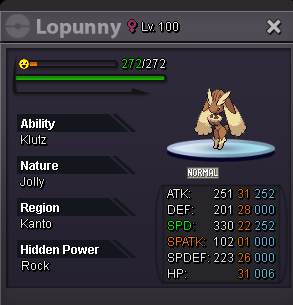
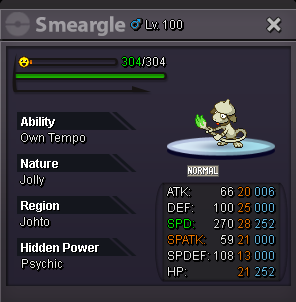
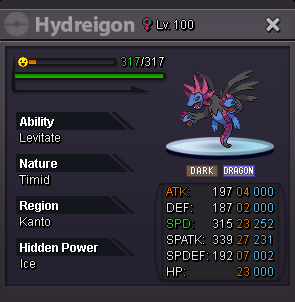
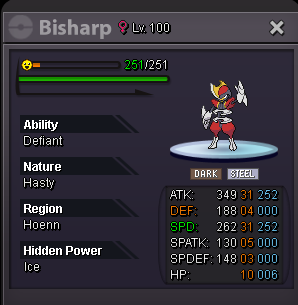
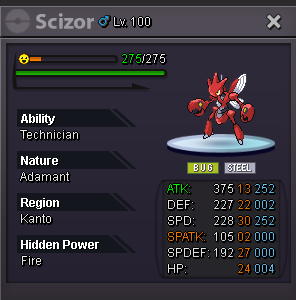
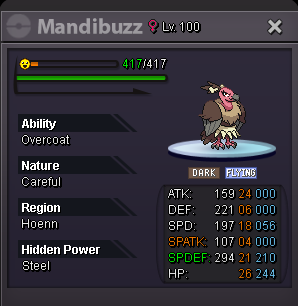
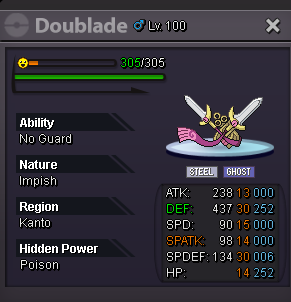
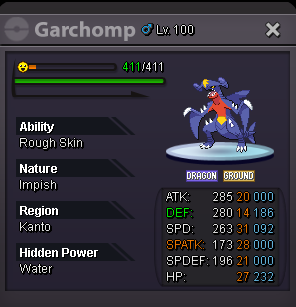
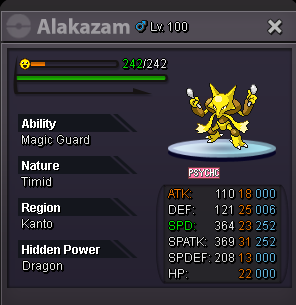
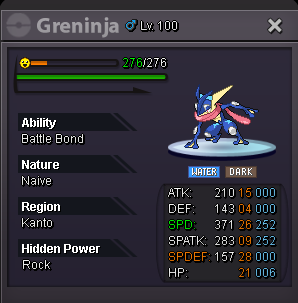
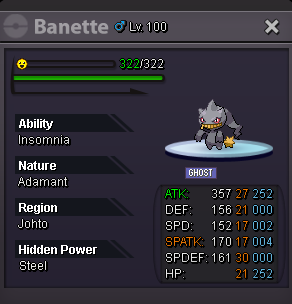
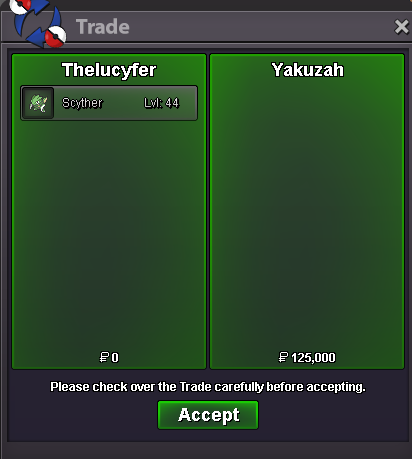
 @Yakuzah caongrats, licytation end.19k marowack-alolanoted 😉s.o 125k min bid 25k no insta accepting: - PokeDollar - Coin Capsule : 400k - Rare Candies : 5k END: 10:15 05.10.2024 (GMT+2) Good Luck!
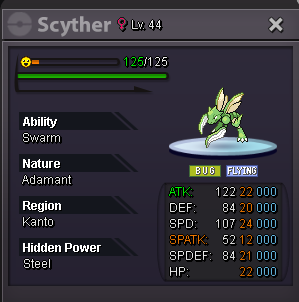
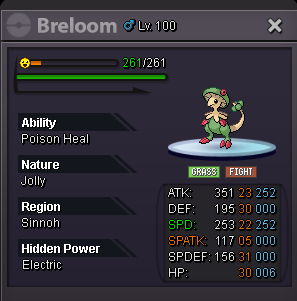
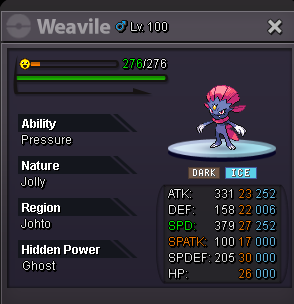
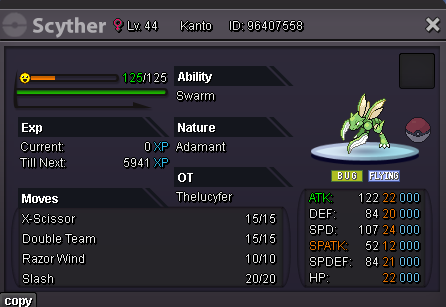 bumpAPPLICATION FOR GUILD: #1 What is your IGN? TheLucyfer #2 What is your Discord ID? varx#3985 #3 Tell us a little about yourself. I am student from poland i like poks and played many games like showdown, go, etc #4 How many hours do you currently have? 700+ #5 What are the Expectations you have for this Guild? I wanna start farmng moons from island and maybe try some more pvp then now #6 Rate your PvP skills [out of 10]. 8.5 Idk i shoud send that here if not mess me and i do bump :0upupWrong server sryUpYou won both congratsWTBI take both number 5/6(the same poke) and 7C.O: -- END s.o: 300k min bid: 50k insta: 1m 24hr after first bid C.O: 300k F.B: Trainermitch WON s.o: 300k min bid: 50k insta: 1m 24hr after first bid C.O: --- END s.o: 300k min bid: 50k insta: 1m 24hr after first bid C.O: 300k F.B: Trainermitch WON s.o: 300k min bid: 50k insta: 1m 24hr after first bid C.O: --- END s.o: 300k min bid: 50k insta: 1m 24hr after first bid

Account
Navigation
Search
Configure browser push notifications
Chrome (Android)
- Tap the lock icon next to the address bar.
- Tap Permissions → Notifications.
- Adjust your preference.
Chrome (Desktop)
- Click the padlock icon in the address bar.
- Select Site settings.
- Find Notifications and adjust your preference.
Safari (iOS 16.4+)
- Ensure the site is installed via Add to Home Screen.
- Open Settings App → Notifications.
- Find your app name and adjust your preference.
Safari (macOS)
- Go to Safari → Preferences.
- Click the Websites tab.
- Select Notifications in the sidebar.
- Find this website and adjust your preference.
Edge (Android)
- Tap the lock icon next to the address bar.
- Tap Permissions.
- Find Notifications and adjust your preference.
Edge (Desktop)
- Click the padlock icon in the address bar.
- Click Permissions for this site.
- Find Notifications and adjust your preference.
Firefox (Android)
- Go to Settings → Site permissions.
- Tap Notifications.
- Find this site in the list and adjust your preference.
Firefox (Desktop)
- Open Firefox Settings.
- Search for Notifications.
- Find this site in the list and adjust your preference.