New Trade Zone
Trade Zone is now live
Use the new Trade Zone for auctions and instant-price trades so Pokemon and item offers are easy to find.

Zerokingz
Suspended
-
Joined
-
Last visited
-
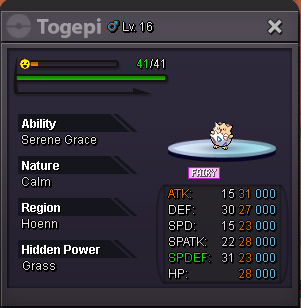
Fake Offers will be reported Start B.O 200k minimum increase 50k Insta 1.4m B.o Start when there is offers and last for 3days Any Non Offer will be ignored. B.O will be updated as soon im Available U can pm me at Discord Zerokingz#4176 or IGN Zerokingz current b.o Madara 450k at discord
-
Sold out
-
Want to lend kanto region pokemon from 2nd post(oct) can u discordme Zerokingz#4176 Want to lend for 1day or 2day six pokemon. I cant view the attachment u list on the post..... Pls cancel above since u didnt reply past few days..... Edited 20/12/2018
-
Ty problem solve i able to login in forum now trying my second acc on the game...if any problems occurs i make a new threads. Your guidance is perfect!
-
Im try to reset my second acc password since forget it....using different mail or this scond account
-
any GM or MOD can help Register IGN : Astraldemon I forget the password when ever try reset there is an error i dont know and ask to contact supportFor Sell epic ivs for 50k duration of sale unlimited if bought will closed this post. pm me IGN:Zerokingz
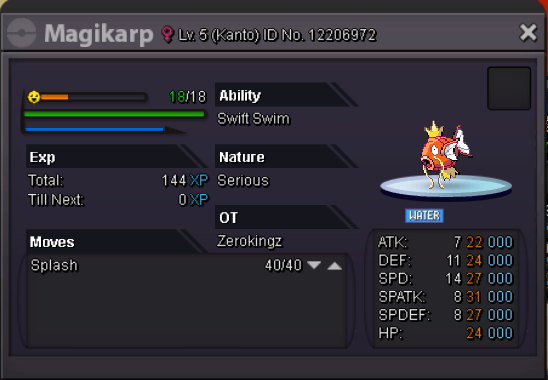 I also have protector do add me as friend im selling 60k too..suggesting when they link their pokemon i wanna see pokemon normal base stat, IV and EV available to see when they link it on any chat so people can see it n buy the disire pokes.