




New Trade Zone
Trade Zone is now live
Use the new Trade Zone for auctions and instant-price trades so Pokemon and item offers are easy to find.

Maniahsgupta
Registered User
-
Joined
-
Last visited
-
You guys are just making fools to people I lost after submitting 2 times continuously more than 1% (not 0.5%) I am quiting the game after seeing quest
-
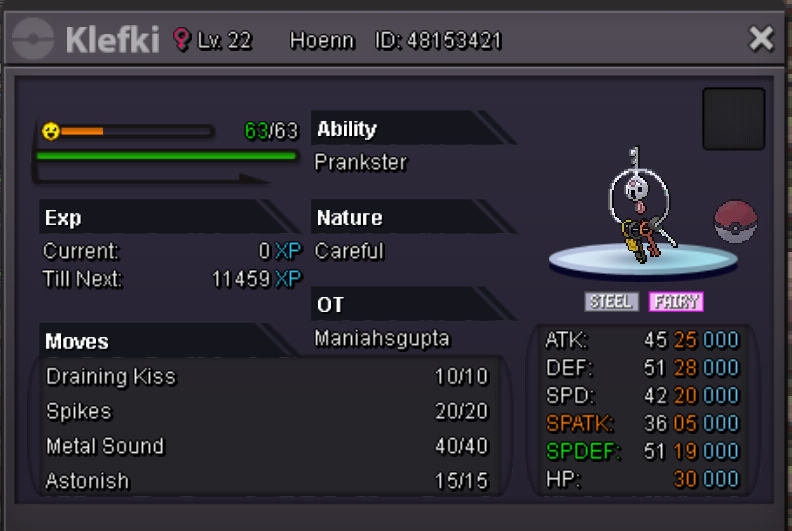
Starting offer:-300k Mimimun raise:-50k Bid end after 24 hours of first bid
-
I buy pidgy above
-
I have received focus sashes on day 5
-
WTB choice scarf IGN:- maniahsgupta Discord: maniahsgupta#9825
-
Yeah you are correct bro but guys who take service mostly they give poke without learning those moves(so I need to take care of it) I feel you understand @TheoBooBoo
-
Hello buddy pm for my IGN when you go online
-
Sorry buddy I don't have hunting service
-
My IGN :- maniahsgupta Hello Buddies, I am providing ev services(all regions) and Dex services (kanto) Ev services amount varies between (30k -40k)(based on poke moves and white stats) Egg moves and any tutor(that can be accessed) will be provided moves service move charges+5k if area is not accessible by transit pass travel charges also be taken *Note:- Pokemon like beldum(which cannot learn moves except takedown)(if you use pre evo moves ready to do for same price) charges high for services