




New Trade Zone
Trade Zone is now live
Use the new Trade Zone for auctions and instant-price trades so Pokemon and item offers are easy to find.

Trival
Registered User
-
Joined
-
Last visited
-
1. What's your Player name? Trival 2. Number of hours played? 86hr 3. What's your favorite Pokemon? Machop because he looks like me 4. How old are you? 24 5. When's your Birthday? (Optional) 4/12/94
-
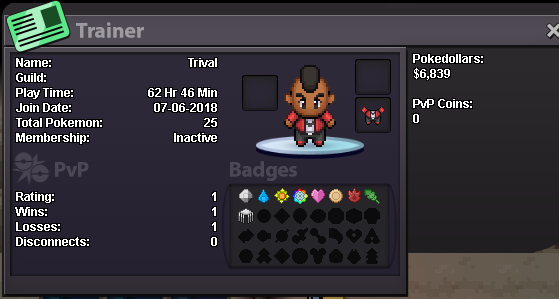
- IGN: Trival - Why would you like to join us?: Your guild seems like a chill place to have fun, meet new people, and learn new things - What do you like doing most in PRO?: Laughing at my friend when he gets 1 shot, finding rare pokemon, completing the story, and eventually pvp - What do you think I should add to benefits for becoming a Sharks Guild Member?: Not too sure about this one but if I think of anything that could possibly help I'd let you know - Screenshot of your trainer card in game: - Have any ideas for the Guild that I can implement / change?: I'm pretty new so if i do have ideas i would for sure let you know
-
1. What is your ingame name? Trival 2. How old are you? 24 3. What’s your favorite thing to do? PvP, hunting shinies, trading or just hanging out with people? I like hanging out with friends, pvp, and some trading here and there. 4. What are your ambitions in PRO? To learn the way and become a great pvper 5. With so many guilds available, why Paradox? My friend told me about Paradox and said it was a pretty chill and fun guild 6. How active are you on discord? Mostly always on Discord