




New Trade Zone
Trade Zone is now live
Use the new Trade Zone for auctions and instant-price trades so Pokemon and item offers are easy to find.

Raaah
Registered User
-
Joined
-
Last visited
Everything posted by Raaah
-
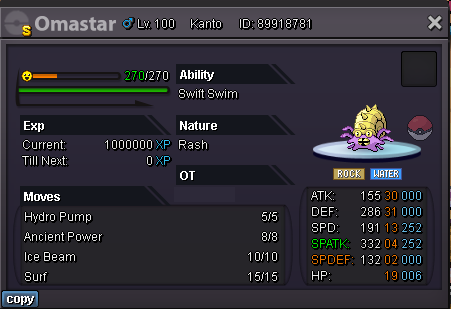
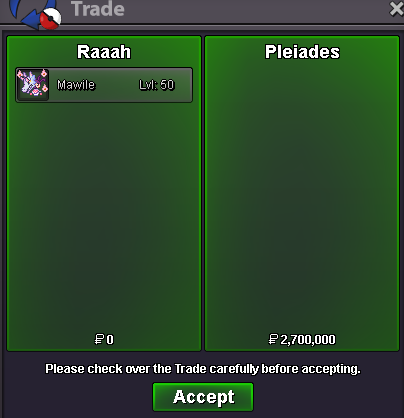
Congrats10min leftApprox 1h leftYou won congrats tell me when you are free to do the trade15min rule appliedLess than 1hStart bid - 2.5m Minimum bid - 100K Insta - 6m Duration - 24 hours after the first bid Accepted payments - Pokedollars, Reroll Ticket (500k), Coin Capsule (400k)
 started (13h22 GMT+2)
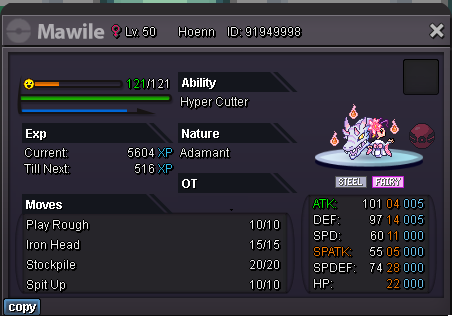
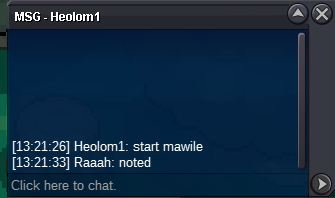 Start bid - 1.5m Minimum bid - 100K Insta - 4.5m Duration - 24 hours after the first bid Accepted payments - Pokedollars, Reroll Ticket (500k), Coin Capsule (400k)
 The idea here is to use chromas to change halloween Pikachu/Raichu outfit to match with the player character outfit, by keeping always the same pikachu id. If the community likes it i can do more outfits. Halloween Pikachu Halloween Pikachu cosplay Witch Ironman Black panther Mario Witch Ironman Black panther Mario (WIP) Others ideas : Cosmic Clefable Valentine Clefable Chroma Valentine Clefable Summer Olympic medalists Garchomp Summer Garchomp Gold Silver Bronze


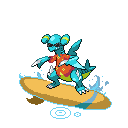
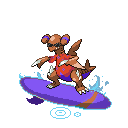


 UpCongrats, You won, tell me when you are free to trade.Start bid - 1.5m Minimum bid - 50K Insta - 3m Duration - 24 hours after the first bid Accepted payments - Pokedollars, Reroll Ticket (490k), Coin Capsule (380k)
 new additionsUpUp

Account
Navigation
Search
Configure browser push notifications
Chrome (Android)
- Tap the lock icon next to the address bar.
- Tap Permissions → Notifications.
- Adjust your preference.
Chrome (Desktop)
- Click the padlock icon in the address bar.
- Select Site settings.
- Find Notifications and adjust your preference.
Safari (iOS 16.4+)
- Ensure the site is installed via Add to Home Screen.
- Open Settings App → Notifications.
- Find your app name and adjust your preference.
Safari (macOS)
- Go to Safari → Preferences.
- Click the Websites tab.
- Select Notifications in the sidebar.
- Find this website and adjust your preference.
Edge (Android)
- Tap the lock icon next to the address bar.
- Tap Permissions.
- Find Notifications and adjust your preference.
Edge (Desktop)
- Click the padlock icon in the address bar.
- Click Permissions for this site.
- Find Notifications and adjust your preference.
Firefox (Android)
- Go to Settings → Site permissions.
- Tap Notifications.
- Find this site in the list and adjust your preference.
Firefox (Desktop)
- Open Firefox Settings.
- Search for Notifications.
- Find this site in the list and adjust your preference.