




New Trade Zone
Trade Zone is now live
Use the new Trade Zone for auctions and instant-price trades so Pokemon and item offers are easy to find.


Gio
Registered User
-
Joined
-
Last visited
Everything posted by Gio
-
-
I offer 4m.
-
-
3.75m
-
-
Bump
-
s.o: 100k min bid: 100k accept cc at 400k 1.5m insta ends 25h after first bid s.o: 100k min bid: 100k accept cc at 400k 1.5m insta ends 25h after first bid
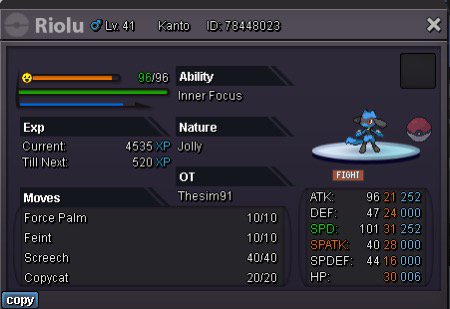
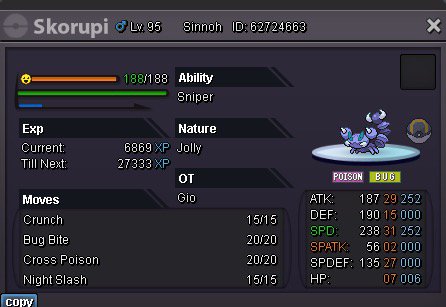
-
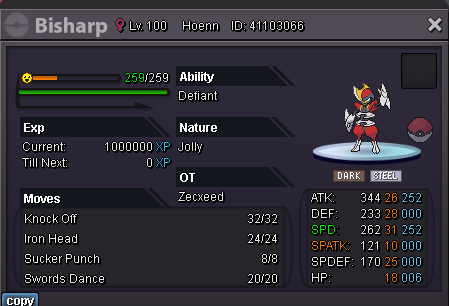
s.o: 1.5m min bid 100k 5m insta 36h after first bid accept cc at 370k
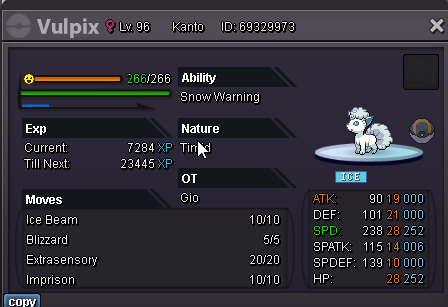
 s.o: 100k min bid 100k 1m insta accept cc at 370k ends 24h after first bid
 1.4mStartAuctioning these two today. It is not a bundle S.O-100k min bid-25k insta-700k accept CC at 400k ends 24h after first bid S.O-100k min bid-25k insta-700k accept CC at 400k ends 24h after first bid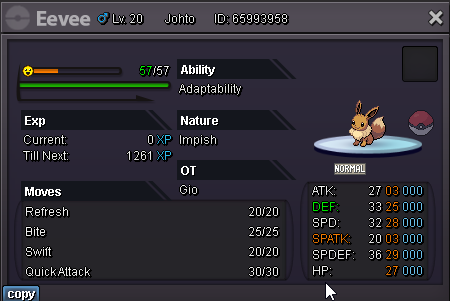
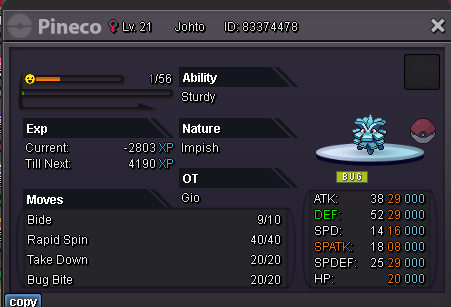 StartI can confirm I received the 126k.s.o: 200k min bid: 50k 800k insta ends 24h after first bid cc @ 370k
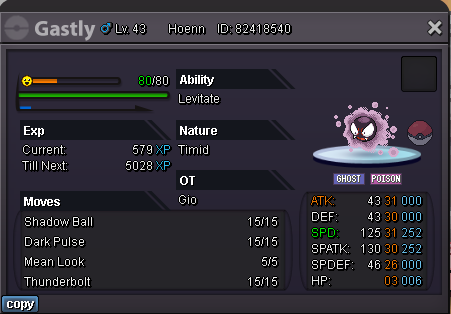 You won Togekiss. Lemme know when you’re available for the tradeTogekiss c.o is 76k. Min bid is 25k. You'd have to bid 101k for it to be valid.To clear up any confusion: Galvantula c.o: 26k Kabutops c.o: 26k Togekiss c.o: 51kThis is not a bundle but the below applies to each Pokémon. s.o: 1k min bid 25k no insta ends 24h after first bid cc @ 380k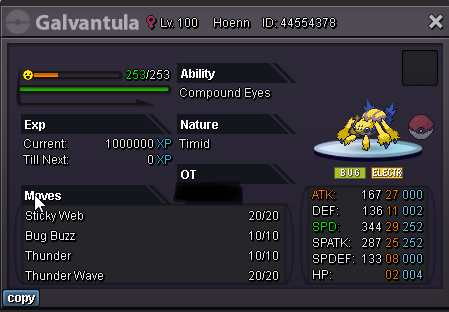
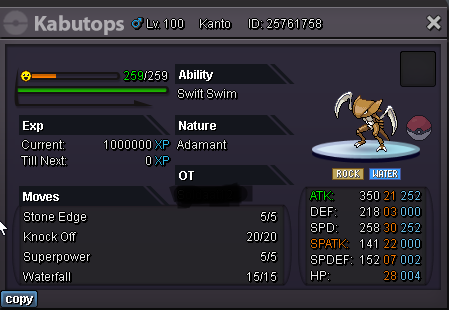
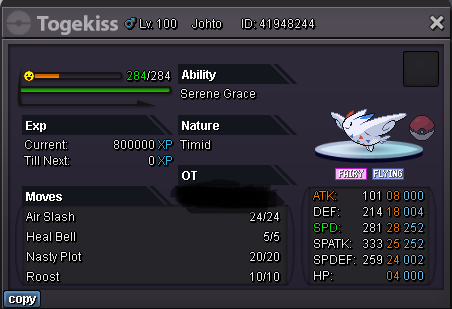 You win. Lemme know when you’re able to trade

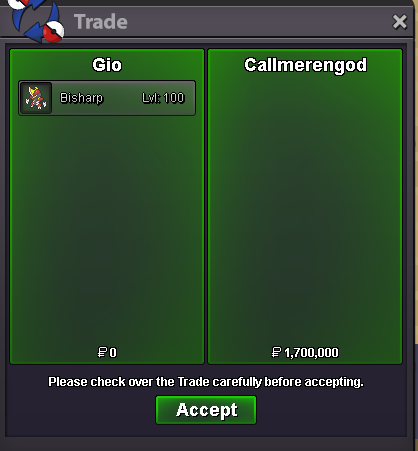
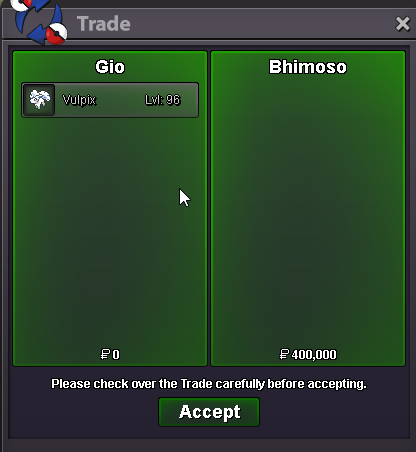

Account
Navigation
Search
Configure browser push notifications
Chrome (Android)
- Tap the lock icon next to the address bar.
- Tap Permissions → Notifications.
- Adjust your preference.
Chrome (Desktop)
- Click the padlock icon in the address bar.
- Select Site settings.
- Find Notifications and adjust your preference.
Safari (iOS 16.4+)
- Ensure the site is installed via Add to Home Screen.
- Open Settings App → Notifications.
- Find your app name and adjust your preference.
Safari (macOS)
- Go to Safari → Preferences.
- Click the Websites tab.
- Select Notifications in the sidebar.
- Find this website and adjust your preference.
Edge (Android)
- Tap the lock icon next to the address bar.
- Tap Permissions.
- Find Notifications and adjust your preference.
Edge (Desktop)
- Click the padlock icon in the address bar.
- Click Permissions for this site.
- Find Notifications and adjust your preference.
Firefox (Android)
- Go to Settings → Site permissions.
- Tap Notifications.
- Find this site in the list and adjust your preference.
Firefox (Desktop)
- Open Firefox Settings.
- Search for Notifications.
- Find this site in the list and adjust your preference.