




New Trade Zone
Trade Zone is now live
Use the new Trade Zone for auctions and instant-price trades so Pokemon and item offers are easy to find.

Daworker
Registered User
-
Joined
-
Last visited
-
1m dragonite
-
500k for dragonite
-
Start
-
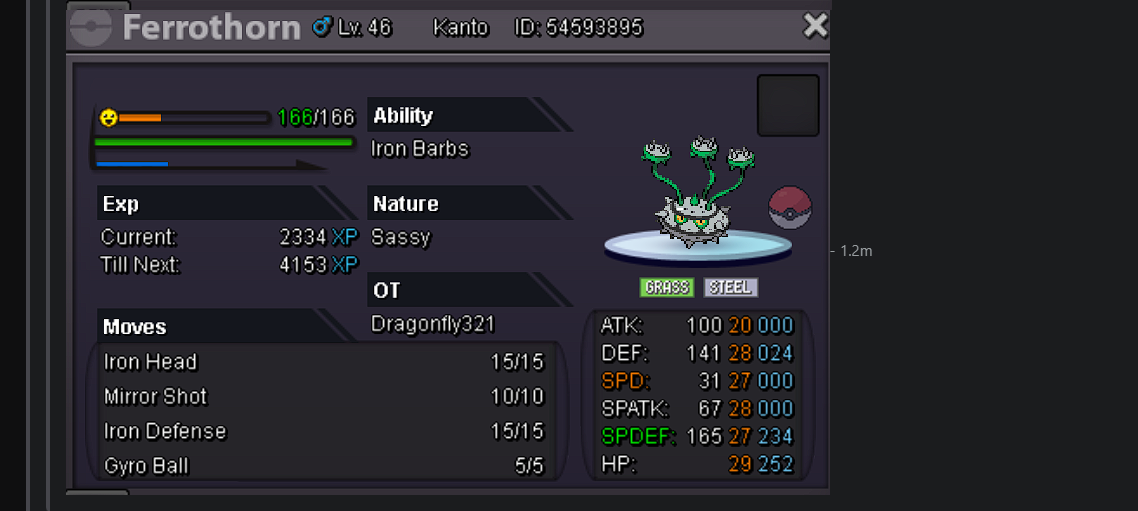
Hello i want to buy this Ferrothorn for 1.2m from your shop wtb ferrothorn
-
I have a Problem with the Tracker, when i using that on my game it didnt add up the Pokemon i encountered in pinkan island peaks, and i dont know how to solve it i done it correclty setting the wild area for the pokemon and was starting to track but after 5-10 encounteres the tracker shows still 0
-
Azumarill 100k Teddiursa 100k
-
Fair Price, great service and faster then i expected and friendly, i recommend
-
-
-
Thats is a really cute Lucario
-
Start
-
Yea i disable the new setting Stream Music, and thanks for your help, i hope it will work now better.
-
Hello sadly i encountered a game crash when i was already in the game and try to hunt at route 118 i dont know what it cause but its like happend to me 3-4 times around 1h
-
300k
-
No it didnt cause me any trouble, it was easy to fix with a relog. thank you for the respond.

