Skip to content
View in the app

A better way to browse. Learn more.

Pokemon Revolution Online

A full-screen app on your home screen with push notifications, badges and more.

To install this app on iOS and iPadOS
  1. Tap the Share icon in Safari
  2. Scroll the menu and tap Add to Home Screen.
  3. Tap Add in the top-right corner.
To install this app on Android
  1. Tap the 3-dot menu (⋮) in the top-right corner of the browser.
  2. Tap Add to Home screen or Install app.
  3. Confirm by tapping Install.
New Trade Zone
Trade Zone is now live
Use the new Trade Zone for auctions and instant-price trades so Pokemon and item offers are easy to find.

Open Trade Zone

Infernosayek

Registered User
  • Joined

  • Last visited

  1. Hello there! I wtb the Conkeldurr.
  2. Start Auction: 1m Min Raise: 100k Duration: 24hrs from the first bid Instant: 3m
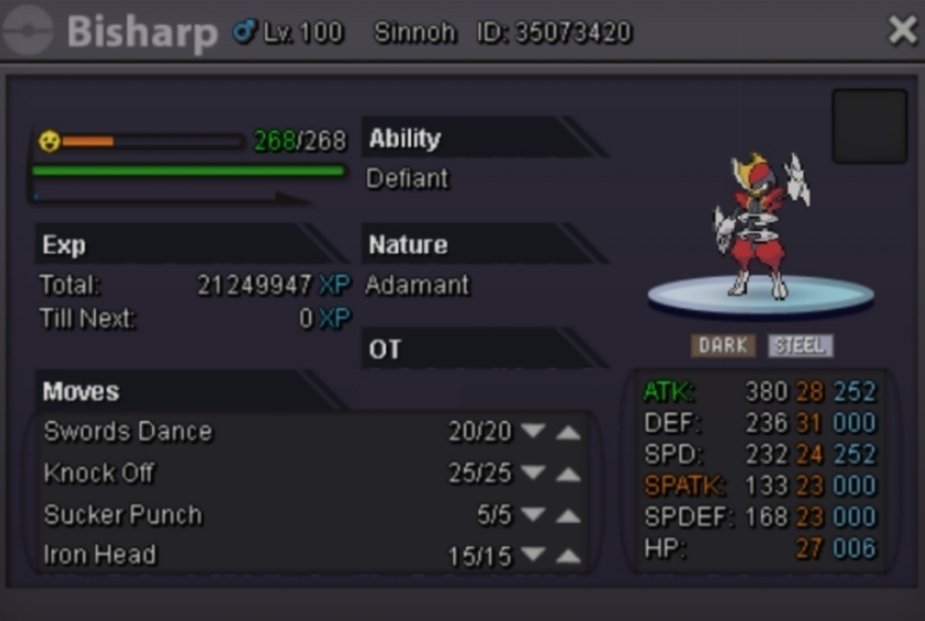
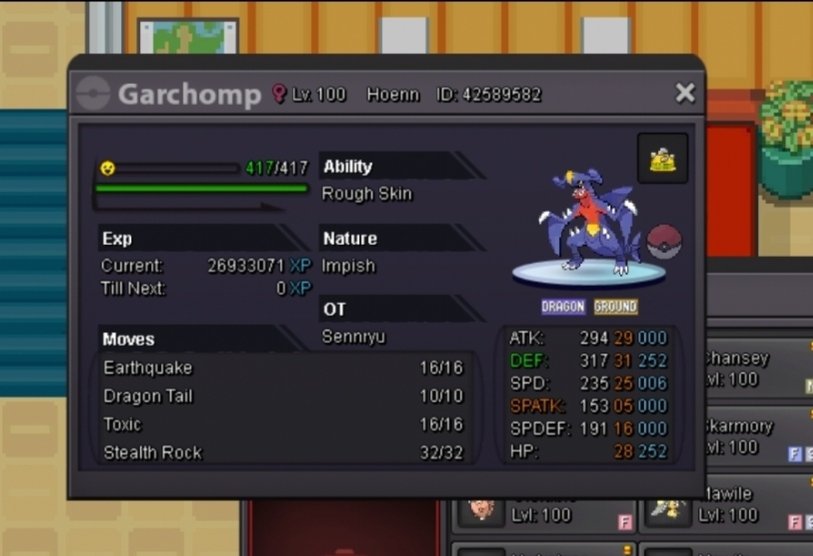
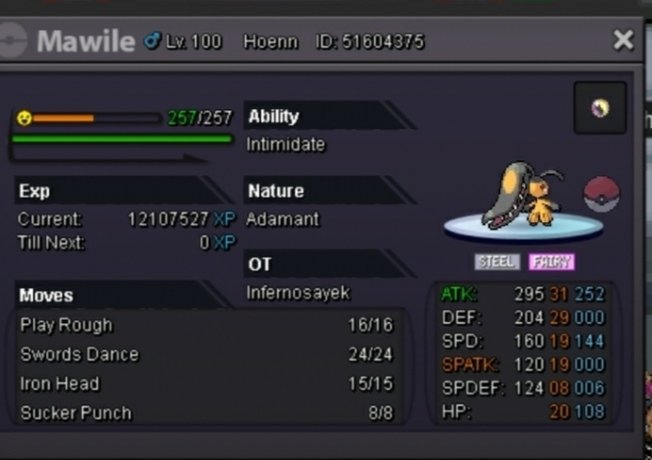
  3. Hello Sir, I stopped playing pro a year ago. I released some of my pvp pokemons in that time. Can i get those back please, as I'm starting pro again. Sorry for that mistake sir, and it would be really helpful if i get those pokemons back. (Gold Server) Garchomp lvl100 ID: 42589582 Bisharp lvl100 ID: 35073420 Reuniclus lvl100 ID: 24581913 Mawile lvl100 ID: 51604375 Metagross lvl100 ID: 62014399
  4. Atk 29+ Spd 30+ Hp 20+ Other status 10+ Paying 1m
  5. Meet me in game ig name: InfernoSayek
  6. 800k from me

Account

Navigation

Search

Search

Configure browser push notifications

Chrome (Android)
  1. Tap the lock icon next to the address bar.
  2. Tap Permissions → Notifications.
  3. Adjust your preference.
Chrome (Desktop)
  1. Click the padlock icon in the address bar.
  2. Select Site settings.
  3. Find Notifications and adjust your preference.