New Trade Zone
Trade Zone is now live
Use the new Trade Zone for auctions and instant-price trades so Pokemon and item offers are easy to find.


Wuhufeiren
Registered User
-
Joined
-
Last visited
-
Starting offer 800 min bid 100 k accept cc 400k nature rr 250k iv rr 500k ends 48h after start.

-
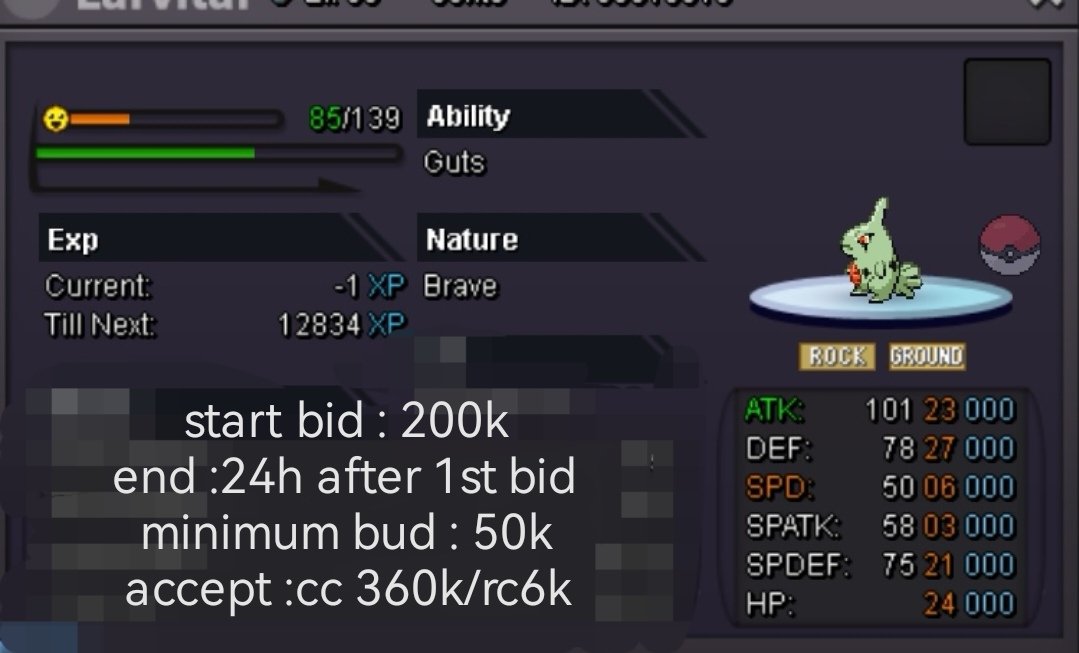
stared larvitar

-
steel
-
thx i can login in thx for u help thx^^hi i Hi, I met a bug, this afternoon when I downloaded the game while playing this game, then my network became very stuck, after I met a psyduck, I could not operate at all, I thought it was just a normal network jam, but when I closed the client and logged in again, I could not log in. I have tried replacing the device and the network and nothing has solved the problem.id:Xtl
 wtb kanto story service in game id:Wuhufeiren or u can pm mehi i want to finish kanto 400k pm me?could u online?hi homie when we trade?^^homie i will eat lunch and the i will online about 7hI'm in pink island i will online 3h wait for u homie1karsh12 not have problem we finished trade