




New Trade Zone
Trade Zone is now live
Use the new Trade Zone for auctions and instant-price trades so Pokemon and item offers are easy to find.

Castaways
Registered User
-
Joined
-
Last visited
-
-
-
Hi, Please add lcing#3676 (lowercase L) or juru#1475 on Discord, or pm Juruzu or Icing in game. Thanks!
-
Bagon and Drilbur sold to Yololusky
-
Crawdaunt sold to @axxao74100 150k, please PM me on Discord (lcing#3676 -lowercase L) or PM me in game or contact juru#1475 on Discord or Juruzu in game.
-
Greninja insta'd to Aryabrama896
-
Hi Arya, tried to PM you in game but you went AFK/logged off. If you cant get in touch with me in game, please contact me on Discord, lcing#3676 (lowercase L)
-
Updated!
-
Litwick 2 sold to Gamood
-
Updated!
-
Noticed, timer started (72 hours left/3 Days)
-
Noticed, auction started - ends in 3 days (72 hours from now)
-
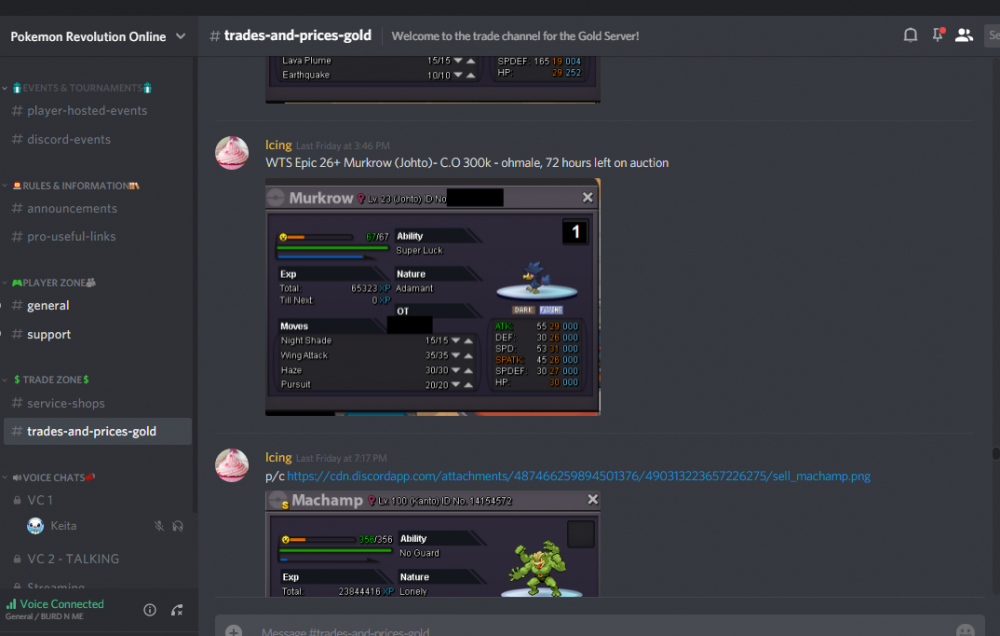
That rule has been there since the thread was started back over a month ago. The only rules that have been changed since then was the 50k min bid rule that was added a few days ago, along with adjusted prices for CC=Pokedollars. I believe the "no discounts if buying in bulk" was added a week ago before the shop was revamped/updated. I don't know how much importance you put on the official PRO discord, but the 72 hours remaining was posted there as soon as I posted in the forums. There was also a timer for the mon that indicated how much time was remaining posted in the thread above the Murkrow screenshot for the entire duration of the auction.
-
Murkrow sold to @@Baszta90, please add lcing#3676 (lowercase L) or Juru#1475 on Discord, or PM icing or juruzu in game.
-
Updated!
