New Trade Zone
Trade Zone is now live
Use the new Trade Zone for auctions and instant-price trades so Pokemon and item offers are easy to find.

Lc90
Suspended
-
Joined
-
Last visited
-
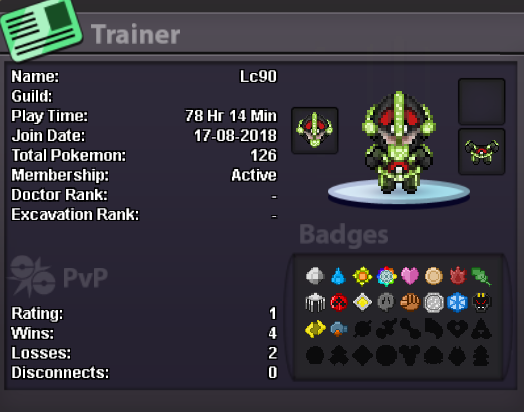
Why do you want to join Eternity? I would like to join Eternity Guild as i feel i am ready for to help other members of the community and would like to be apart of a guild. to share my knowledge and to also learn from other members Real name / ingame name: irl Liam ign Lc90 Ur country/ which language(s) do you speak? I am from England, i speak English Discord name+tag / how often u r online there? Fsociety. i am online everyday What is your goal on pro/are you interested in pvp/already pvping? i am interested in PvP and want to start PvPing Screenshot of your trainercard