




New Trade Zone
Trade Zone is now live
Use the new Trade Zone for auctions and instant-price trades so Pokemon and item offers are easy to find.

Qsxesz
Registered User
-
Joined
-
Last visited
-
What's your Player name (IGN)? - Qsxesz Number of hours played? - 412 What's your favourite Pokemon? - Lugia What country are you from? - South Qfrica How old are you? - 26 Which server do you play on? - silver
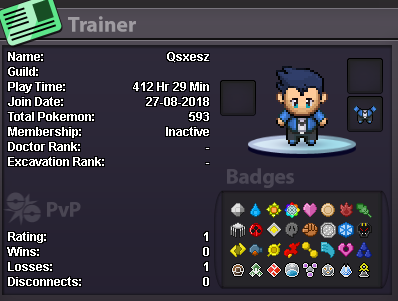
-
a
-
Hi i would like to join the guild please.
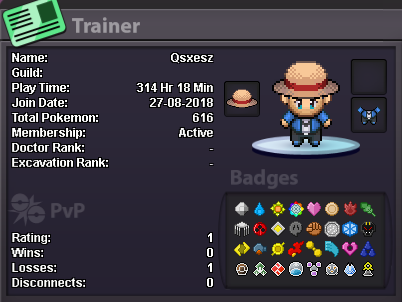
-
1. What's your Player name (IGN)? Qsxesz 2. Number of hours played? 314 hours 3. What's your favorite Pokemon? Lugia 4. What country are you from? South Affrica 5. How old are you? 25 6. When's your Birthday? (Optional) 31 March 1994
-
Application 1. What's your Player name (IGN)? =My in-game name is Qsxesz 2. Number of hours played?=165 hours 3. What's your favorite Pokemon?=gyarados 4. How old are you? = 25 5. When's your Birthday? (Optional) =31 march. 6.What country are you from? South Africa
