




New Trade Zone
Trade Zone is now live
Use the new Trade Zone for auctions and instant-price trades so Pokemon and item offers are easy to find.


Gralak21
Registered User
-
Joined
-
Last visited
Everything posted by Gralak21
-
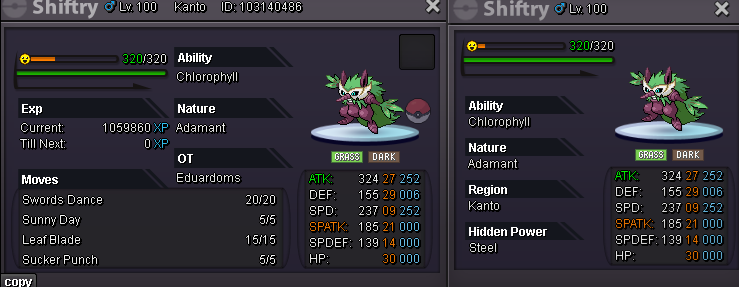
start adamant 30/25
-
update
-
update
-
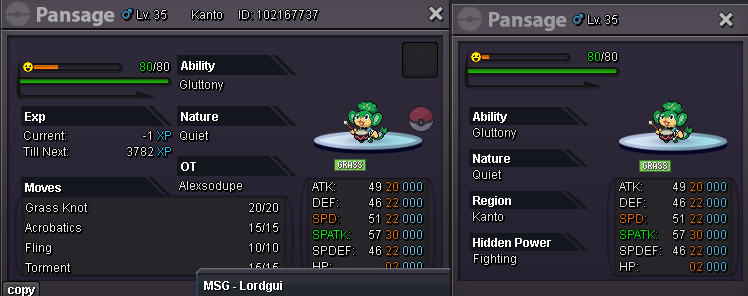
Whimsicott start pansage

-
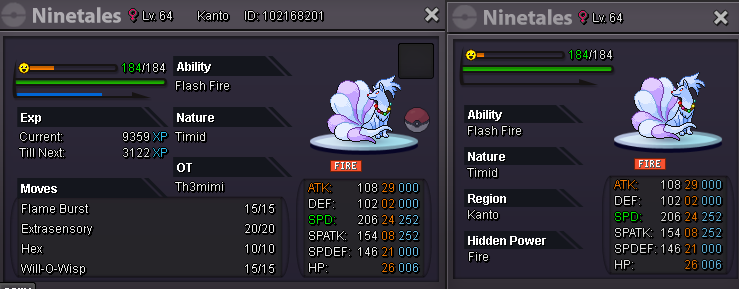
start mimi
-
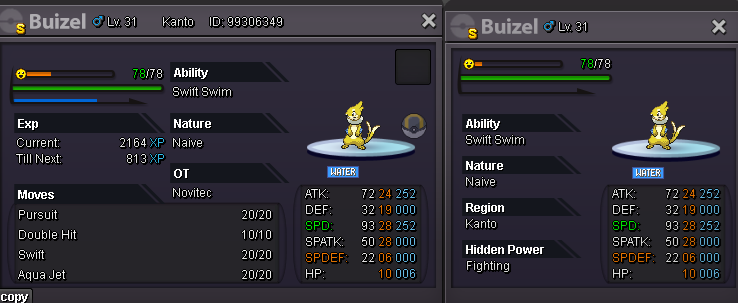
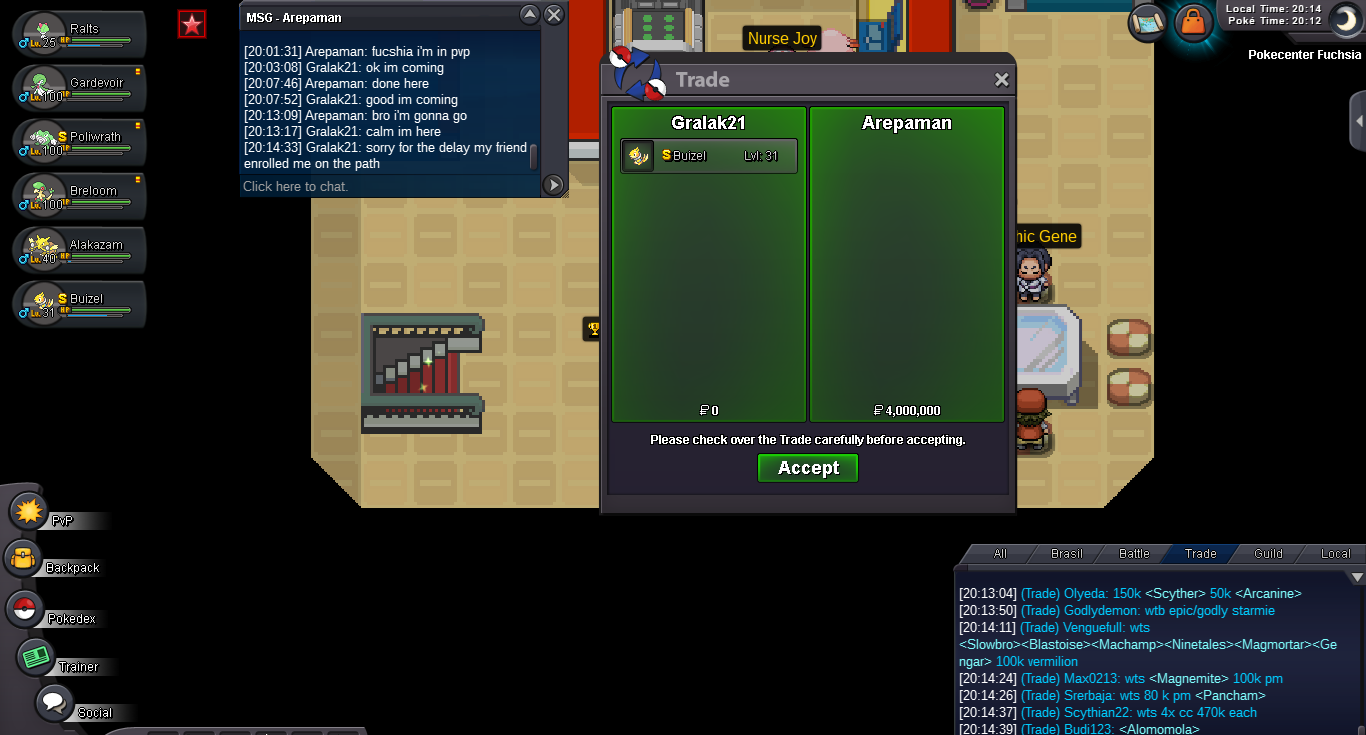
sold insta price
-
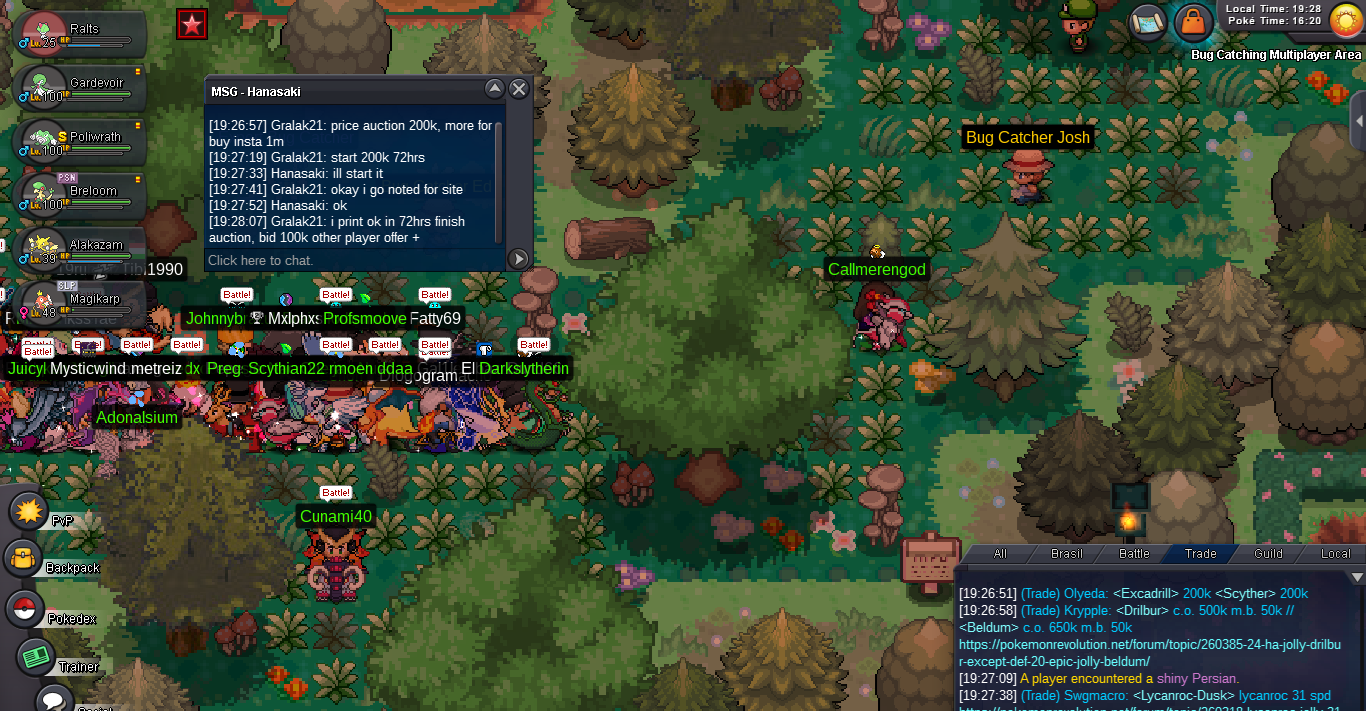
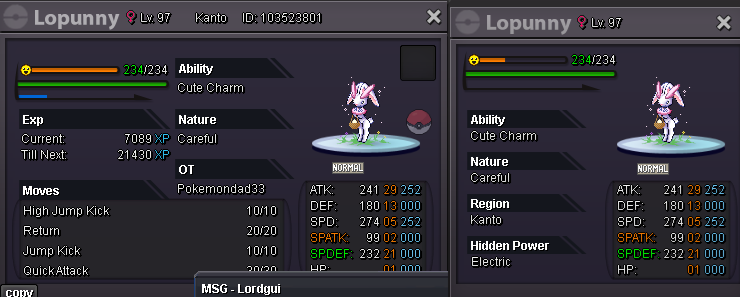
Hanasaki start skin loppuny
-
bump
-
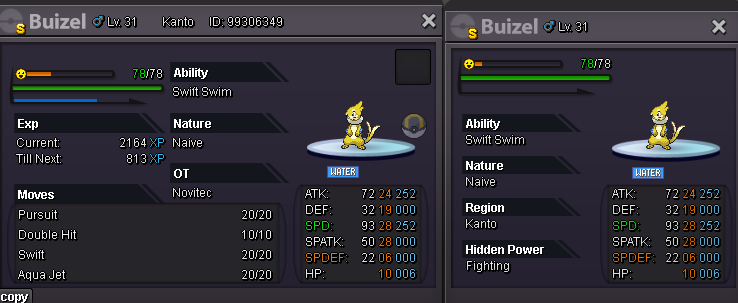
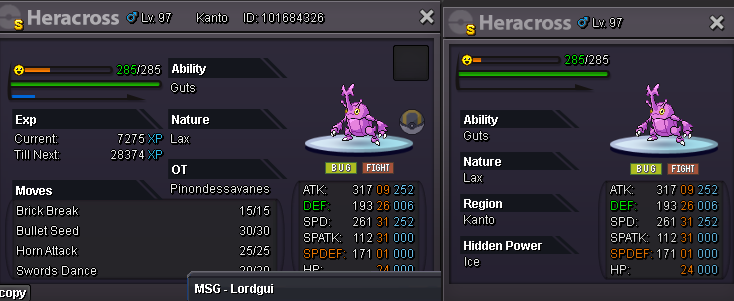
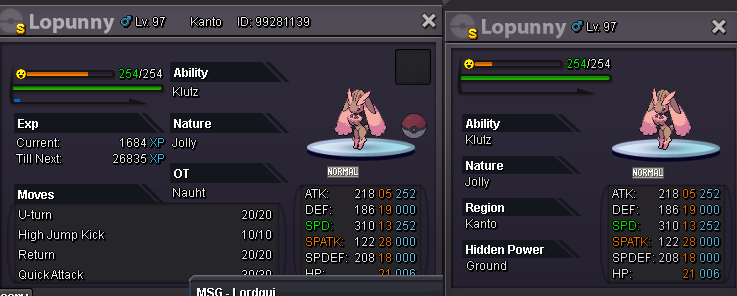
Well, if you want to buy, the best recommendation would be Insta, as I'll go for original prices. Now if you prefer to bid and then see if other people participate, the auction is best started for each pokemon will be next to the description. The auction starts from the first bid, the person said start or said the value, from the moment the person placed the bid, 72 hours will be counted until the end at the same time in which the bid was made. insta 4m (start 2m min bid 100k 72hrs left) insta 10m (start 5m min bid 1m 72hrs left) insta 3m500k (start 2m min bid 100k 72hrs left) insta 1m (start 200k min bid 100k 72hrs left) insta 1m (start 200k min bid 100k 72hrs left) insta 1m (start 200k min bid 100k 72hrs left)
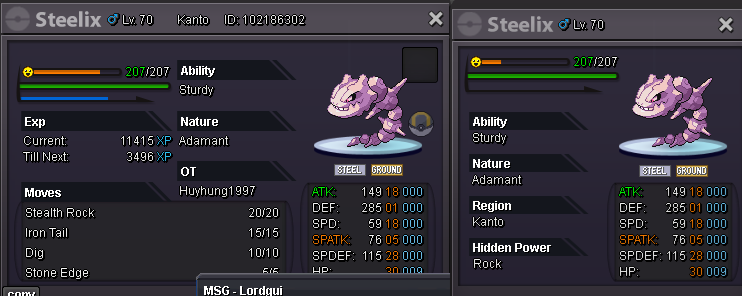
-
auction ends, thank you to everyone who participated
-
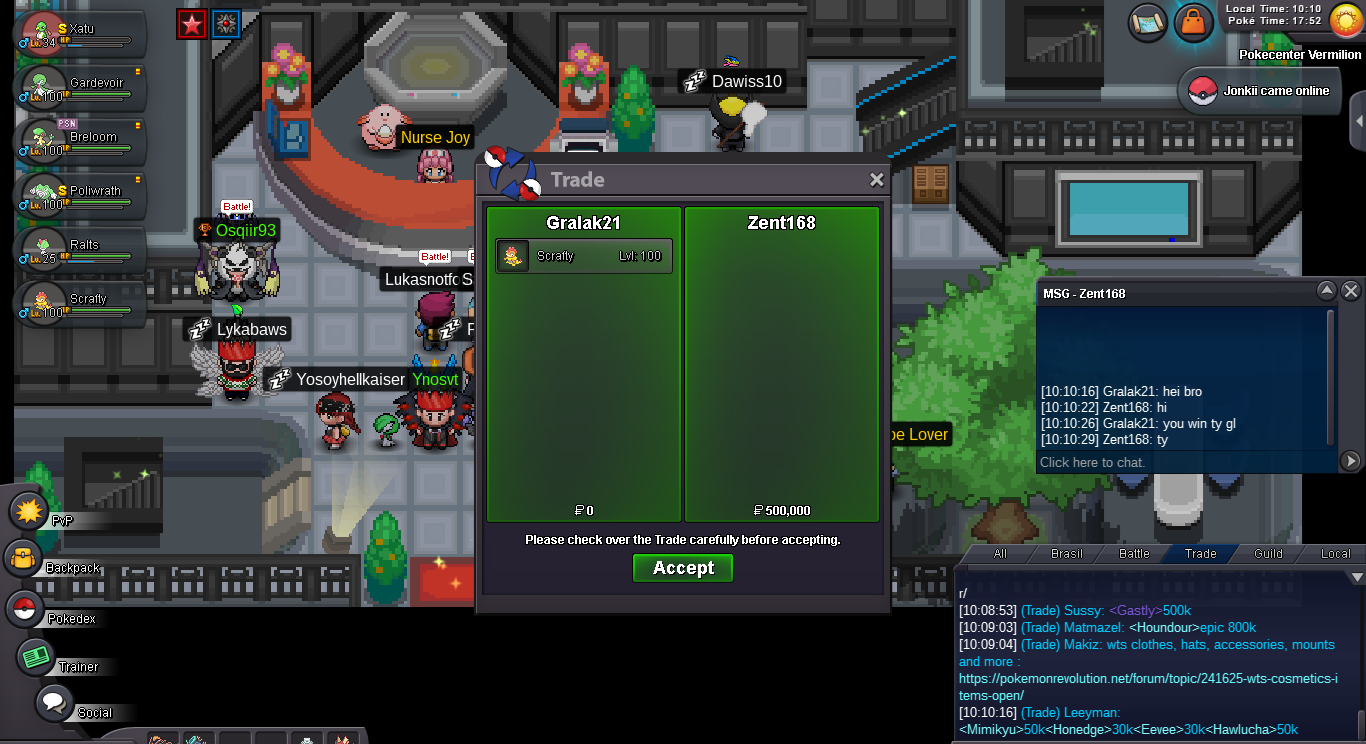
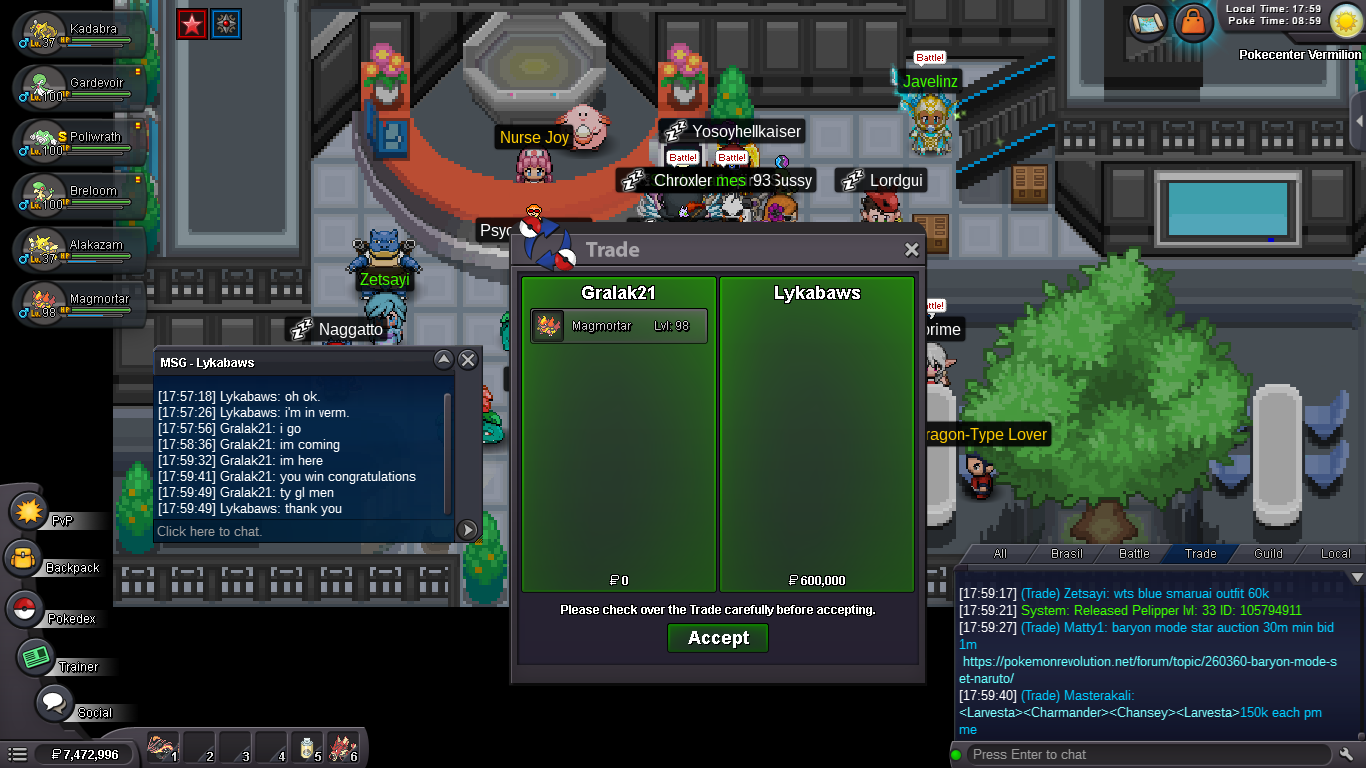
the auction ended 2 hours ago magmortar, Lykabaws you winstartAnother thing, I got a ban, I'm banned from today for 6 days, trying to talk to the admin to remove the ban, among other things that I need during the game to deliver and receive, plus the notice if they released my banends tomorrow, same time you posted, today is the 2nd day of the auction, 2 days have already passed and it will end approximately completing the third day which is in 18 hours to end2m1m1m500k1m800k scizorscrafty sold
 Swampert is already out of time and has been auctioned, now I only have Scizor and Magmortar which ends in 48hrs magmortar 72hrs scizor


Account
Navigation
Search
Configure browser push notifications
Chrome (Android)
- Tap the lock icon next to the address bar.
- Tap Permissions → Notifications.
- Adjust your preference.
Chrome (Desktop)
- Click the padlock icon in the address bar.
- Select Site settings.
- Find Notifications and adjust your preference.
Safari (iOS 16.4+)
- Ensure the site is installed via Add to Home Screen.
- Open Settings App → Notifications.
- Find your app name and adjust your preference.
Safari (macOS)
- Go to Safari → Preferences.
- Click the Websites tab.
- Select Notifications in the sidebar.
- Find this website and adjust your preference.
Edge (Android)
- Tap the lock icon next to the address bar.
- Tap Permissions.
- Find Notifications and adjust your preference.
Edge (Desktop)
- Click the padlock icon in the address bar.
- Click Permissions for this site.
- Find Notifications and adjust your preference.
Firefox (Android)
- Go to Settings → Site permissions.
- Tap Notifications.
- Find this site in the list and adjust your preference.
Firefox (Desktop)
- Open Firefox Settings.
- Search for Notifications.
- Find this site in the list and adjust your preference.