




New Trade Zone
Trade Zone is now live
Use the new Trade Zone for auctions and instant-price trades so Pokemon and item offers are easy to find.
Compote
Registered User
-
Joined
-
Last visited
Everything posted by Compote
-
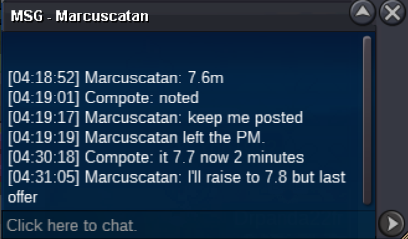
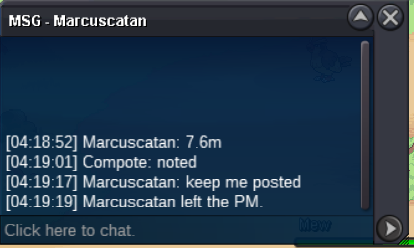
Auction closes 4:31 am, so Marcustatan won @Jefke007 your bid was 2 minutes too late i'm sorry
-
Start bid: 5m Minimum bid: 100k insta: 20m Duration: 48h after first bid

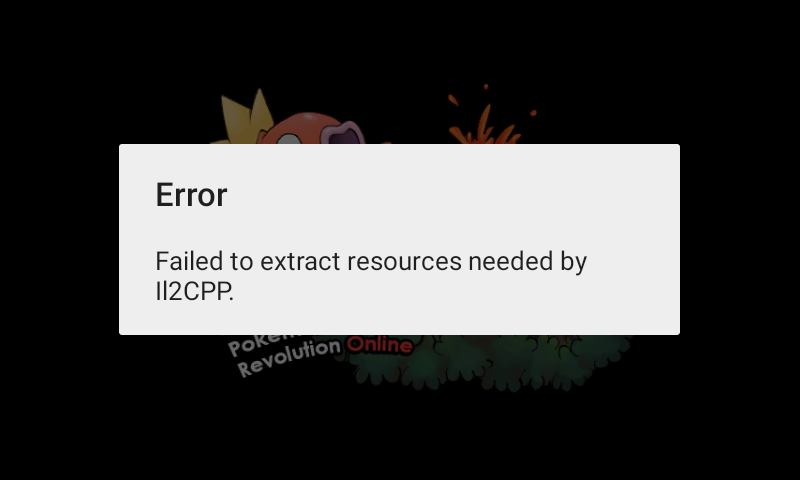
 [1 TICKET] 1. What do you want to ask from Santa this Christmas? - i asked a godly Ralts [1 TICKET] 2. Post a picture of your Christmas Tree! - i don't do m'y Christmas Treethis year sorryHi everyone, i've a problem, i downloaded the client earlier today, but it doesn't work. I launch the game and i've this message si i don't know what to do for resolve this (i in android)
 Pseudo dans le jeu : Compote Temps de jeu : pas beaucoup, mais je connais le jeu et je suis très active Âge : 21 ans Quelques mots sur vous : j'aime bien rigoler mais je sais aussi être sérieuse, j'aide beaucoup (quand je peux), et pis voilà je sais pas quoi dire Avez-vous Discord (obligatoire) ? : Oui Où en êtes-vous dans l'aventure ? :je viens d'avoir le 6ème badge Quels sont vos objectifs dans le jeu (PVP, farm, collection de PKM) ? : pour le moment finir ls régions, afin de pouvoir farm et faire du PvP dans le futur Pourquoi devrions-nous vous choisir ? Parce que je suis très active et je sais rigoler et donner des conseils
Account
Navigation
Search
Configure browser push notifications
Chrome (Android)
- Tap the lock icon next to the address bar.
- Tap Permissions → Notifications.
- Adjust your preference.
Chrome (Desktop)
- Click the padlock icon in the address bar.
- Select Site settings.
- Find Notifications and adjust your preference.
Safari (iOS 16.4+)
- Ensure the site is installed via Add to Home Screen.
- Open Settings App → Notifications.
- Find your app name and adjust your preference.
Safari (macOS)
- Go to Safari → Preferences.
- Click the Websites tab.
- Select Notifications in the sidebar.
- Find this website and adjust your preference.
Edge (Android)
- Tap the lock icon next to the address bar.
- Tap Permissions.
- Find Notifications and adjust your preference.
Edge (Desktop)
- Click the padlock icon in the address bar.
- Click Permissions for this site.
- Find Notifications and adjust your preference.
Firefox (Android)
- Go to Settings → Site permissions.
- Tap Notifications.
- Find this site in the list and adjust your preference.
Firefox (Desktop)
- Open Firefox Settings.
- Search for Notifications.
- Find this site in the list and adjust your preference.