




New Trade Zone
Trade Zone is now live
Use the new Trade Zone for auctions and instant-price trades so Pokemon and item offers are easy to find.

Kimbonairod
Registered User
-
Joined
-
Last visited
Everything posted by Kimbonairod
-
-
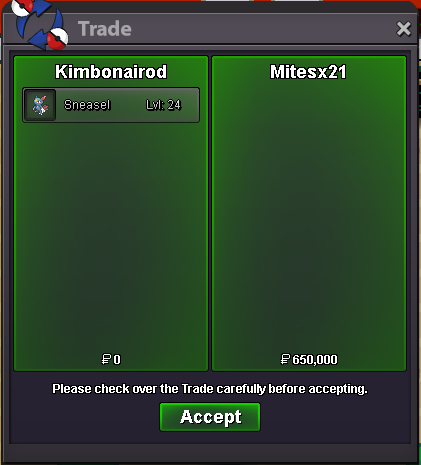
Kimbonairod gold@Mitesx21 wp ping me when you are available here or discord 🙂Start Offer : 500k Min bid : 50k Time : 48 hours after start offer is met No Insta Accepted payment methods : 1. Pokedollars 2. Coin Capsules ( 500k each ) 3. Iv Rerolls ( 600k each ) 4. Rare candies (6k each) NOTE : 1. This is a gold server auction , if you are bidding from an alternate server please mention and take the responsibility to transfer to gold server if won 2. If you are bidding from an alternate account , please do mention 3. Sufficient funds must be maintained in the account you are bidding from until the auction has ended 4. ALL TRADE RULES ARE BEING FOLLOWED - INCLUDING THE 15 MIN AUCTION TIME EXTEND RULE Contacts : 1. In - game - name : Kimbonairod 2. Discord - nairodkimbo (Nairod on official pro discord)
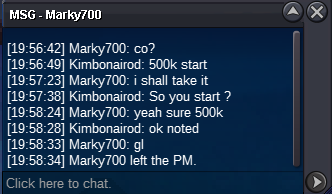
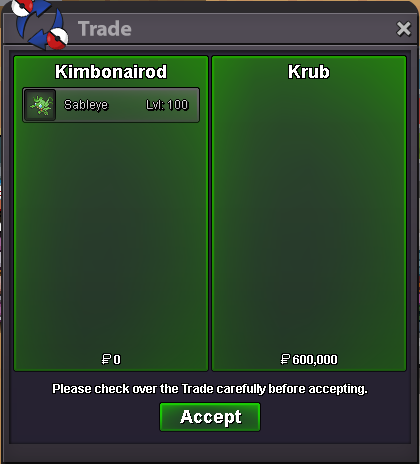
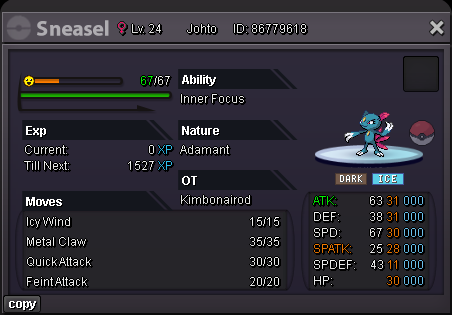 Kimbonairod gold glKimbonairod goldKimbonairod goldKimbonairod goldglKimbonairod goldKimbonairod goldKimbonairod gold serverKimbonairod gold serverKimbonairod gold serverPing me on discord when you are available 🙂Congrats ! Ping me when you are availableStart Offer : 500k Min bid : 100k Time : 48 hours after start offer is met No Insta Accepted payment methods : 1. Pokedollars 2. Coin Capsules ( 450k ea ) 3. Iv Rerolls ( 500k ea ) NOTE : 1. This is a gold server auction , if you are bidding from an alternate server please mention and take the responsibility to transfer to gold server if won 2. If you are bidding from an alternate account , please do mention 3. Sufficient funds must be maintained in the account you are bidding from until the auction has ended 4. ALL TRADE RULES ARE BEING FOLLOWED - INCLUDING THE 15 MIN AUCTION TIME EXTEND RULE Contacts : 1. In - game - name : Kimbonairod 2. Discord - nairodkimbo (Nairod on official pro discord)
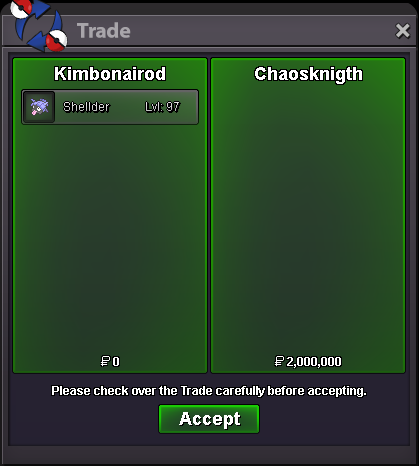
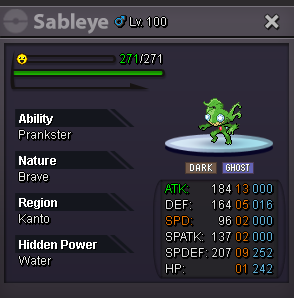 Well played ping me when you are available @Chaosknigthsomeone already start it at 500KStart Offer : 500k Min bid : 100k Time : 48 hours after start offer is met No Insta Accepted payment methods : 1. Pokedollars 2. Coin Capsules ( 450k ea ) 3. Iv Rerolls ( 500k ea ) NOTE : 1. This is a gold server auction , if you are bidding from an alternate server please mention and take the responsibility to transfer to gold server if won 2. If you are bidding from an alternate account , please do mention 3. Sufficient funds must be maintained in the account you are bidding from until the auction has ended 4. ALL TRADE RULES ARE BEING FOLLOWED - INCLUDING THE 15 MIN AUCTION TIME EXTEND RULE Contacts : 1. In - game - name : Kimbonairod 2. Discord - nairodkimbo (Nairod on official pro discord)
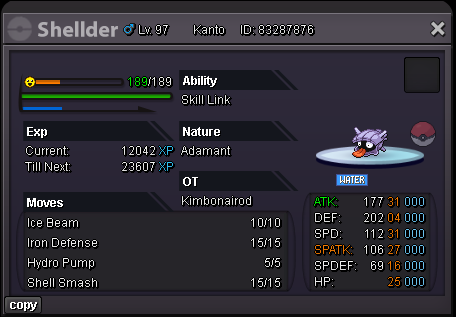 - Pokedollars - Coin Capsule - 500K - IV Reroll - 700K - Nature Reroll - 350K - Rare Candies - 6K 1. In - game - name : Kimbonairod 2. Discord - nairodkimbo (Nairod on official PRO discord) Spoiler Spoiler Spoiler Spoiler Spoiler Spoiler









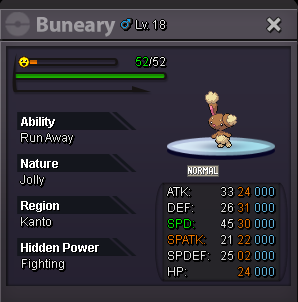
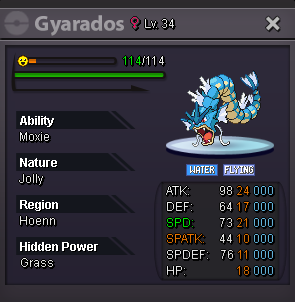
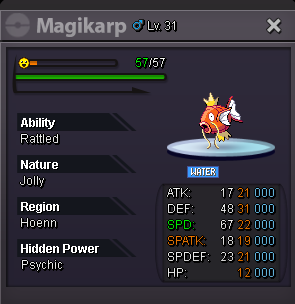
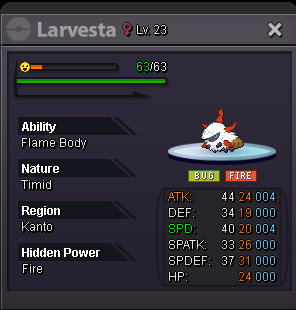
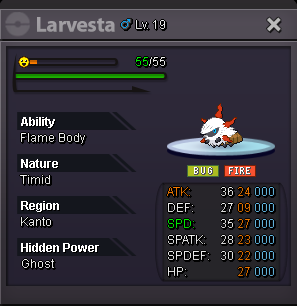
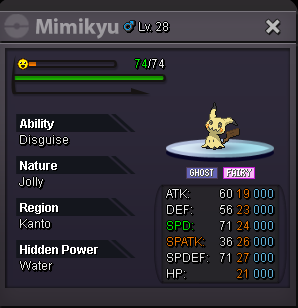
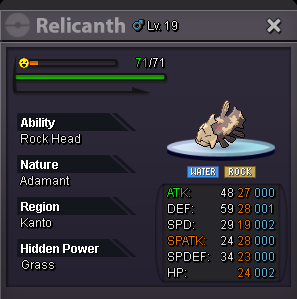
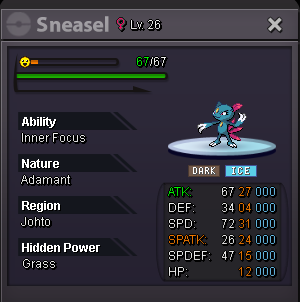
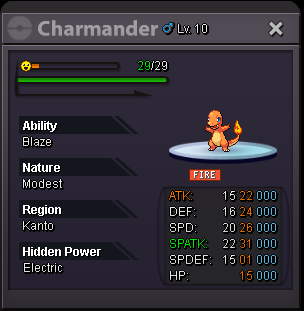
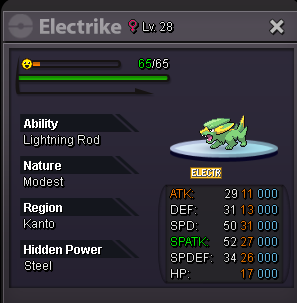
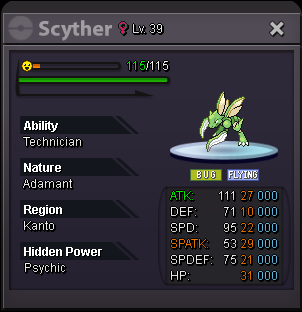
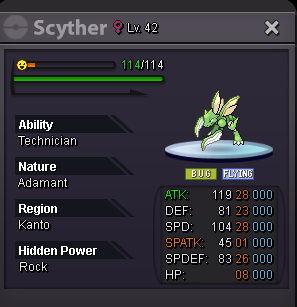
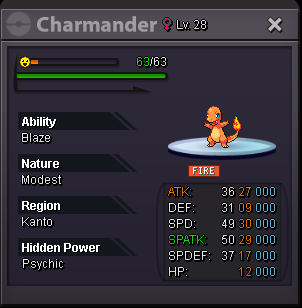
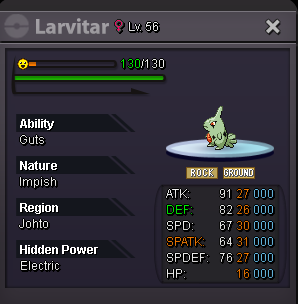
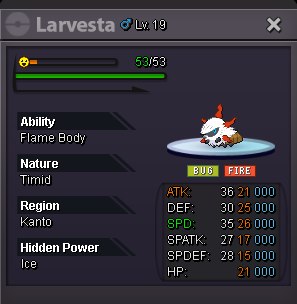
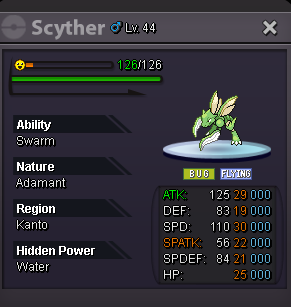
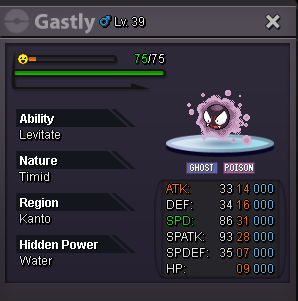
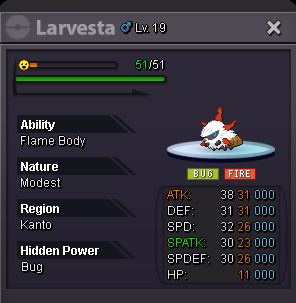
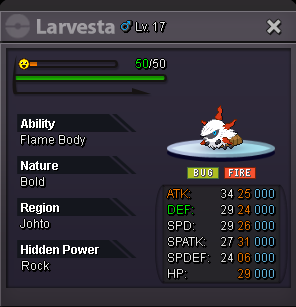
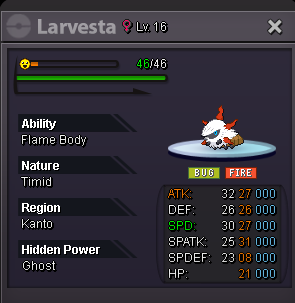
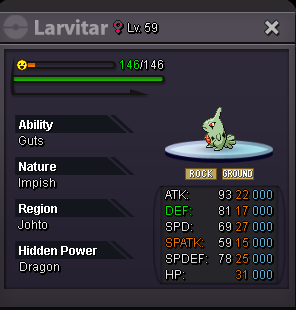


Account
Navigation
Search
Configure browser push notifications
Chrome (Android)
- Tap the lock icon next to the address bar.
- Tap Permissions → Notifications.
- Adjust your preference.
Chrome (Desktop)
- Click the padlock icon in the address bar.
- Select Site settings.
- Find Notifications and adjust your preference.
Safari (iOS 16.4+)
- Ensure the site is installed via Add to Home Screen.
- Open Settings App → Notifications.
- Find your app name and adjust your preference.
Safari (macOS)
- Go to Safari → Preferences.
- Click the Websites tab.
- Select Notifications in the sidebar.
- Find this website and adjust your preference.
Edge (Android)
- Tap the lock icon next to the address bar.
- Tap Permissions.
- Find Notifications and adjust your preference.
Edge (Desktop)
- Click the padlock icon in the address bar.
- Click Permissions for this site.
- Find Notifications and adjust your preference.
Firefox (Android)
- Go to Settings → Site permissions.
- Tap Notifications.
- Find this site in the list and adjust your preference.
Firefox (Desktop)
- Open Firefox Settings.
- Search for Notifications.
- Find this site in the list and adjust your preference.