New Trade Zone
Trade Zone is now live
Use the new Trade Zone for auctions and instant-price trades so Pokemon and item offers are easy to find.

Pasokoss
Registered User
-
Joined
-
Last visited
Everything posted by Pasokoss
-
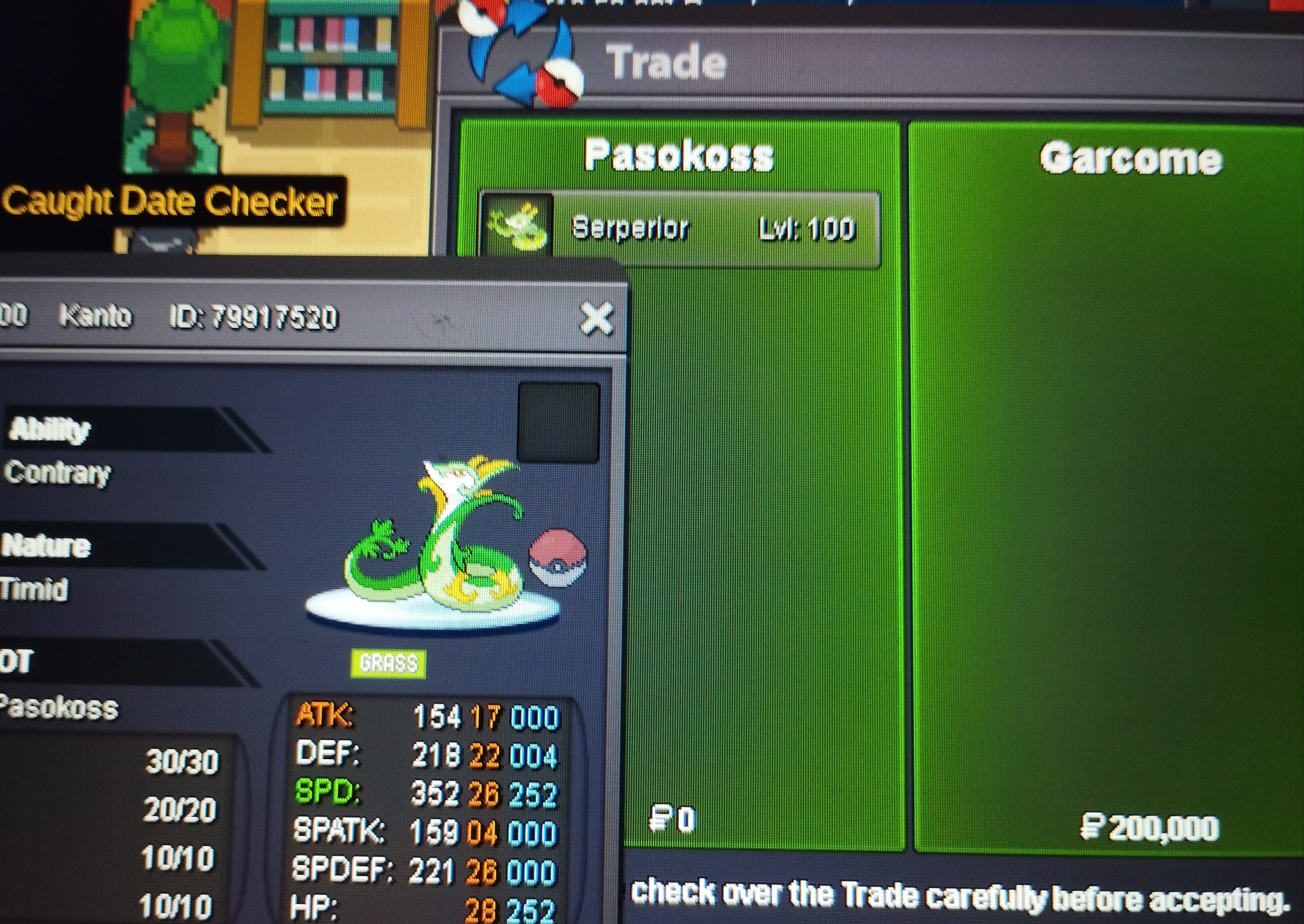
Start 50 k each mon min raise 50 k Info: -Tyranitar modest 31 spd semi epic -happiny 31 spd epic timid -Shroomish 30-31 spd semi epic -Yanma 30 spd hp fire -infernape 24+ mixed rash Auctions will end 20:00(+3gmt)1-8 Around 24 hours from now
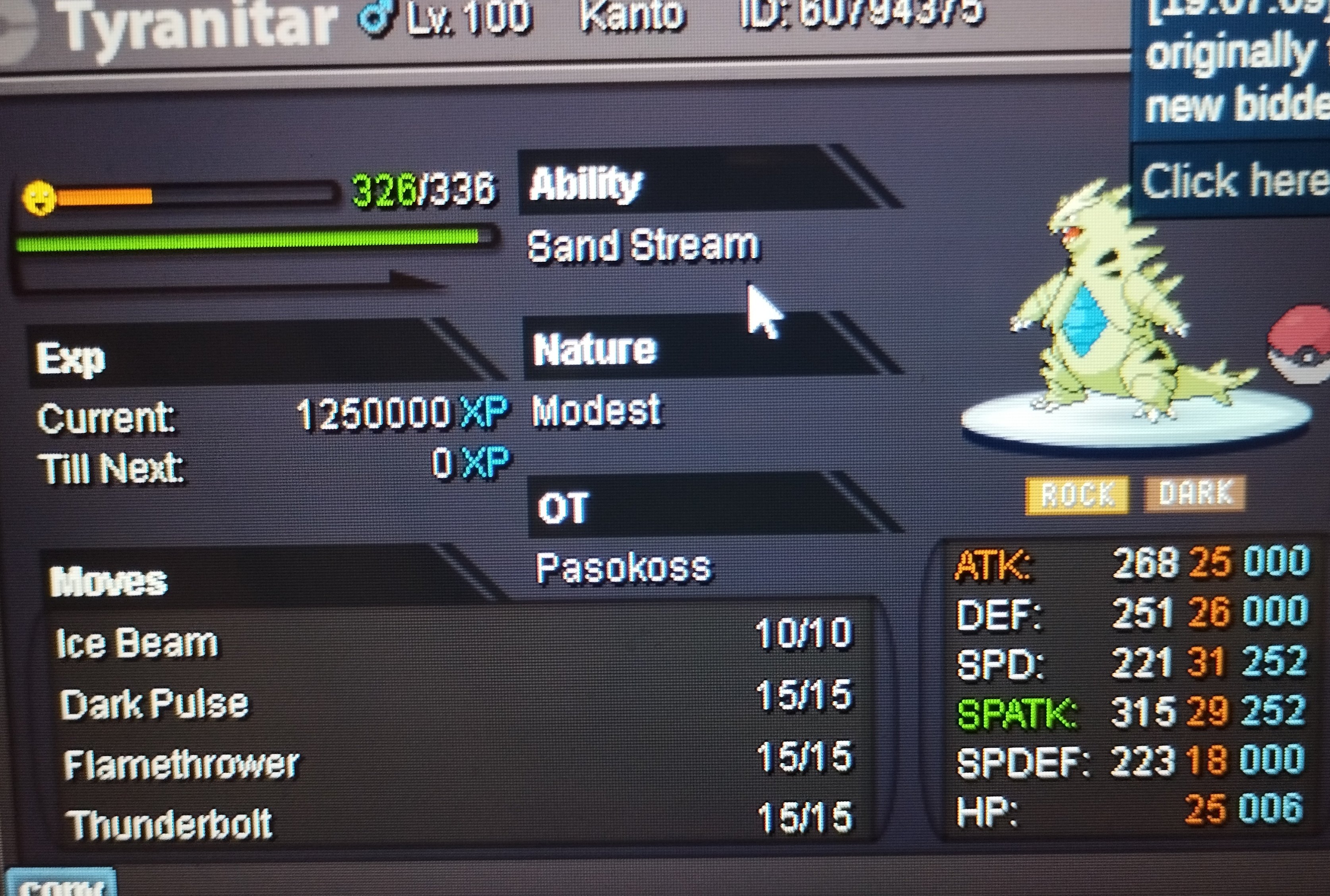
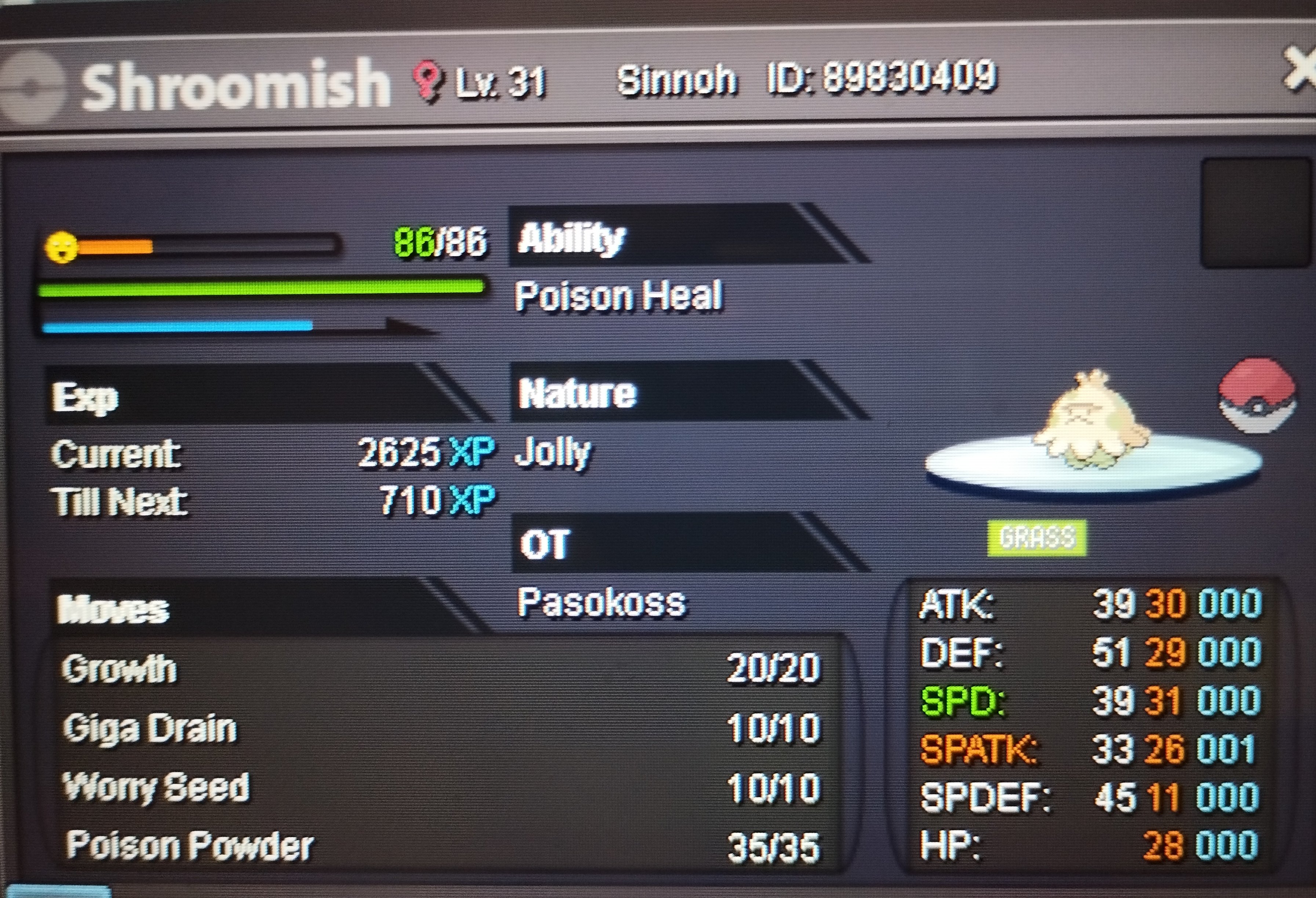
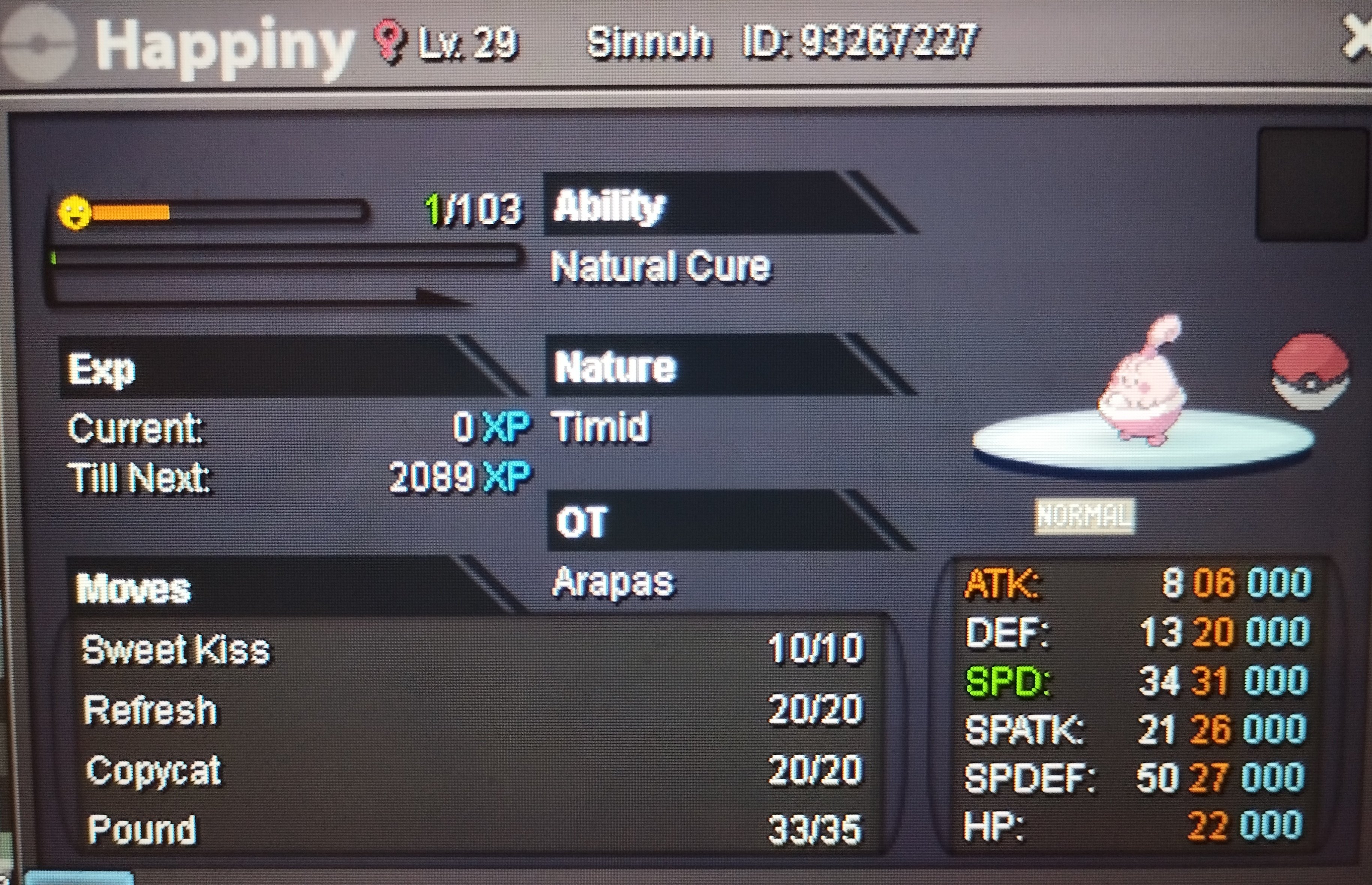

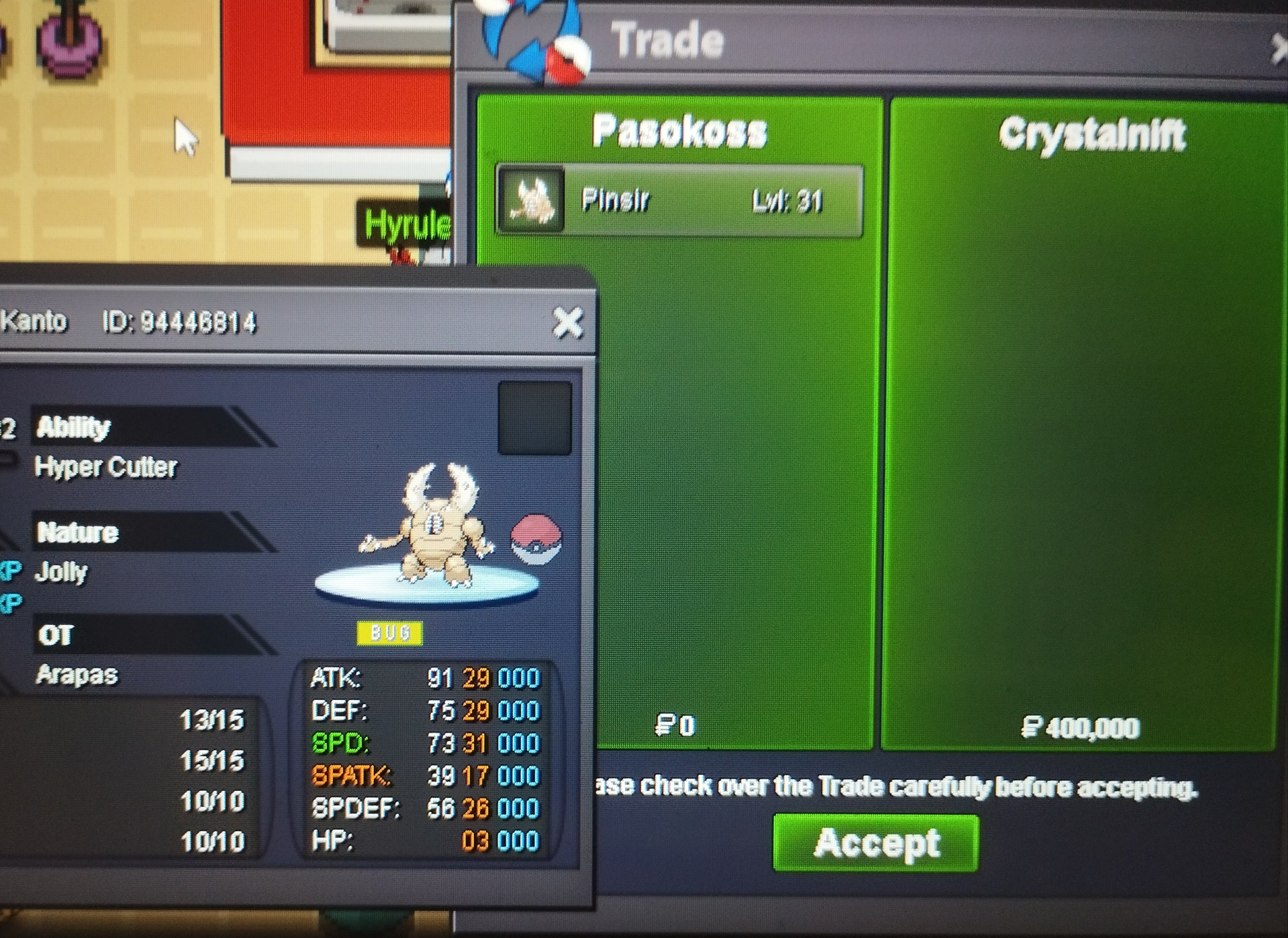
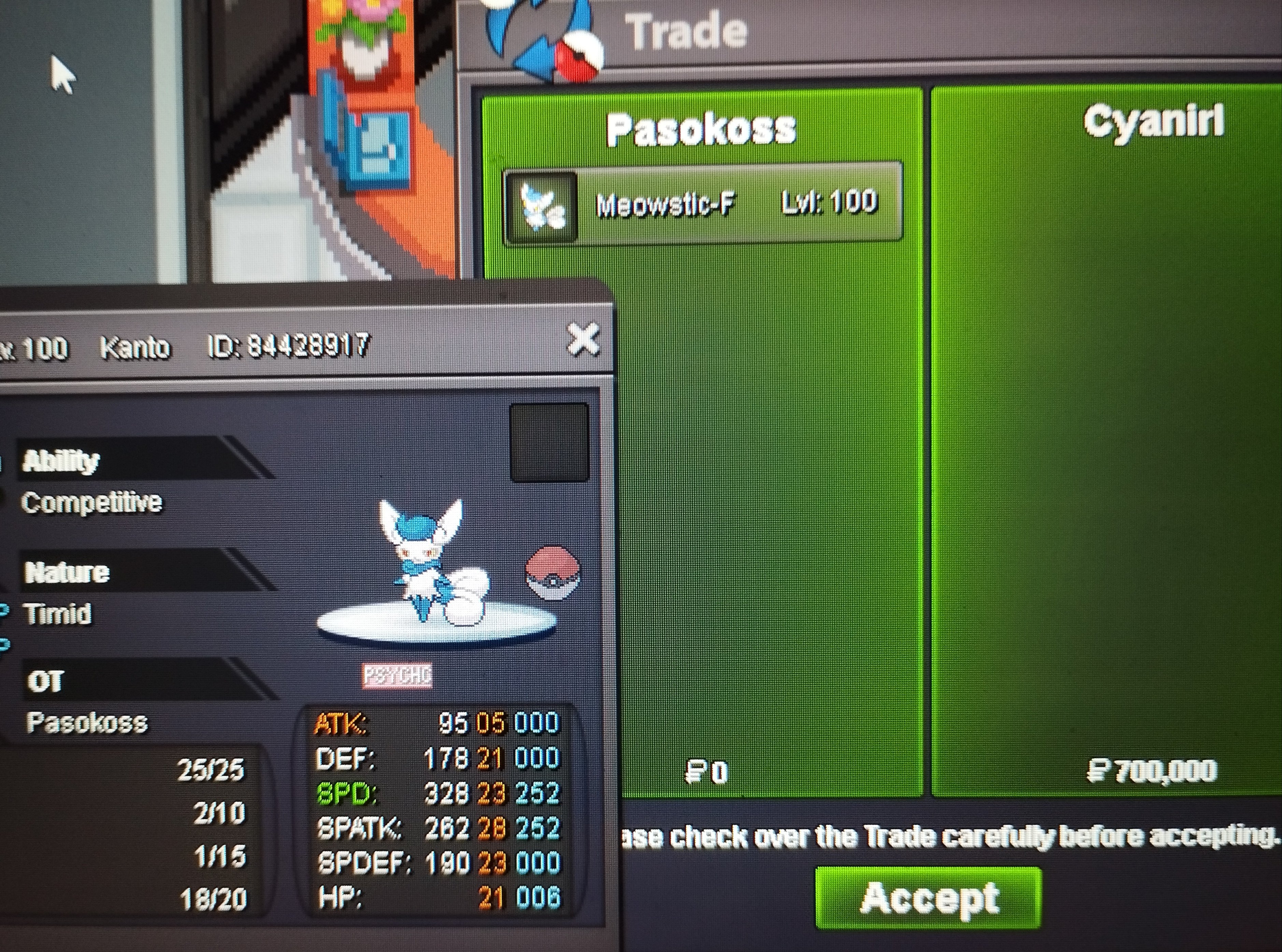
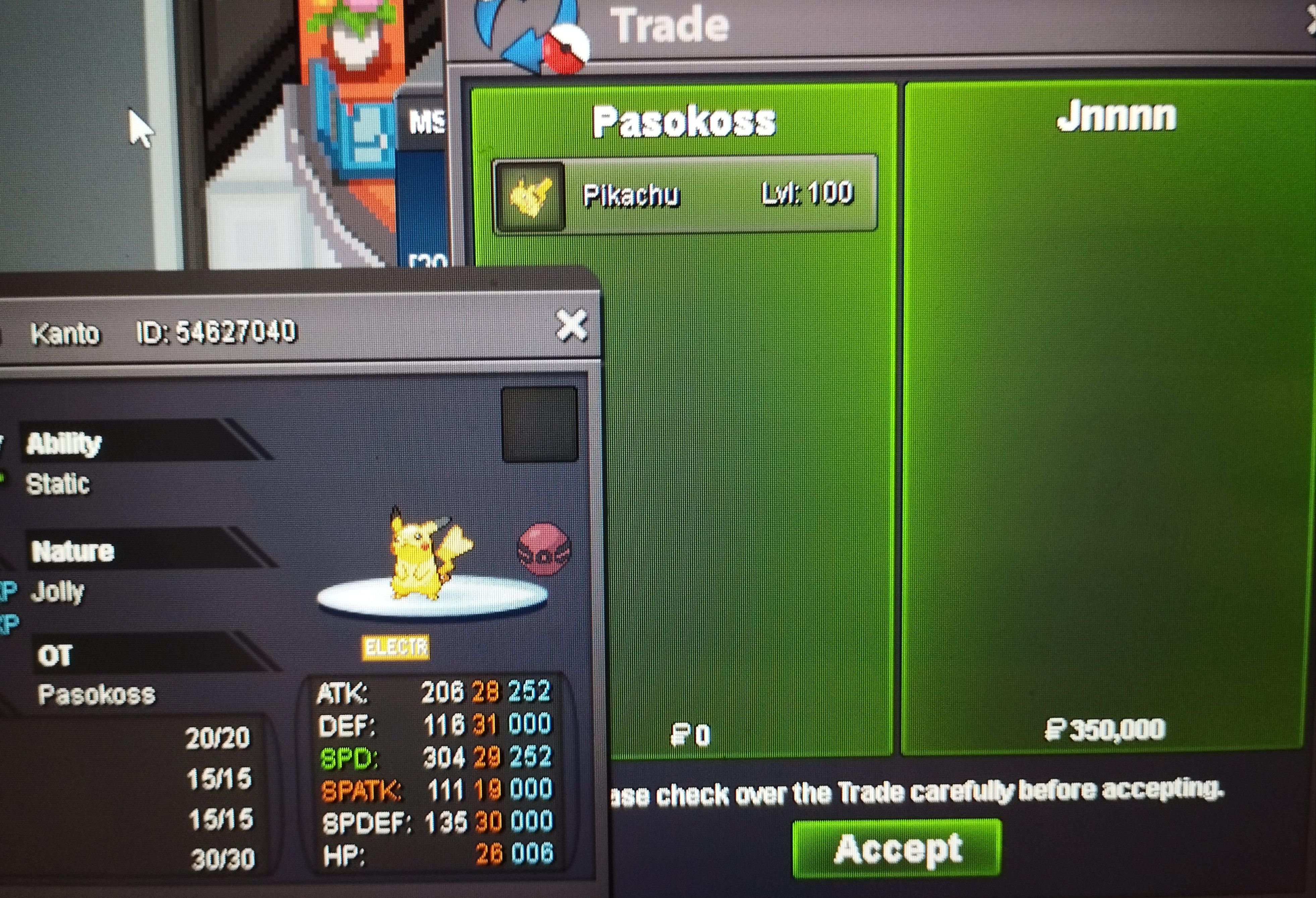
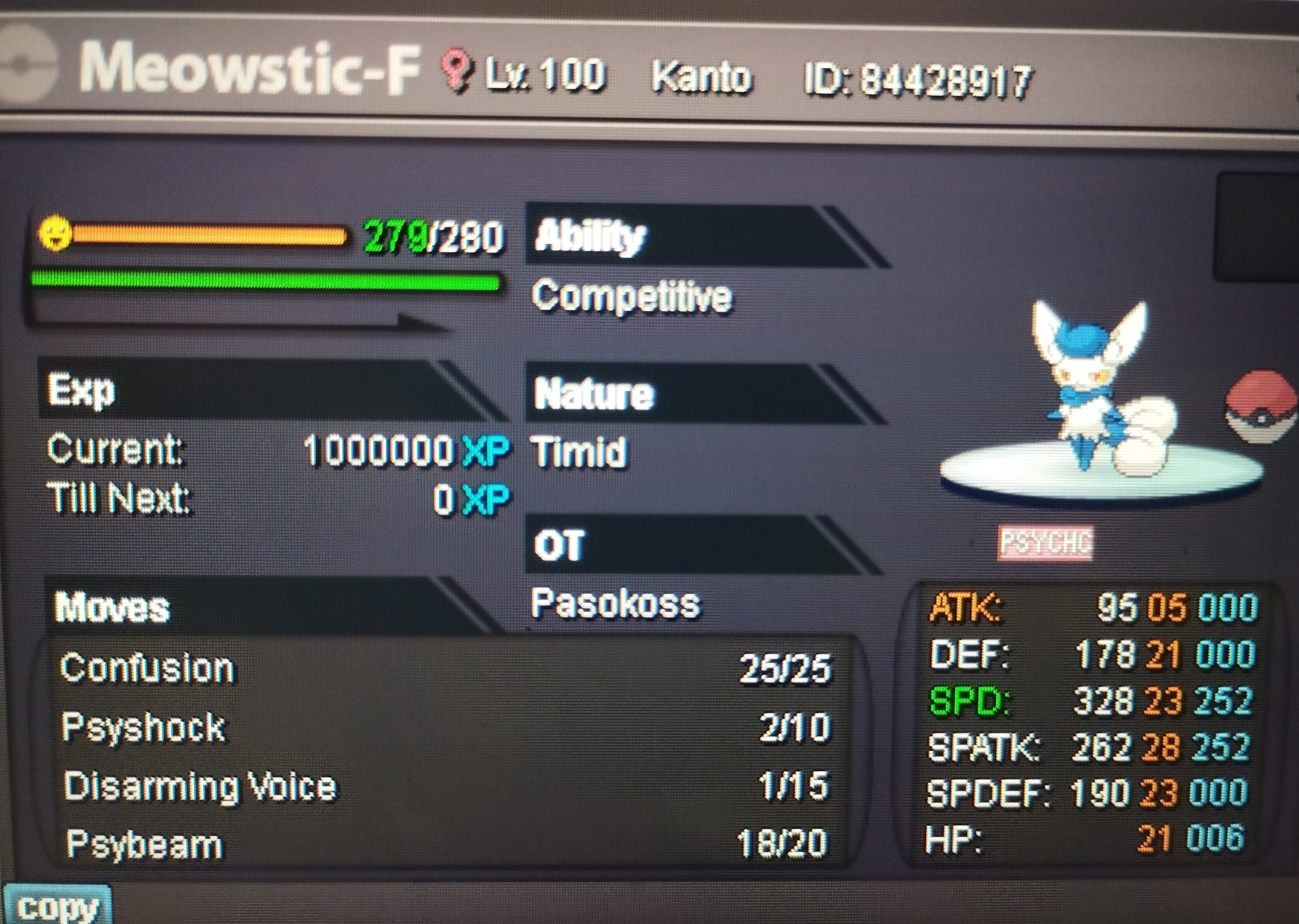
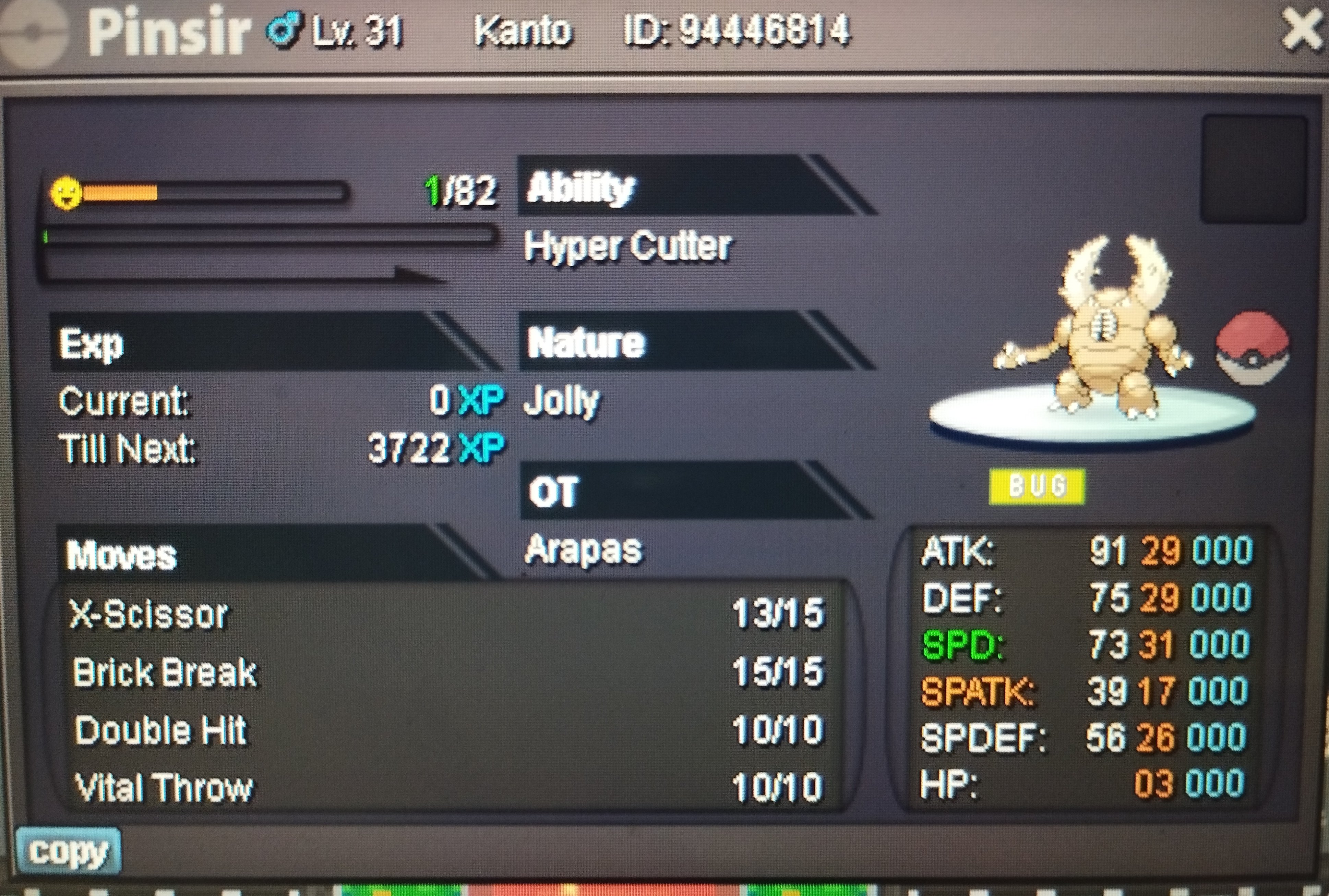
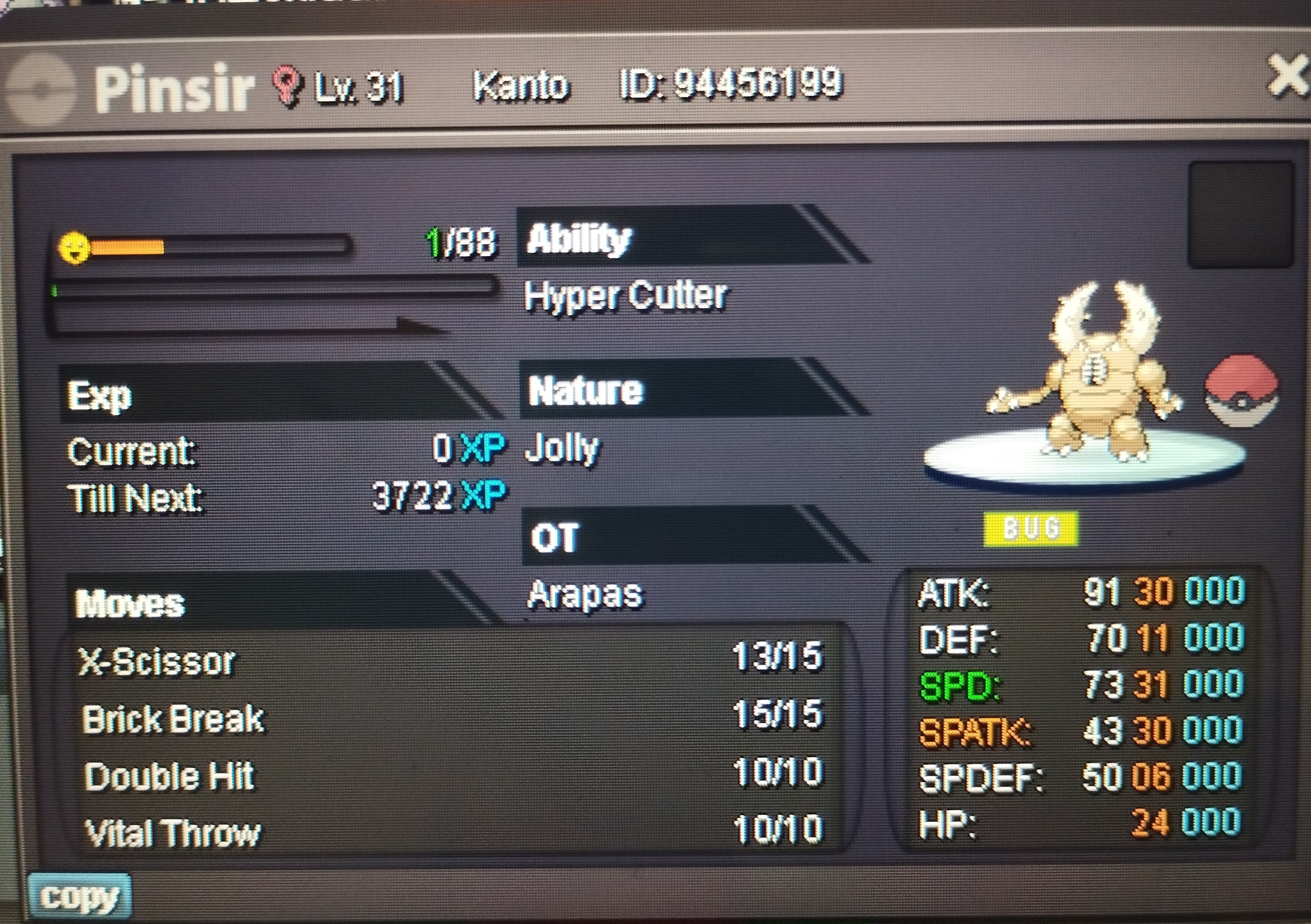
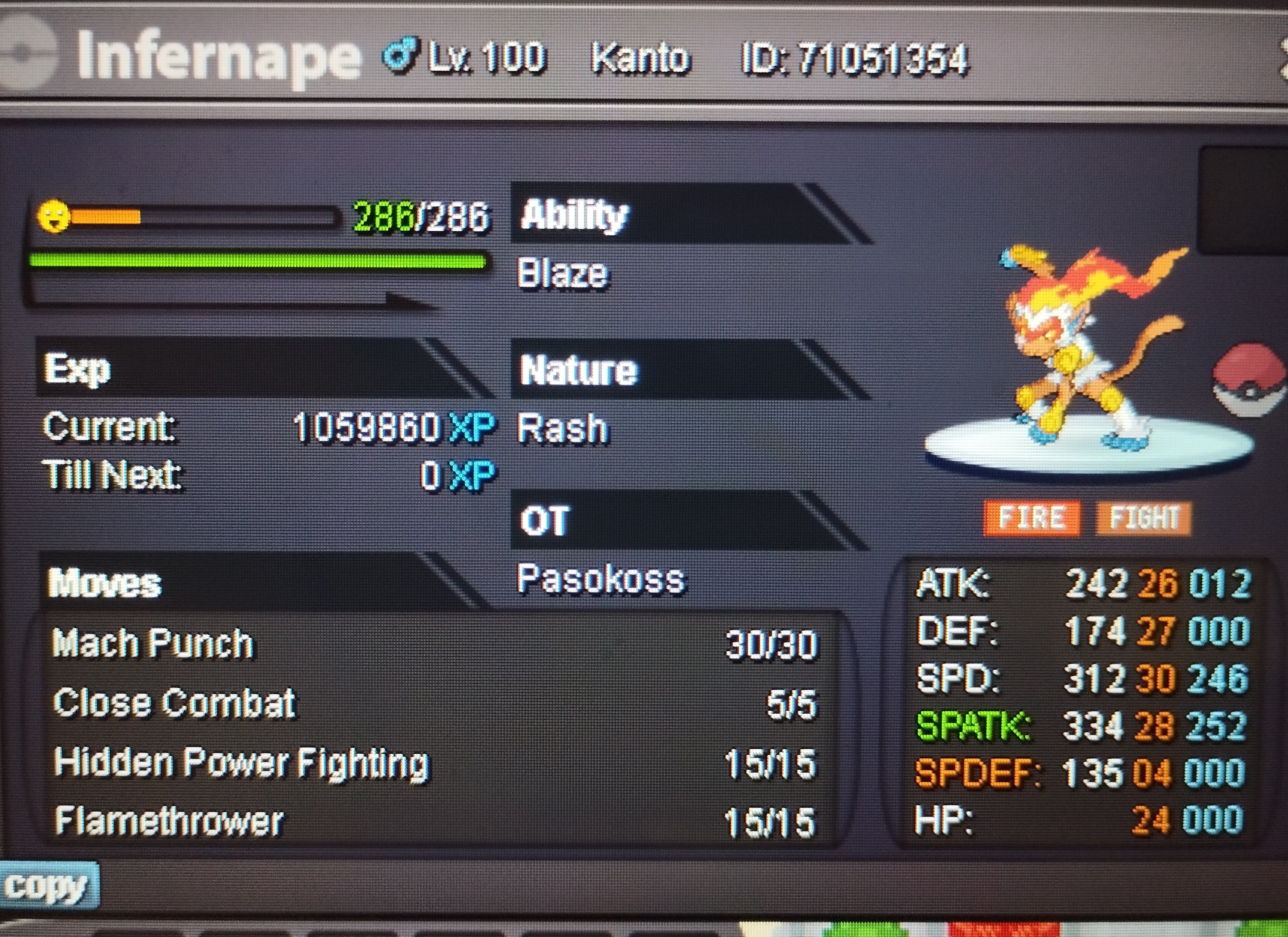 Pinsir 30 atk co 1m Pinsir 29 atk co 400 k Clamperl co 400 k Pikachu co 350 k Meowstic co 700 k
 59 min left..gl24 hours left... Pinsir 30 atk co 450 k Pinsir 29 atk co 300 k Clamperl co 250 k Pikachu co 150 k Meowstic co 600 kPikachu co 150 k
 Pinsir 30 atk co 300 k Pinsir 29 atk co 300 k Clamperl co 200 k Pikachu co 100 k Meowstic co 600 k
 Pinsir 30 atk co 200 k Pinsir 29 atk co 300 k Clamperl co 100 k Pikachu co 100 k Meowstic co 600 k
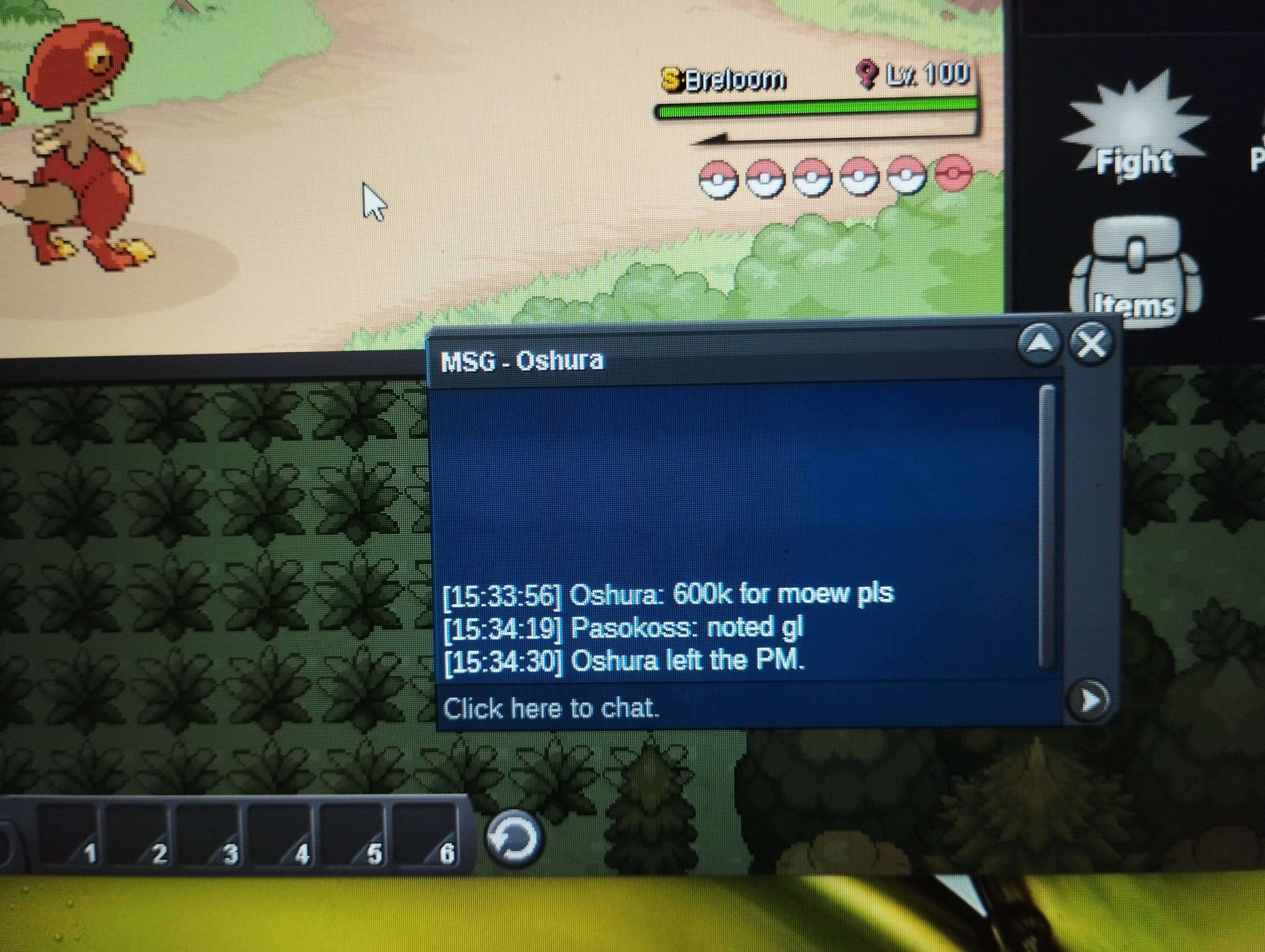 Pinsir 30 atk co 200 k Pinsir 29 atk co 300 k Clamperl co 100 k Pikachu co 100 k Meowstic co 500 k
 Pikachu co 100 k
 Pinsir 30-31 co 100 k Clamperl co 100 k
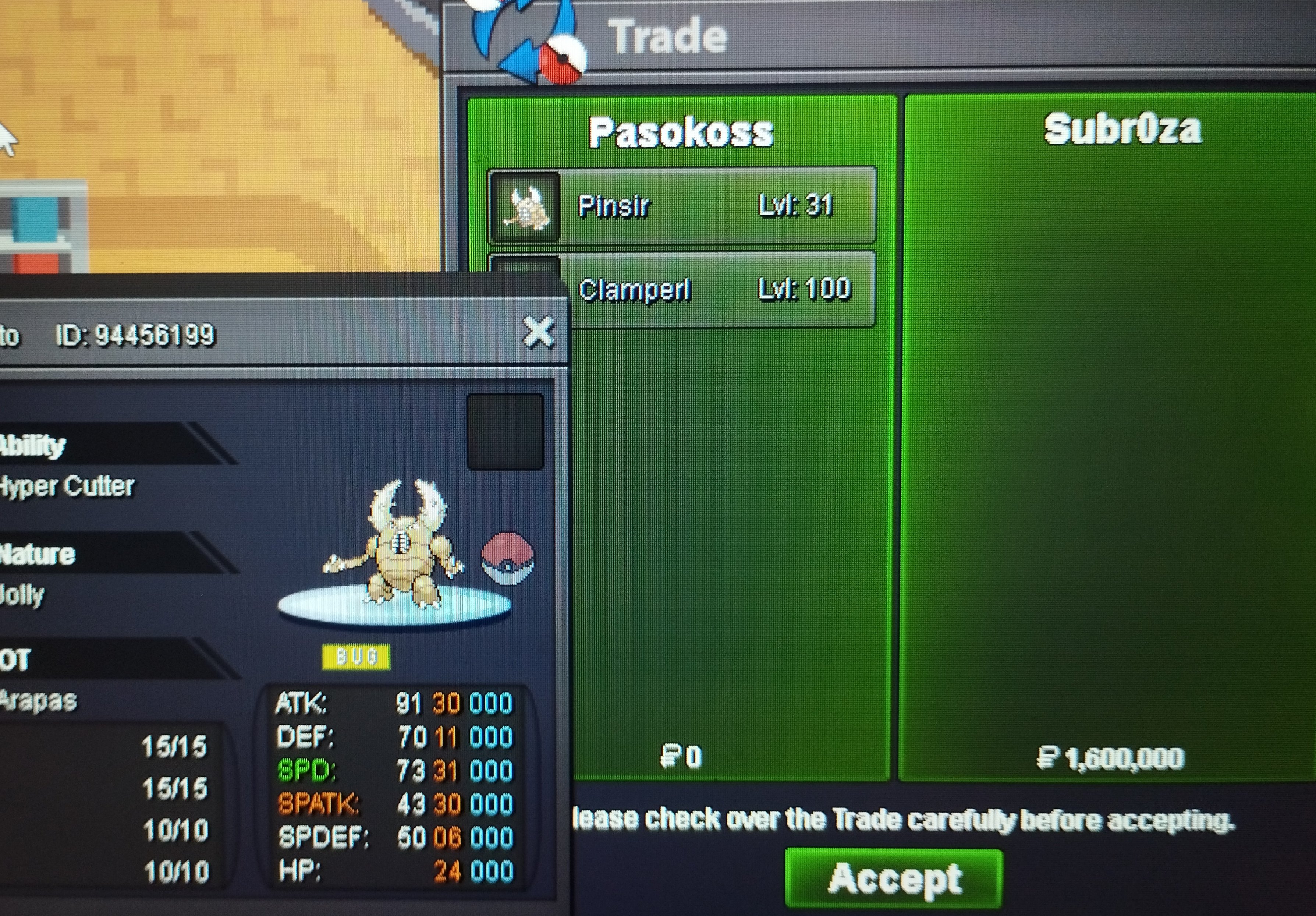
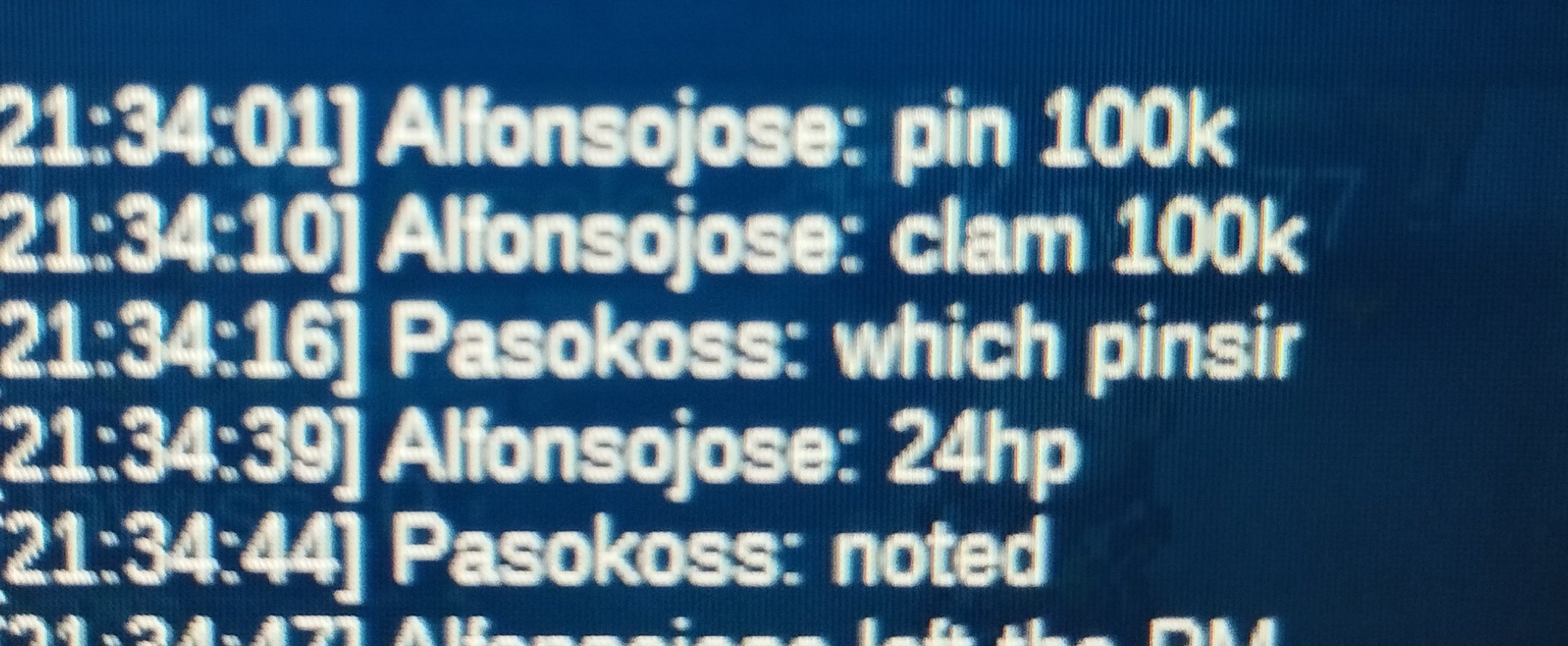 Info: -Pinsir 31 spd 30 atk hyper -Pinsir 31 spd 29 atk hyper -Pikachu jolly godly 26+ -Meowstic timid competitive 21+ -clamperl 31 spd epic Start 50 k each pokemon Min raise 50 k Accept cc 400 k Auctions will end 19:00(+3gmt) 31-07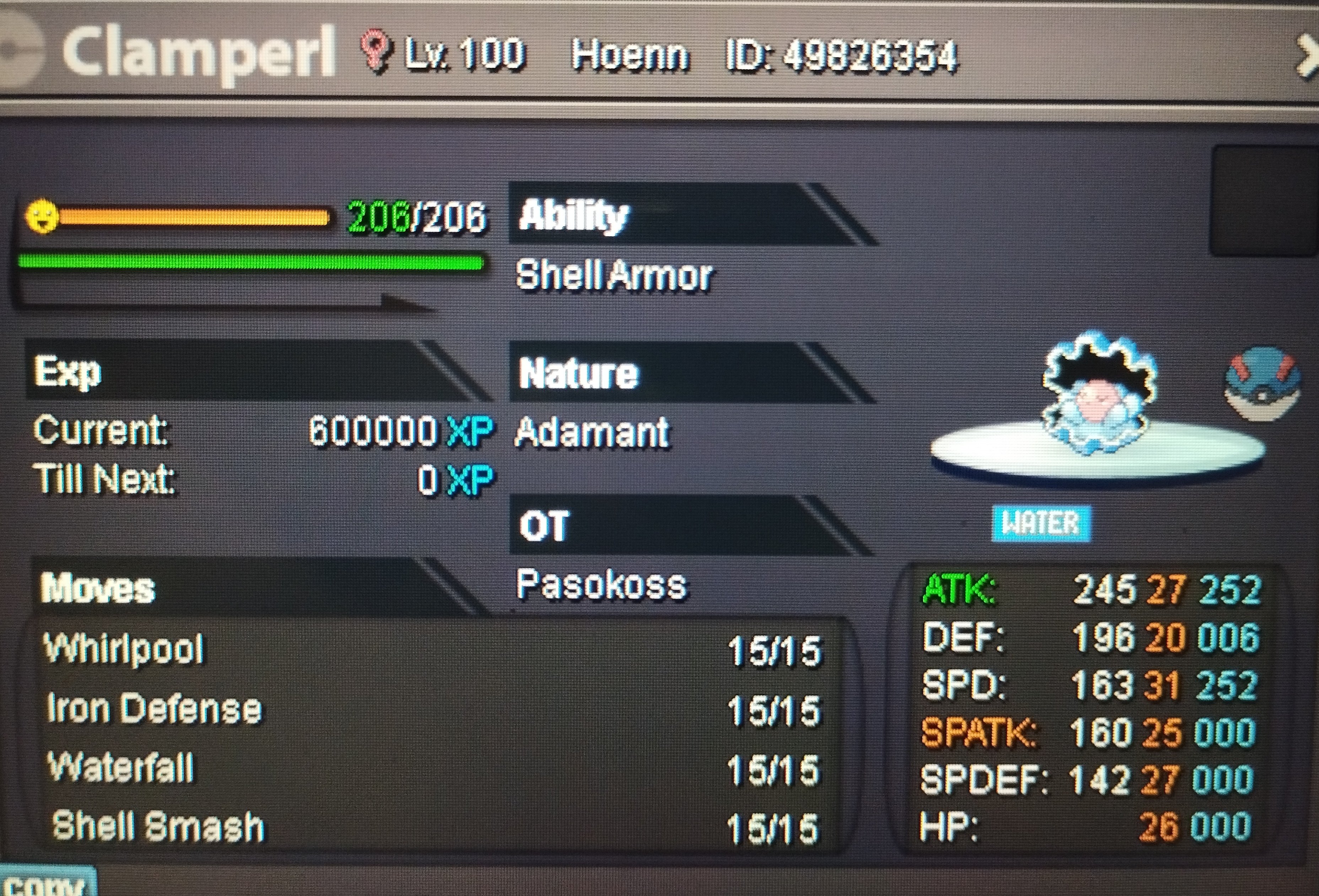
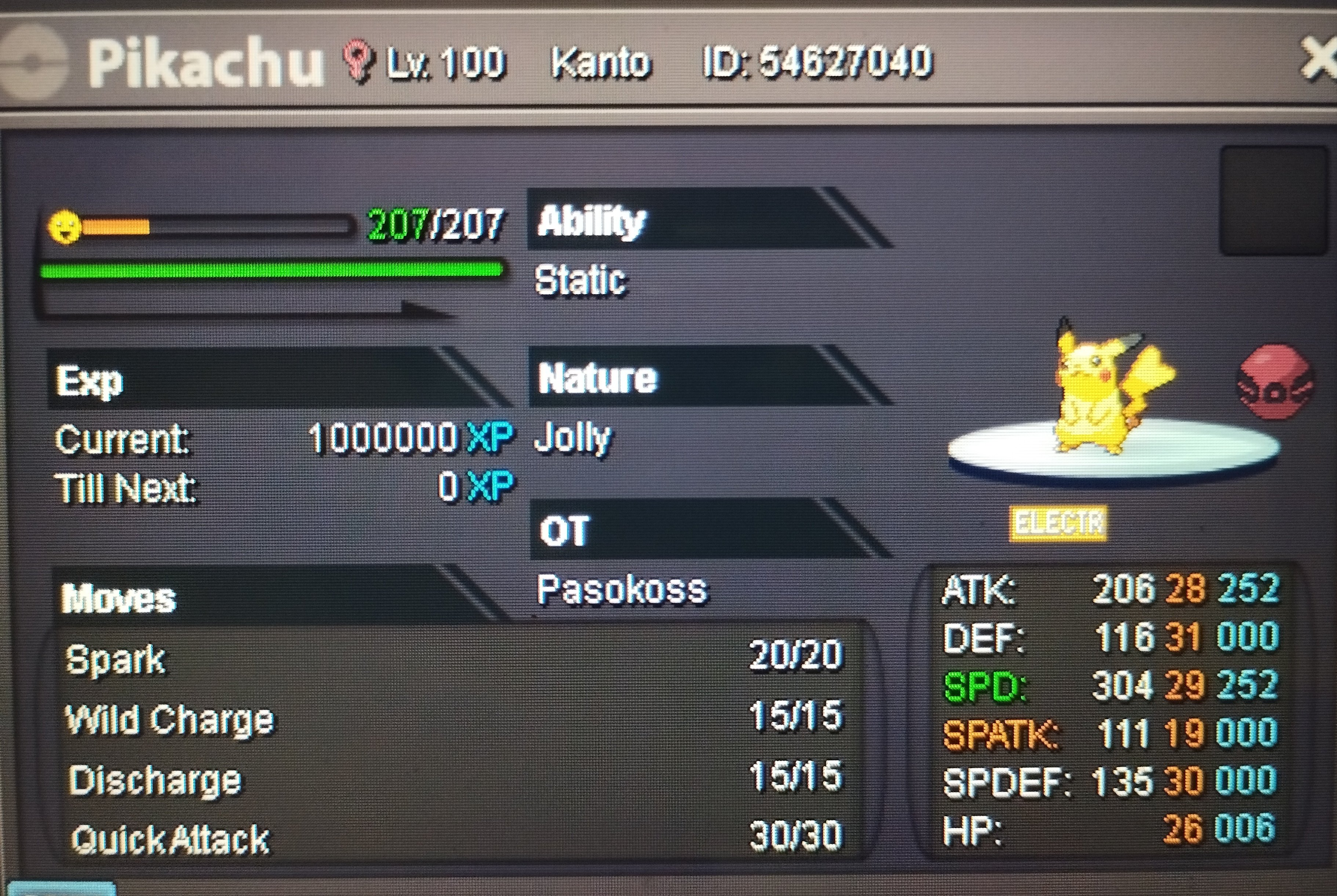
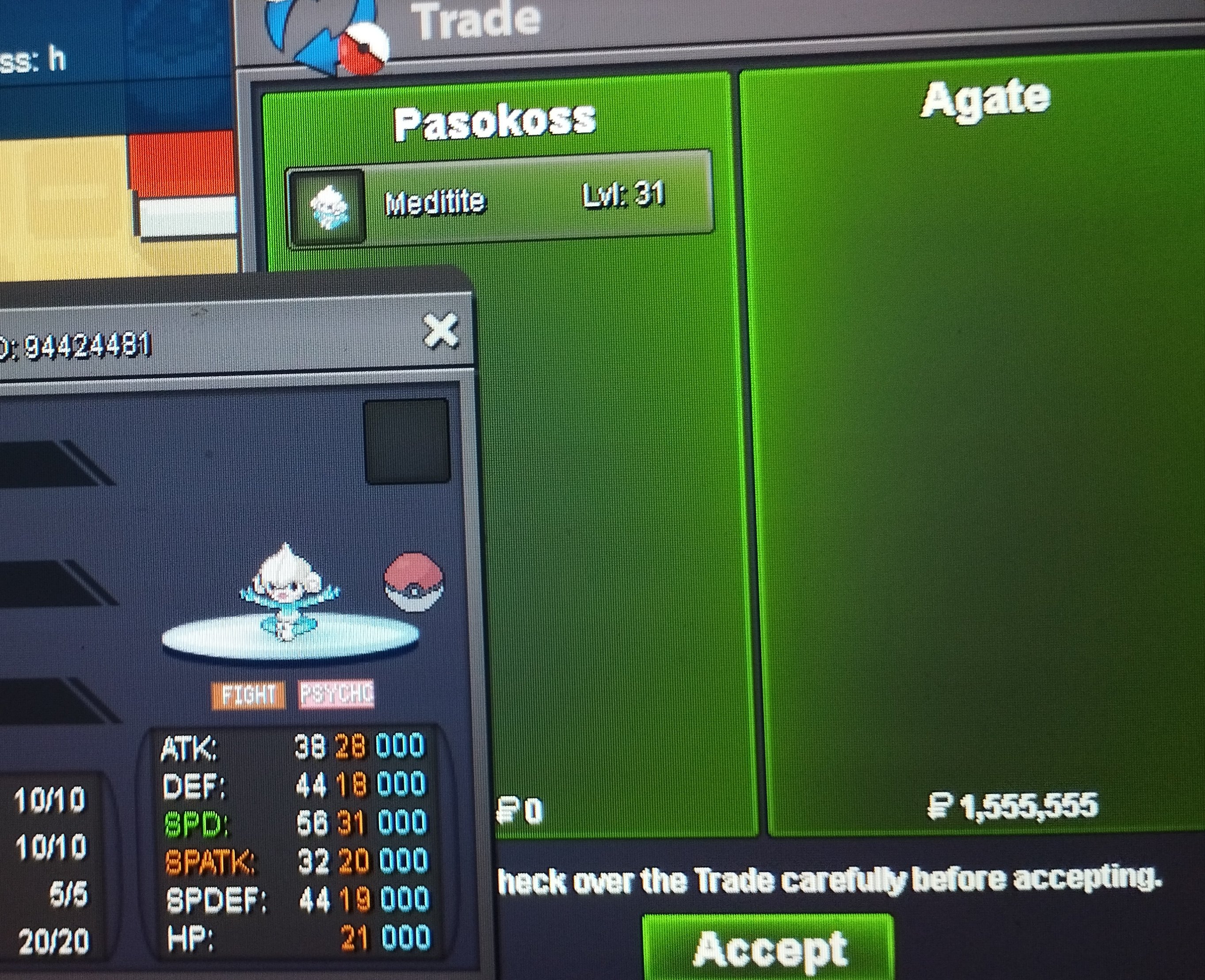
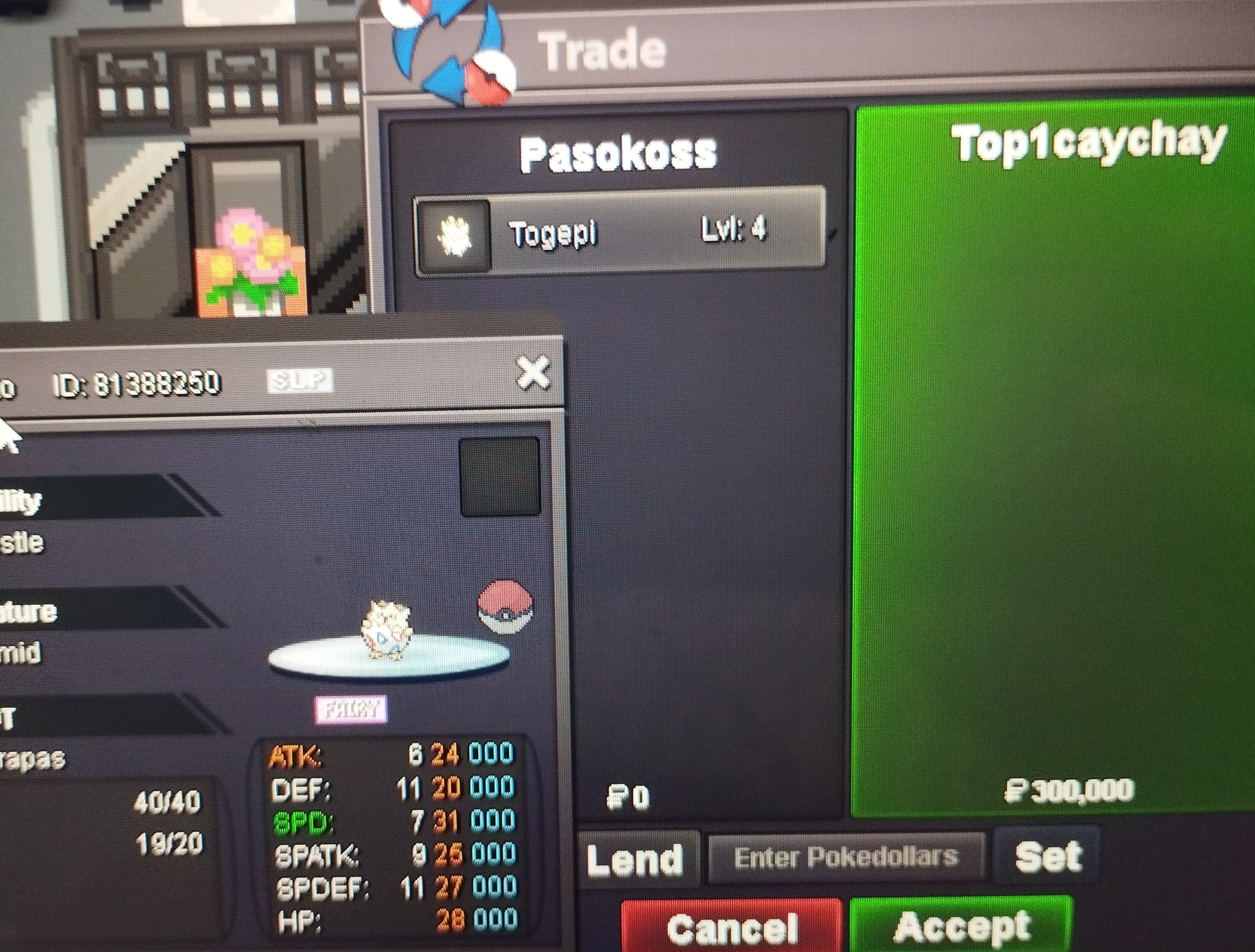
 You won medi ...ingame or discordYou won togepi send me. Ingame or discord pasokoss
Account
Navigation
Search
Configure browser push notifications
Chrome (Android)
- Tap the lock icon next to the address bar.
- Tap Permissions → Notifications.
- Adjust your preference.
Chrome (Desktop)
- Click the padlock icon in the address bar.
- Select Site settings.
- Find Notifications and adjust your preference.
Safari (iOS 16.4+)
- Ensure the site is installed via Add to Home Screen.
- Open Settings App → Notifications.
- Find your app name and adjust your preference.
Safari (macOS)
- Go to Safari → Preferences.
- Click the Websites tab.
- Select Notifications in the sidebar.
- Find this website and adjust your preference.
Edge (Android)
- Tap the lock icon next to the address bar.
- Tap Permissions.
- Find Notifications and adjust your preference.
Edge (Desktop)
- Click the padlock icon in the address bar.
- Click Permissions for this site.
- Find Notifications and adjust your preference.
Firefox (Android)
- Go to Settings → Site permissions.
- Tap Notifications.
- Find this site in the list and adjust your preference.
Firefox (Desktop)
- Open Firefox Settings.
- Search for Notifications.
- Find this site in the list and adjust your preference.