




New Trade Zone
Trade Zone is now live
Use the new Trade Zone for auctions and instant-price trades so Pokemon and item offers are easy to find.

Cantwait428
Registered User
-
Joined
-
Last visited
-
I just deleted and redownloaded my client. I was able to teach one of my pokemon a tm this time. I forgot to try one more time before I deleted. Hopefully doesn't happen again. Thanks
-
I am scared to try again because i only have pretty good decent tms left
-
My tms never appeared in bag so far and my pokemon never learned :(
-
I have logged in and out and not fixing
-
Same happened with different pokemon and tm, no more tm in bag and pokemon doesn't learn

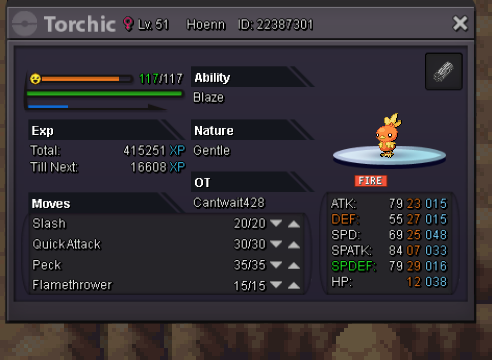
-
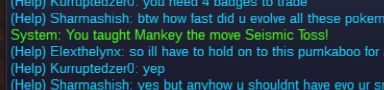
I just tried it again with another tm and the same thing happened. I tried with seismic toss and the move list did not show up to replace a move. and it just said he learned it, but its not there and not in bag.

-
I was trying to teach my mankey tm earthquake. I clicked on earthquake and chose mankey as the pokemon. Instead of letting me choose which of his 4 moves to replace, his move list did not appear and it said in the chat that mankey has learned earthquake. But i looked at him and he didn't learn earthquake and I did not have the tm in my bag. I would like to be refunded for this tm please.
-
try now just worked for me
-
Just got in try now
-
I cannot connect to gold or silver server but i play in gold. First it said the server was locked and not says cannot connect? anyone else have this issue?
