




New Trade Zone
Trade Zone is now live
Use the new Trade Zone for auctions and instant-price trades so Pokemon and item offers are easy to find.

Jazmyne22
Registered User
-
Joined
-
Last visited
-
Why do you want to join Eternity? It seems like an active, friendly group Real name / ingame name: RN: Dyani / IN: Jazmyne22 How old are you? 22 Ur country/ which language(s) do you speak? USA/English Discord name+tag / how often u r online there? DameDyani#8409 (new to it, never have used it before today) What is your goal on pro/are you interested in pvp/already pvping? My goal is to just have fun, collect pokemon, and help out where I can. I have never PvP'ed, but am willing to learn and try it out Screenshot of your trainercard
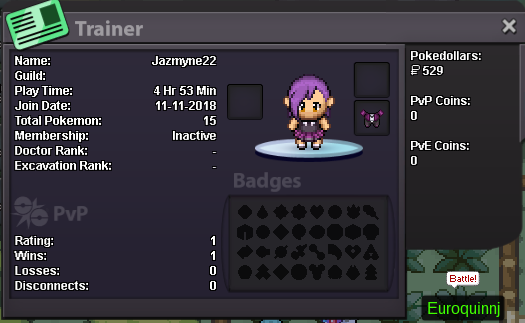
-
I hope you are still recruiting! I work 3rd shifts, but I like to play on my days off and when I am awake. * What is your ingame name? Jazmyne22 * How old are you? 22 * Do you use Discord often? I have never used it, but I am downloading it now and will use it every time I play. * Where are you from? Ohio, USA * What is your goal in PRO? To get as far as I can, collect as many pokemon as I can, and to raise from baby to full evolution. * Do you play any other game? Dragon Age, All Pokemon games, Dungeons and Dragons, Magic: The Gathering...just to name a few * What is your favorite pokemon and why? Wailmer and Litwick because they are cute and underused.
-
I would like to join a new player friendly guild. I will be willing to help out whereever once I get far enough into it to be able to. I'm very friendly and understanding. I love making new friends. Thank you. :)
