




New Trade Zone
Trade Zone is now live
Use the new Trade Zone for auctions and instant-price trades so Pokemon and item offers are easy to find.

Pokevil
Registered User
-
Joined
-
Last visited
Everything posted by Pokevil
-
Hello everyone, hope your having a wonderful day. I will be hosting few giveaways and events worth 40m in my server. Here are few things which i have planned. Giveaway: There will be a daily giveaway for 30 days of 1 million pokedollars , totaling to 30m Events: There will be 4 events in these 4 weeks, one event per week. The events are as follows- • Hunt ( week 1) • Hide and seek (week 2) • Pokémon trivia ( week 3) • Simon says (week 4) The prizes for each of those events are 🥇1.5m 🥈600k 🥉400k (More info about the event and timings will be provided in the server) This will be on both gold and silver servers. Discord Invite: https://discord.gg/J7wMFkb Have Fun! On Going: - Giveaway (28/30) started! (24h) Coming up: - Simon says (In 1 days) Hurry up before it's too late.
-
Discord: Rumi#6432, if you need any kind of information.
-
Check your discord.
-
Sorry Wrong time calculation. It will ends in 5 hours.
-
Ends in 5 hours. Gl
-
Noted. Ends in around 15 hours. Not sure thou
-
Noted
-
Ends in about 18 hours.
-
Noted. 44 hours left.
-
Noted.
-
Sorry didn't noticed that.
-
Mini raise is 300k, you can bid 2.6m
-
Ends in 72 hours.
-
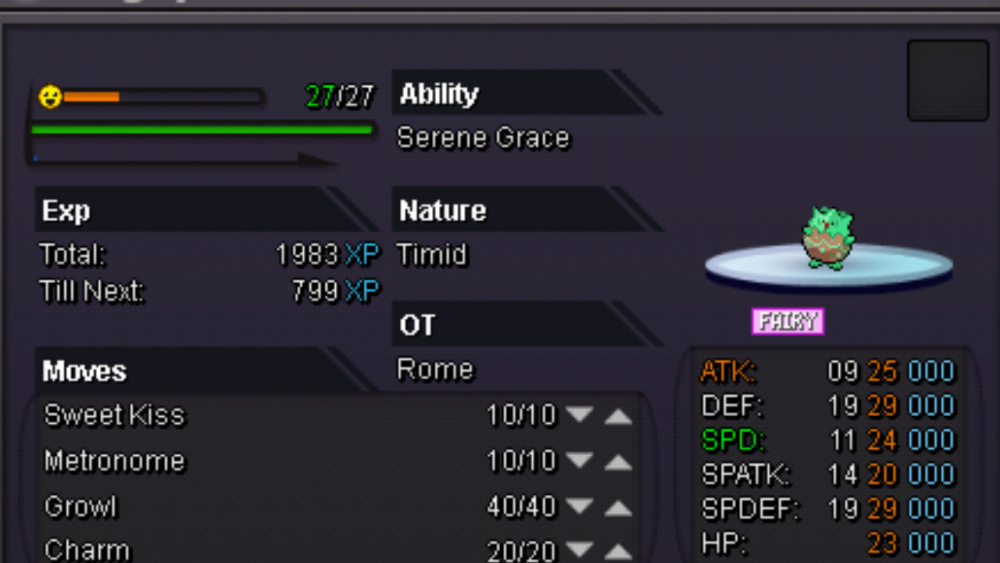
Start offer: 2m Mini raise: 300k Insta: 8m Accept cc as 400k 72 hours after first bid. Discord tag: newbie#6432 For Both server Fake offers will be reported.
-
There is already a shortcut. Breezy town pokecenter to suzuka pokecenter for 1k.
-
Auction closed. Sold for insta
-
Ends in 34 hours.
-
Ends in 36 hours.
-
Ends in 36 hours.
-
Ok. 43 hours left
-
Okay. 6m 59 hours left
-
70 hours left to finish.
-
B.o 5m

-
My auction will ends in 3 days after 1st bid is made.
-
Ok fixed. Current offer 2.5m


