Skip to content
View in the app

A better way to browse. Learn more.

Pokemon Revolution Online

A full-screen app on your home screen with push notifications, badges and more.

To install this app on iOS and iPadOS
  1. Tap the Share icon in Safari
  2. Scroll the menu and tap Add to Home Screen.
  3. Tap Add in the top-right corner.
To install this app on Android
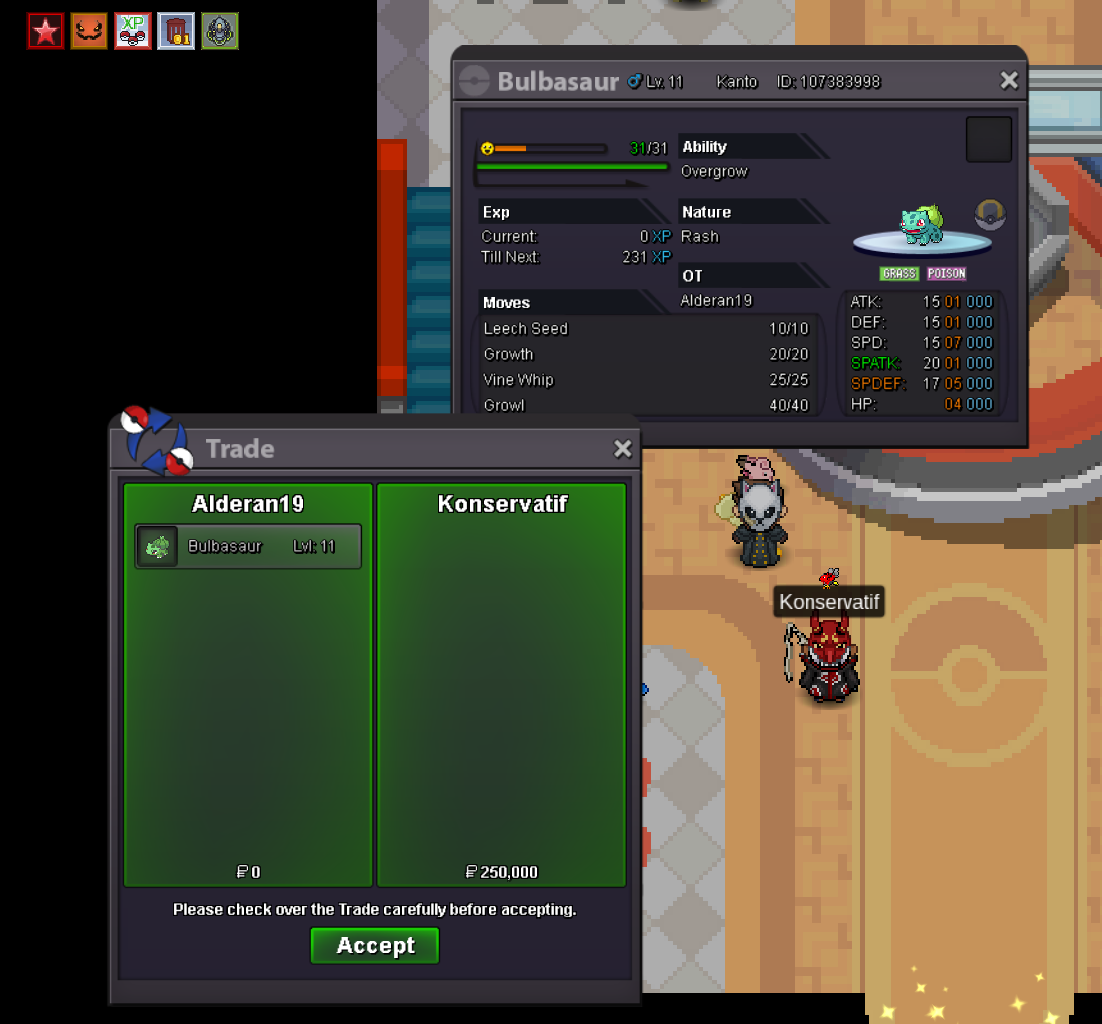
  1. Tap the 3-dot menu (⋮) in the top-right corner of the browser.
  2. Tap Add to Home screen or Install app.
  3. Confirm by tapping Install.
New Trade Zone
Trade Zone is now live
Use the new Trade Zone for auctions and instant-price trades so Pokemon and item offers are easy to find.
Open Trade Zone

Alderan19

Registered User
  • Joined

  • Last visited

  1. meta 1 3,6m
  2. meta 1 3.1m
  3. meta 1 2,6m
  4. Metang 1 2.1m
  5. Metang 1 1.8 m
  6. metang #1 1m6
  7. Metang1 1.1m
  8. Starting Bid: 1.8m Minimum Bid Increment: 100k Accepted Payments: Pokedollars CCs @ 500k each IV Rerolls @ 750k each No Insta Price Auction Duration: 48 hours (after starting bid is met) Rules: This is a Silver Server auction. If you’re on Gold, you must transfer to Silver upon winning. Please include the account name you will be using for the transaction if it’s not your main. 15-Minute Rule: If a bid is placed within the last 15 minutes of the auction, the end time will extend by 15 minutes from that bid. This continues until the final offer stands for a full 15 minutes.
  9. HELLO! congratulations Konservatif, i already sent an friendship invite to you
  10. [AUCTION] Reverse Godly Bulbasaur– (Silver Server) Reverse Epic Starting Bid: 50k Minimum Bid Increment: 10k Accepted Payments: Pokedollars CCs @ 500k each IV Rerolls @ 750k each No Insta Price Auction Duration: 48 hours (after starting bid is met) Rules: This is a Silver Server auction. If you’re on Gold, you must transfer to Silver upon winning. Please include the account name you will be using for the transaction if it’s not your main. 15-Minute Rule: If a bid is placed within the last 15 minutes of the auction, the end time will extend by 15 minutes from that bid. This continues until the final offer stands for a full 15 minutes. Time

Account

Navigation

Search

Search

Configure browser push notifications

Chrome (Android)
  1. Tap the lock icon next to the address bar.
  2. Tap Permissions → Notifications.
  3. Adjust your preference.
Chrome (Desktop)
  1. Click the padlock icon in the address bar.
  2. Select Site settings.
  3. Find Notifications and adjust your preference.