Skip to content
View in the app

A better way to browse. Learn more.

Pokemon Revolution Online

A full-screen app on your home screen with push notifications, badges and more.

To install this app on iOS and iPadOS
  1. Tap the Share icon in Safari
  2. Scroll the menu and tap Add to Home Screen.
  3. Tap Add in the top-right corner.
To install this app on Android
  1. Tap the 3-dot menu (⋮) in the top-right corner of the browser.
  2. Tap Add to Home screen or Install app.
  3. Confirm by tapping Install.

Turboado1

Registered User
  • Joined

  • Last visited

  1. Hey, I would like to join the guild if thats possible IGN:Turboado0161 discord: G2 .#4202
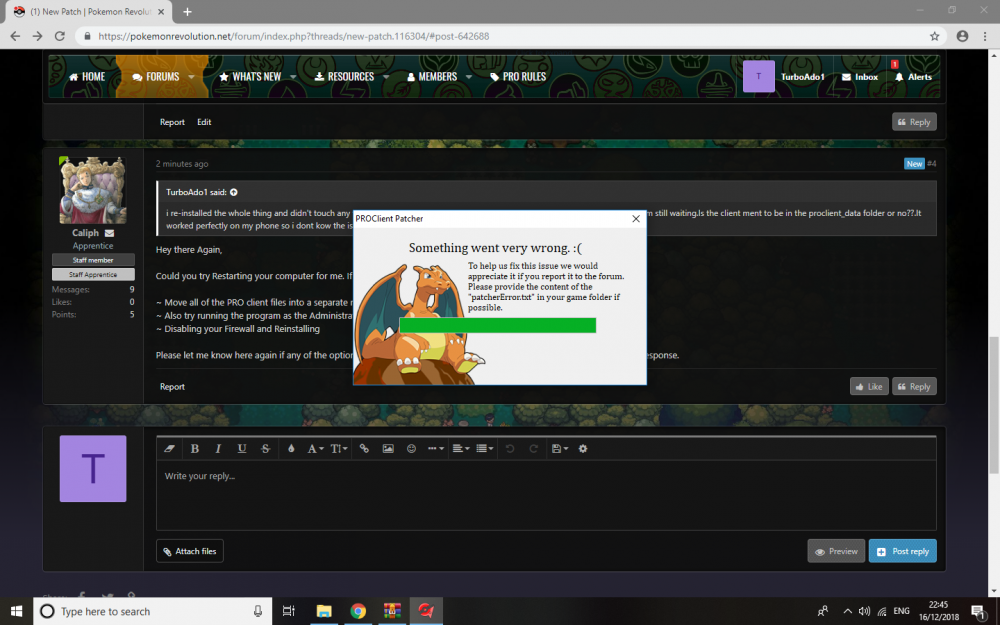
  2. and now this came up...
  3. i re-installed the whole thing and didn't touch any folders at all opened the client and the same thing is happening its at 90% and im still waiting.Is the client ment to be in the proclient_data folder or no??.It worked perfectly on my phone so i dont kow the issue.?
  4. When i try to download the patch it goes to about 90% and then stops for 30mins or so and then it says "waiting for the game to close" and i waited for and hour and it still says that , i restarted multiple of times and it still does the same thing, any recommendations??

Account

Navigation

Search

Search

Configure browser push notifications

Chrome (Android)
  1. Tap the lock icon next to the address bar.
  2. Tap Permissions → Notifications.
  3. Adjust your preference.
Chrome (Desktop)
  1. Click the padlock icon in the address bar.
  2. Select Site settings.
  3. Find Notifications and adjust your preference.