




New Trade Zone
Trade Zone is now live
Use the new Trade Zone for auctions and instant-price trades so Pokemon and item offers are easy to find.

Fre3stylz
Registered User
-
Joined
-
Last visited
Everything posted by Fre3stylz
-
Allright and no problem it's kinda strange that it only seems to be happening to me but alteast it's not really game breaking so take your time doesn't bother me that much :p
-
Those all come from the johto safari grassland if that helps you
-
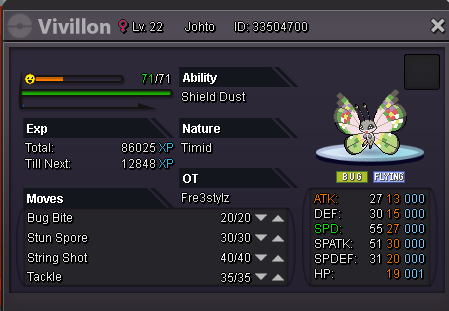
Yes i did i actually cauhgt 4 more i evolved one scatterbug that had no ability to a vivilon (it is the one from the first post) aswell and then the ability showed up.
-
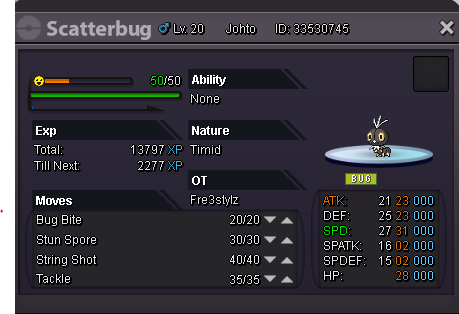
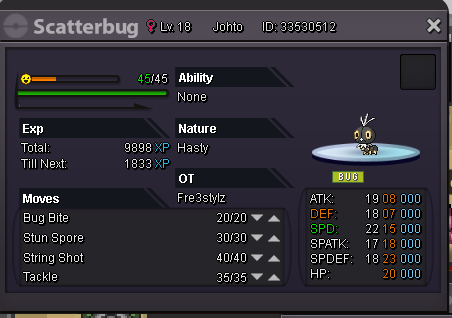
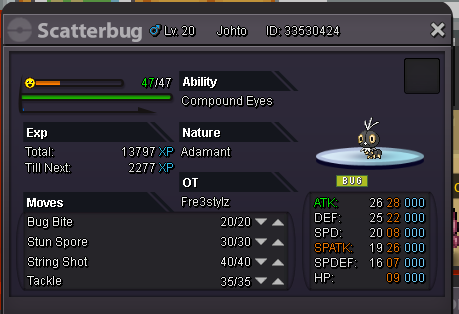
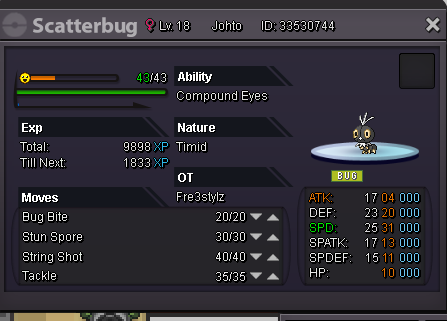
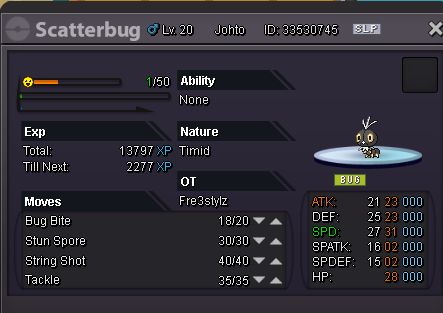
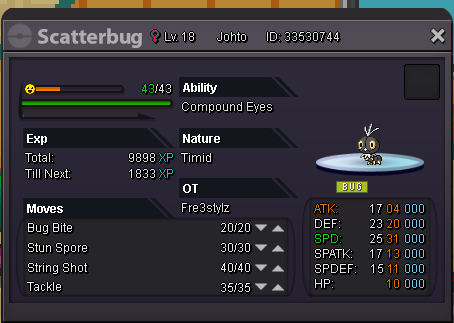
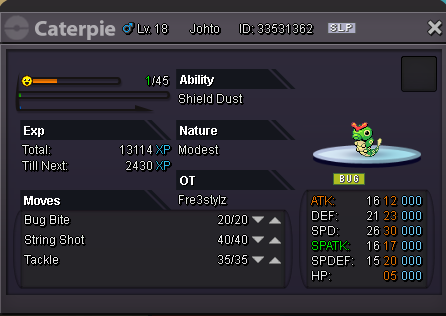
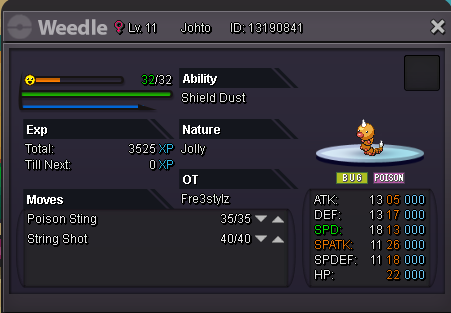
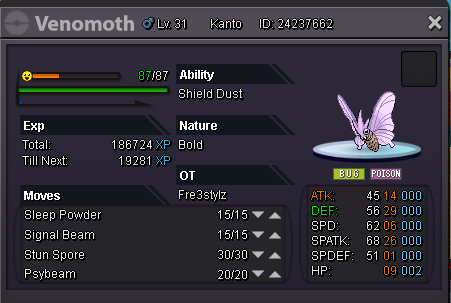
did some more catching of scatterbug and it's seems like it's only the ability 'shield dust' that doesn't get registered. as compound eyes works on scatterbug (as shown in pictures) it does work on vivilion apparantly (once again seen on pictures). It does seem to work on all the other pokemons with shield dust aswell (or alteast most)(pictures again)
-
one day later still no ability sadly enough :/
-
I tried again but sadly it still says no ability :/
-
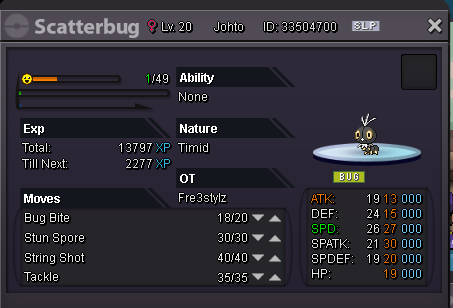
Seems like scatterbug is bugged second one i get without ability :/ I tried to relog and even close the client but still says it has no ability
-
In-Game Name: Fre3Stylz Discord Tag: Arthur#5795 Server: Silver How often do you use Discord?: daily basis What is one suggestion you have for PRO Discord? not really any it's very good as it is now imo