




New Trade Zone
Trade Zone is now live
Use the new Trade Zone for auctions and instant-price trades so Pokemon and item offers are easy to find.

Daddyshankz
Registered User
-
Joined
-
Last visited
Everything posted by Daddyshankz
-
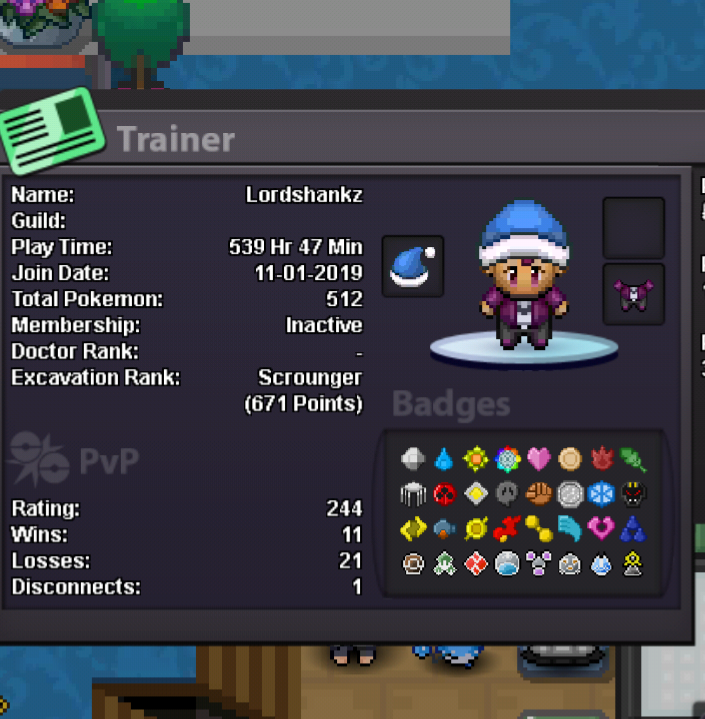
NAME CHANGE Username: Lordshankz New Username: Daddyshankz Server to charge the money from: Silver
-
How old are you and where are you from? 21......Jamaica What is your favourite Pokemon and why? Venomoth because it's the moth of death What do you want to achieve in PRO? Ladder spot How did you find out about Scarlet? Heard about from a fam What is your discord ID? Shankz#3958
-
Good day, I would like to apply: What's your Name/IGN? Lordshankz ● How old are you? 20 ● Are you active in Discord? Once upon a time (back in blue server when I was in a guild) ● Where are you from? The Caribbean ● What's your playtime?/How often do you play PRO? 2 or 3 hr per day ● What's your goal in PRO? To be a MONSTER in PVP ● Why do you want to be part of Chaos? To get better in all aspects of pro(pvp) and to experience a full authentic guild experience and make a couple friends ● What's your favorite Pokemon and why? venomoth.... The reason why it's my favorite is that I love everything about venomoth its design, it's shiny,the movesets and ability ( generally love poison types.... drapion is basically second) ● What's your favorite animal and why? The doctor bird ( The swallowtail hummingbird) in my country it is the national bird .... it is very beautiful and majestic
