New Trade Zone
Trade Zone is now live
Use the new Trade Zone for auctions and instant-price trades so Pokemon and item offers are easy to find.

Timidpolitoed
Registered User
-
Joined
-
Last visited
-
Hello. I got 41 wins on suspicious bot but didnt lose because i wasnt sure when the nature reroll cooldown was over so i waited. Meanwhile i had to transfer to gold server and now i cant get my reward because the ids of the pokes i used were changed. Is there any way to get my reward?
-
sold insta
-
Starting offer: 1m Min bid: 100k Insta: 3m Ends 24 hours from first bid

-
Do bosses. Rush accounts. Do bosses with them as well. Getting rerolls is way easier than getting ladder.
-
Bump
-
Bump
-
Bump
-
won by @Necr0Fe4r
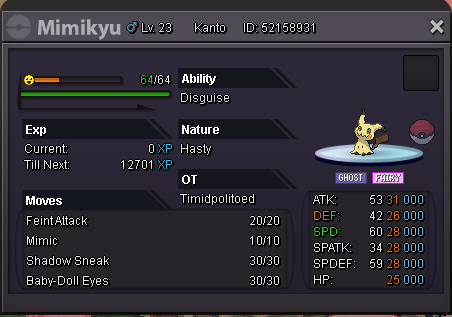 35 minutes left for hasty mimikyuWon by @lucasaman6
 2 hours left for jolly mimikyu.Jolly Mimikyu started by lucasaman6 , auction ends 25 october 8:51pm gmt+3 (aroud 24 hours from now)
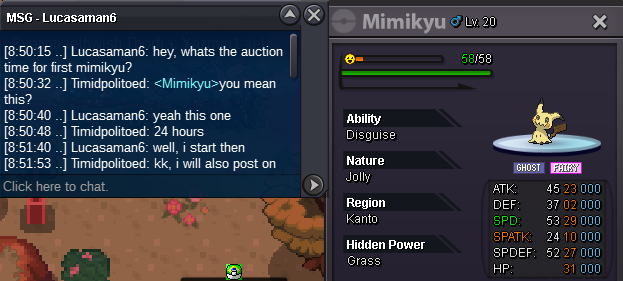 2nd mimikyu started by necr0fe4r , auction ends 26 october 1:02 gmt+3 (around 48 hours from now) Edit: The hasty mimikyu was started, i put the mimikyus on trade chat ingame in the wrong order.
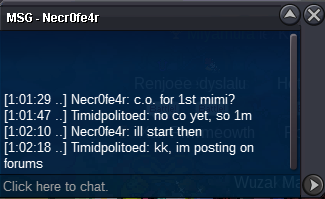 Current offer 1m by necr0fe4r Ends 26 October 1:02 pm gmt+3 min bid 100k Auction lasts 48 hours from first bid If there is a bid last 15 minutes the auctions will be active until 15 minutes pass and there are no new bids.