-
Barze97 started following PvPable Jolly 31 Speed Xmas Ursaring , ✨ Salamance, Krookodile and more – 4 competitive gems for sale! ✨ , Closed (sold) and 6 others
-
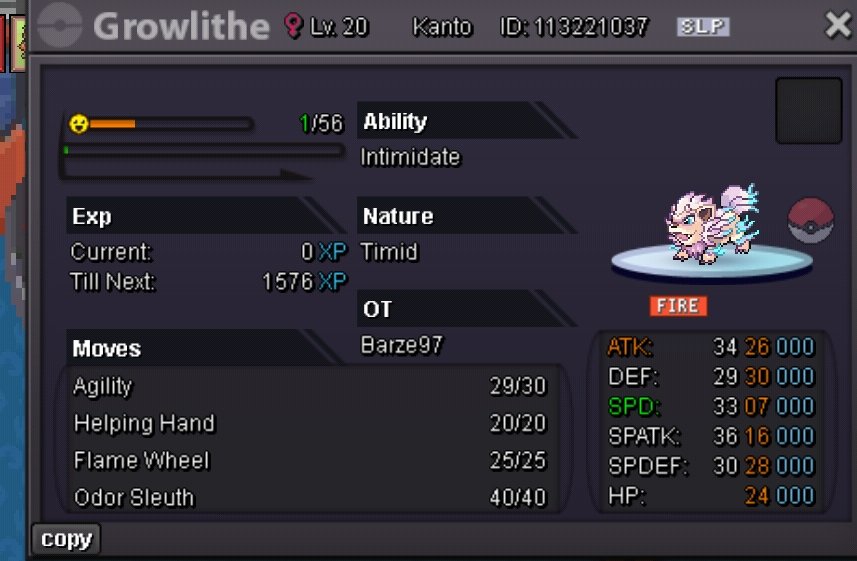
✨ Salamance, Krookodile and more – 4 competitive gems for sale! ✨
Start krookodile
- Closed (sold)
-
Closed (sold)
-
Closed
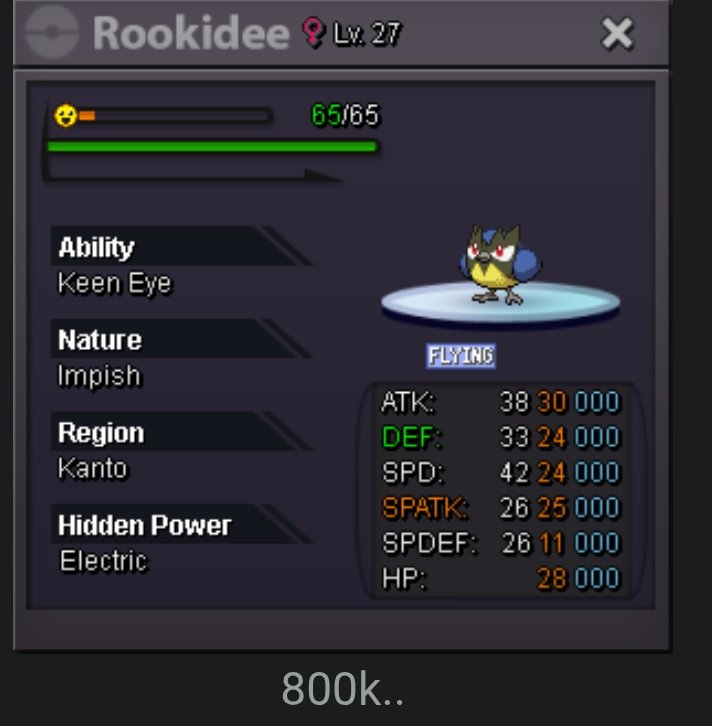
- 22 Def bulk Rookidee
- CLOSED
- wtb impish corviknight pressure or pre-evo 1m budget
Show offers here or pm me- Barze97 Small&Cheap Shop (13/01/2026 updated)
- (Closed atm)T1nkat0n's shop( 3.1.2026 update, add 400+ pokes)
- closed
250k eevee 300k happiny- PvPable Jolly 31 Speed Xmas Ursaring
51k- Barze97 Small&Cheap Shop (13/01/2026 updated)
- Barze97 Small&Cheap Shop (13/01/2026 updated)
bump- Turbo epic Piloswine HA (closed)
Sorry I forgot about the auction, I will be able to trade tomorrow or soon- Barze97 Small&Cheap Shop (13/01/2026 updated)
i'm back, shop open
Account
Navigation
Search
Configure browser push notifications
Chrome (Android)
- Tap the lock icon next to the address bar.
- Tap Permissions → Notifications.
- Adjust your preference.
Chrome (Desktop)
- Click the padlock icon in the address bar.
- Select Site settings.
- Find Notifications and adjust your preference.
Safari (iOS 16.4+)
- Ensure the site is installed via Add to Home Screen.
- Open Settings App → Notifications.
- Find your app name and adjust your preference.
Safari (macOS)
- Go to Safari → Preferences.
- Click the Websites tab.
- Select Notifications in the sidebar.
- Find this website and adjust your preference.
Edge (Android)
- Tap the lock icon next to the address bar.
- Tap Permissions.
- Find Notifications and adjust your preference.
Edge (Desktop)
- Click the padlock icon in the address bar.
- Click Permissions for this site.
- Find Notifications and adjust your preference.
Firefox (Android)
- Go to Settings → Site permissions.
- Tap Notifications.
- Find this site in the list and adjust your preference.
Firefox (Desktop)
- Open Firefox Settings.
- Search for Notifications.
- Find this site in the list and adjust your preference.