




New Trade Zone
Trade Zone is now live
Use the new Trade Zone for auctions and instant-price trades so Pokemon and item offers are easy to find.

Maurogrmp
Registered User
-
Joined
-
Last visited
Everything posted by Maurogrmp
-
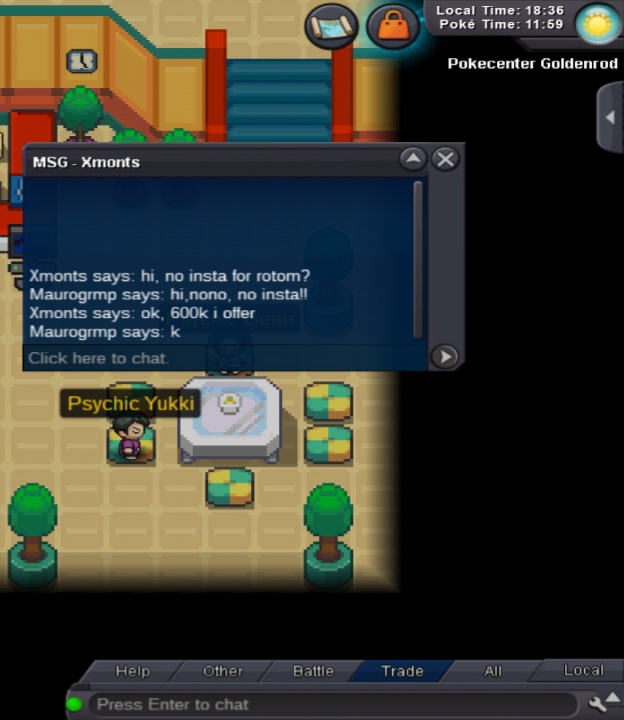
End. Sold to ZetLocrito95

-
Co=600k 5hs 20min left
 PLAYER CATEGORY Smartest: titania Friendliest: fivan25 Funniest: Marshmallow Coolest: Marshmallow Comeback Player of the Year: fivan25 Most Talkative: fivan25 Most Trustworthy: fivan25 Most Helpful: Senrosia Most Missed: fivan25 Most Influential: fivan25 Most Intriguing: Ayuwoki Most Experienced Player: jamememes Best/Funniest Username: pulga Most Professional Guide Maker: joguar Most Professional Discord Moderator: waleed1301 STAFF CATEGORY Best Mapper: Chariot Best Artist: NoelleZor Best Content Scripter: Shizeria Best Community Coordinator: HappyMango Best Moderator: Senrosia Best Trade Moderator: Daredevil Best Tester: Tangrowth Best Game Master: Logan Best Admin: Red Best Developer: Shaolan Best Staff Username: Urahara Most Professional Staff: Senrosia Most Dedicated Staff: Senrosia Funniest Staff: Novus Friendliest Staff: Senrosia Most Honorable Former Staff: Shinohara Most Missed Former Staff: SaltCurrent Ofert is 500k
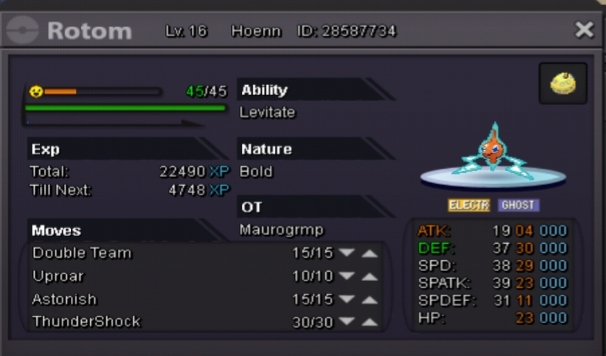
 No instaSO: 300k No insta Min Bid 50k CC= 375k Rerrol iv= 650k Ends 01/06/2020 at 03:00 AM UTC/GMT +0 Post here o talkme ingame maurogrmp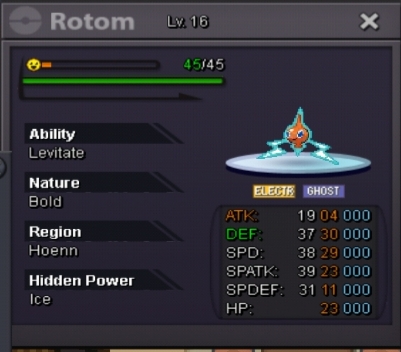
 La habilidad de shedinja ya funciona? Is wonder guard fixed? Thanks

