




Skip to content
View in the app

A better way to browse. Learn more.

Pokemon Revolution Online

A full-screen app on your home screen with push notifications, badges and more.

To install this app on iOS and iPadOS
  1. Tap the Share icon in Safari
  2. Scroll the menu and tap Add to Home Screen.
  3. Tap Add in the top-right corner.
To install this app on Android
  1. Tap the 3-dot menu (⋮) in the top-right corner of the browser.
  2. Tap Add to Home screen or Install app.
  3. Confirm by tapping Install.

Peterman1984

Registered User
  • Joined

  • Last visited

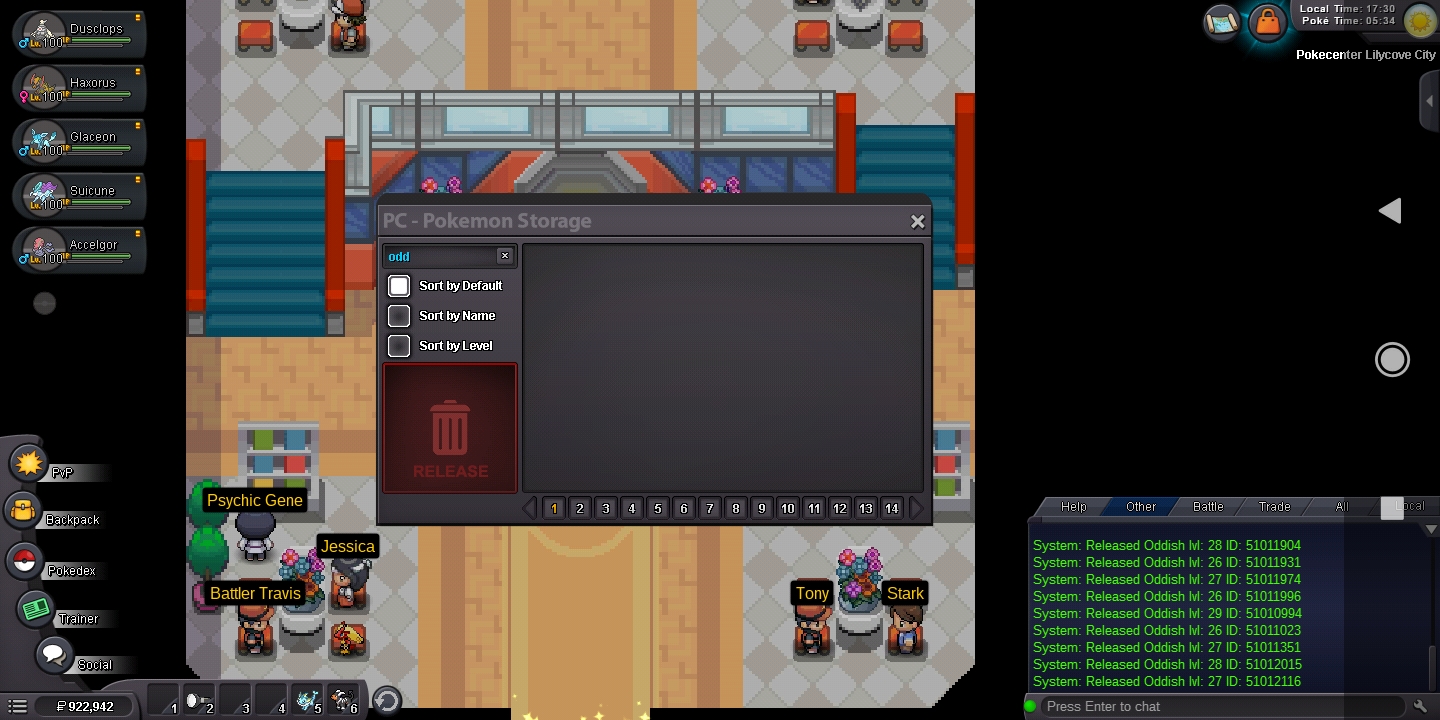
  1. I feel like an idiot. After hours of hunting many oddish looking for 146+ ivs i got It and then released all, including It. Its the last id: 51012116. Thanks u for restoring.
  2. Hi all. The move "struggle bug" never low the foe's special attact. I want to use It against bosses. It's there a Code fail or it's there something i can do? Excuse my bad english. Thanks for reading.

Account

Navigation

Search

Search

Configure browser push notifications

Chrome (Android)
  1. Tap the lock icon next to the address bar.
  2. Tap Permissions → Notifications.
  3. Adjust your preference.
Chrome (Desktop)
  1. Click the padlock icon in the address bar.
  2. Select Site settings.
  3. Find Notifications and adjust your preference.