New Trade Zone
Trade Zone is now live
Use the new Trade Zone for auctions and instant-price trades so Pokemon and item offers are easy to find.

Bambina
Registered User
-
Joined
-
Last visited
Everything posted by Bambina
-
Current offer 7m

-
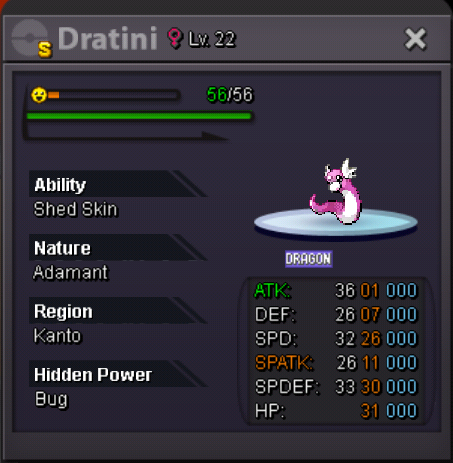
Starting offer: 7m Min bid: 250k Insta: 12m The auction will end 72 hours after the first bid. If the auction receives a bid during the last 15 minutes, the countdown will reset to 15 minutes. Accept CC: 380k Discord ID: Bambina#1410 Auction started 30/5 at 16:50 (GMT-3)

-
Current offer 7m:

-
Starting offer: 7m Min bid: 250k Insta: 12m The auction will end 72 hours after the first bid. If the auction receives a bid during the last 15 minutes, the countdown will reset to 15 minutes. Accept CC: 380k Discord ID: Bambina#1410 Edit: Auction started 30/5 at 16:50 (GMT-3) NOTE: Previous auction was won by a fake bid. Said player has been reported and I've been allowed to start another auction by the moderators. Click here for more info!
-
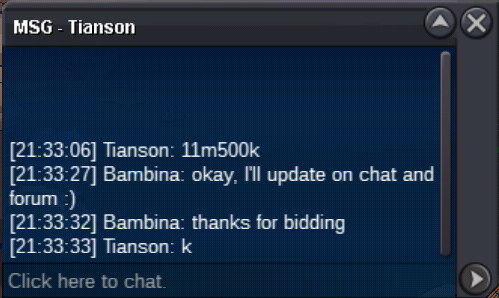
Sold to Tianson for 11m500k!
-
35 minutes remaining!
-
Current offer 11m500k by Tianson
-
Current best offer
-
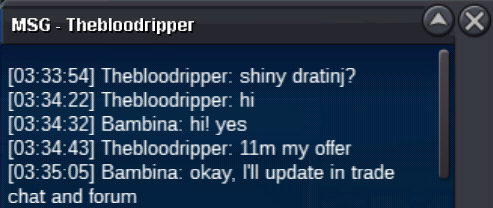
Current offer 11m by Thebloodripper
-
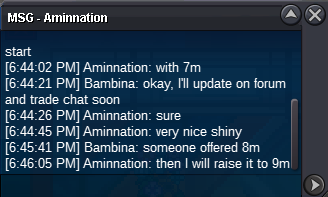
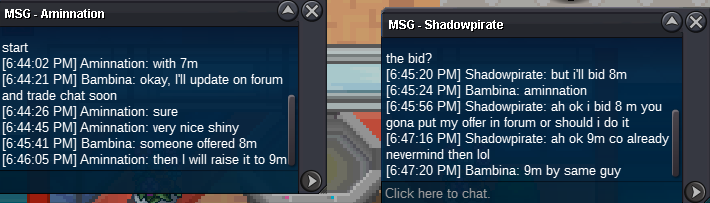
Bid History: Current offer 9m by Aminnation
-
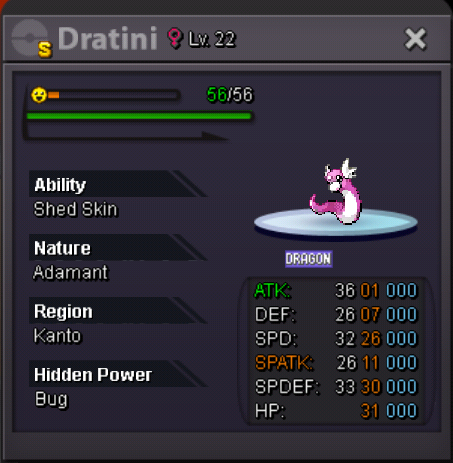
Starting offer: 5m Min bid: 250k Auction will end 72 hours after the first bid. If the auction receives a bid during the last 15 minutes, the ending point is delayed to +15 minutes from that bid. Accept CC: 380k Discord ID: Bambina#1410 Edit: Auction Started 23 May 2020, at 18:44 (GMT-3)
-
ID 35213194 Gold Server User: Bambina Please help me! My poke has been restored by Felix ^^
-
I think the first bug happens if I have previously logged out in the middle of a battle, when the opposite poke has fainted mine, before the hp bar decreases completely. I don't know if my explanation is clear enough, but I've just reencountered the bug and I think it was due to what I described above. I logged out after the opposite poke made the final hit but before the hp goes to zero. Next battle after this, my poke fainted as soon as the battle started.
-
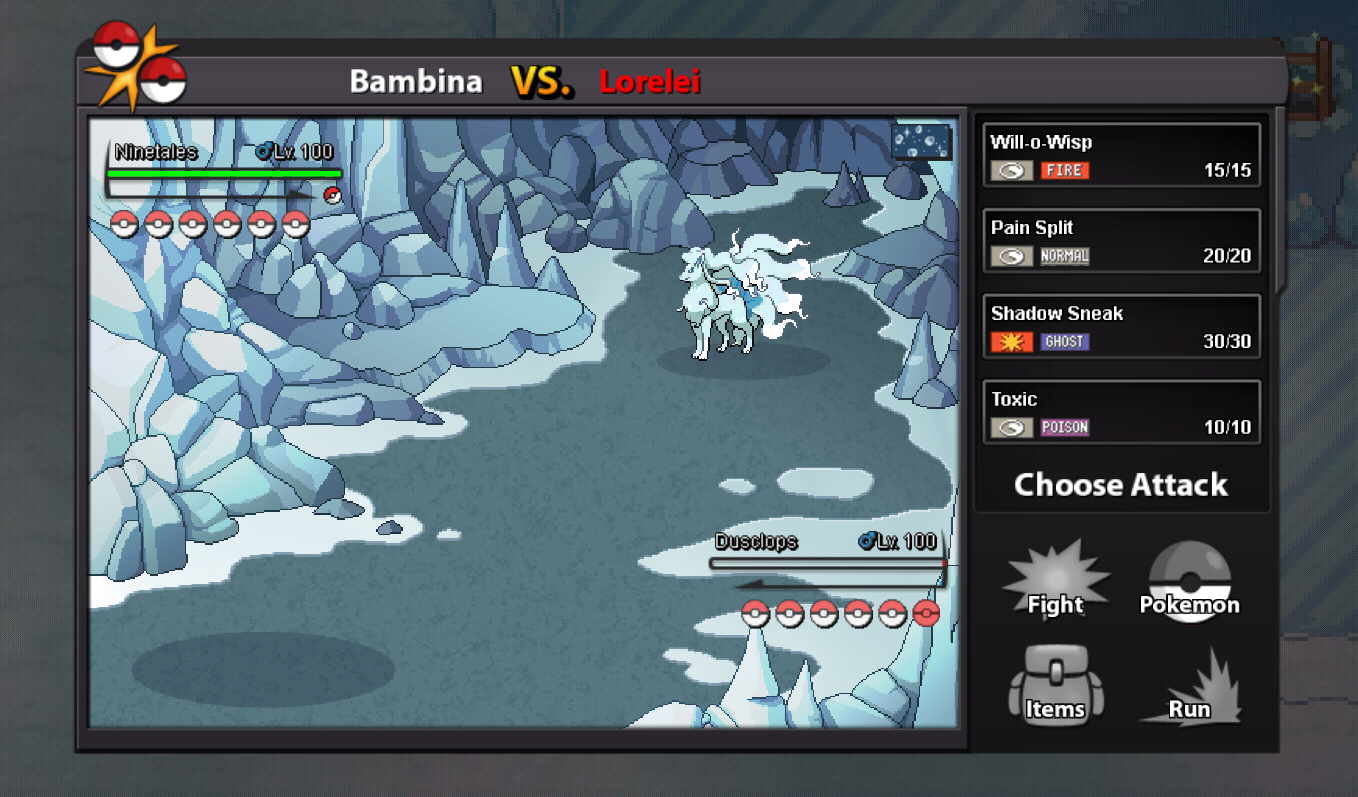
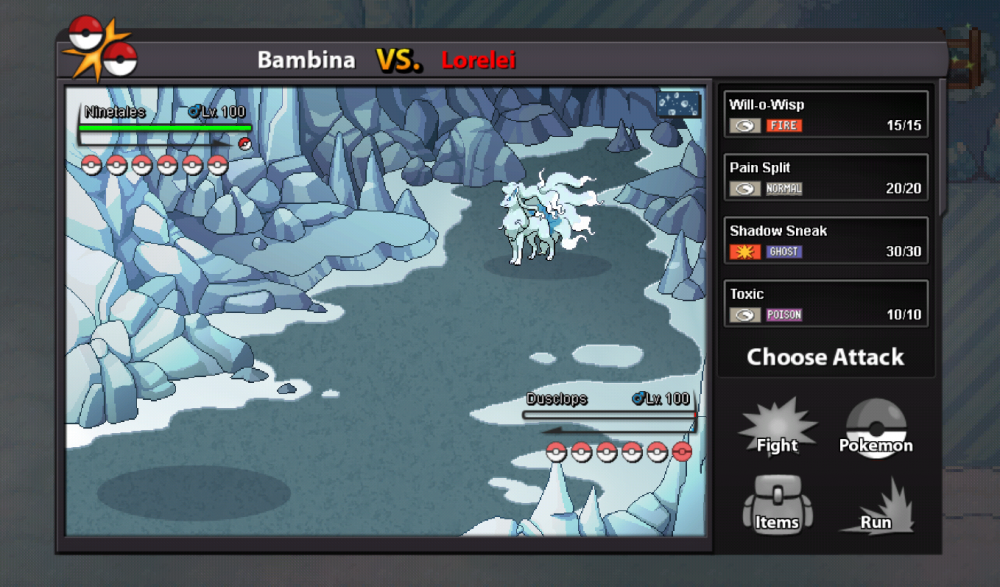
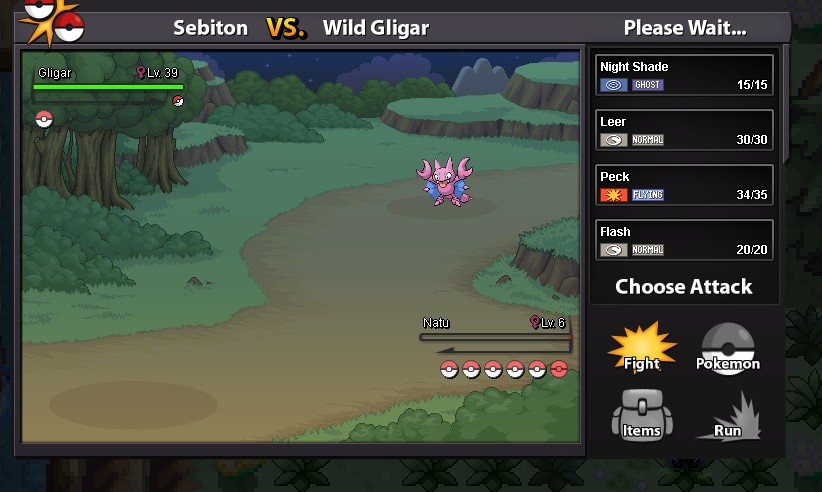
Hi! I started a battle with Lorelei and my poke (Dusclops) fainted as soon as the battle started. Neither Ninetales or Dusclops used a move, you can check Dusclops' pps in the first screenshot. You can also see in the second screenshot that if I try to use a move and then the opposite poke (Gligar) faints mine (Na before, the pps of that move (Peck) still decreases (which I think it's also a bug). You can check this last bug yourselves by battling against a faster poke that can 1HKO your poke. Regarding the first bug, I'd appreciate it if I can fight Lorelei again without having to wait for the cooldown to end.
-
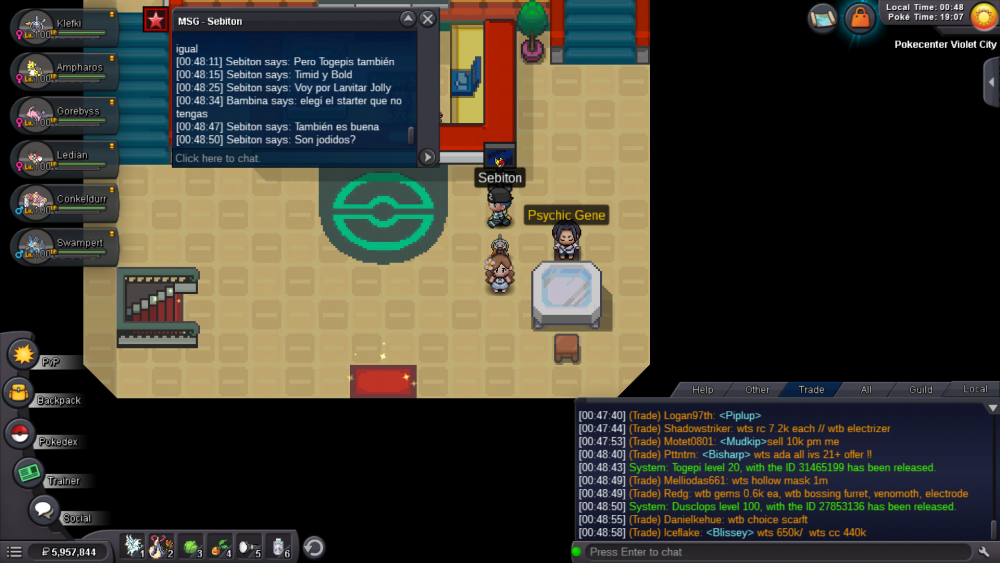
Server: Gold Account: Bambina I can't remember the OT Please help me get my dusclops back!
-
Ohh, that makes sense. That requirement wasn't listed here. Is there any link where I can check all the requirements for the Sinnoh Bosses?
-
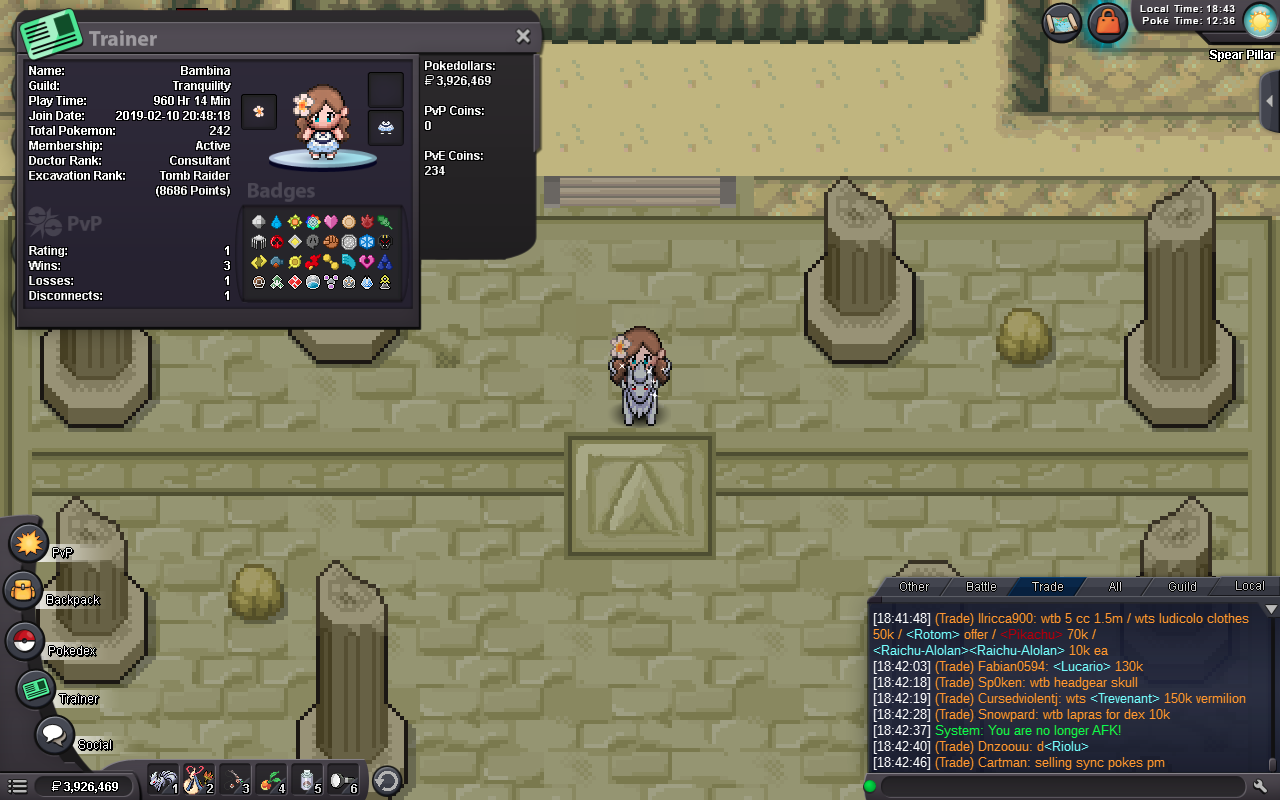
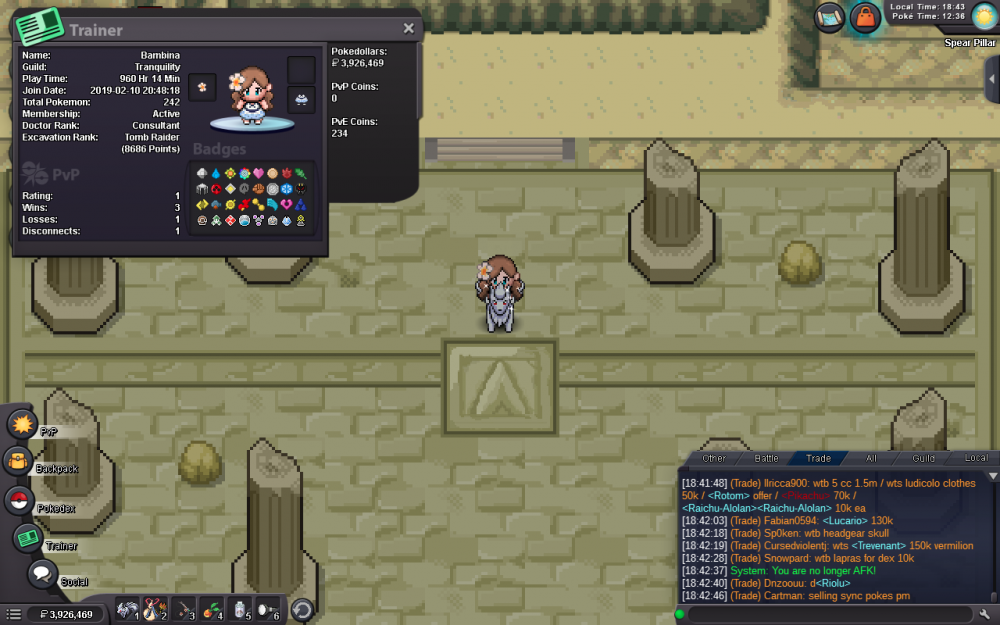
Hey! I'm Sinnoh Champion and I've been playing for +960hrs but Ash is not there. Here's a screenshot:
-
Thank you so much for your help :)
-
Hey! I need help. First time login in after the event ended. While I was in the event, I had pokes from Hoenn and Kanto. Now that the event has ended, I'm back in Sinnoh. I can't put the pokes I was using back into storage and grab the ones I have from Sinnoh. I'm not a Sinnoh champion yet. Also, I've tried dragging Sinnoh mons over the locked ones and it doesn't work. What can I do?
-
ID Screenshot: https://imgur.com/a/XyZe5kf Server: Gold Username: Bambina I need you to help me get my Tyrunt back! TIA