




New Trade Zone
Trade Zone is now live
Use the new Trade Zone for auctions and instant-price trades so Pokemon and item offers are easy to find.

Shunsou
Registered User
-
Joined
-
Last visited
Everything posted by Shunsou
-
kinda late know, but 15min added time, ended 02:50 Gmt+7
-
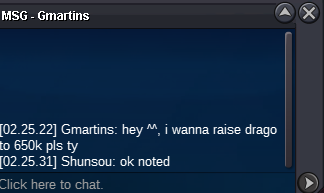
19mins left
-
dragonite?
-
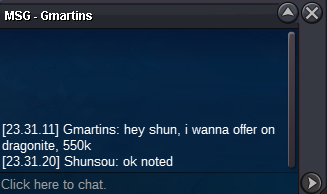
3hours+ left
-
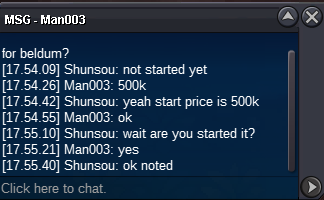
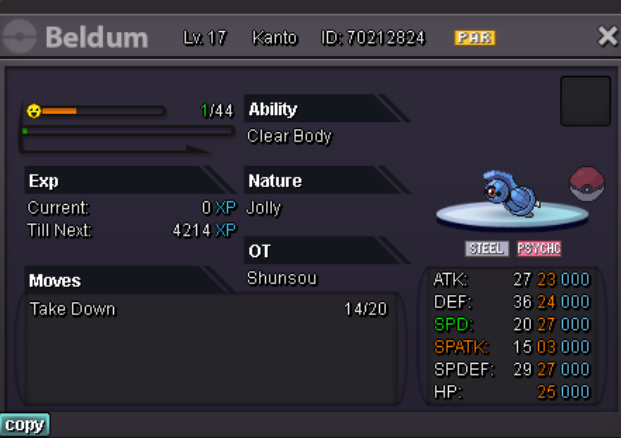
23 hours left Beldum
-
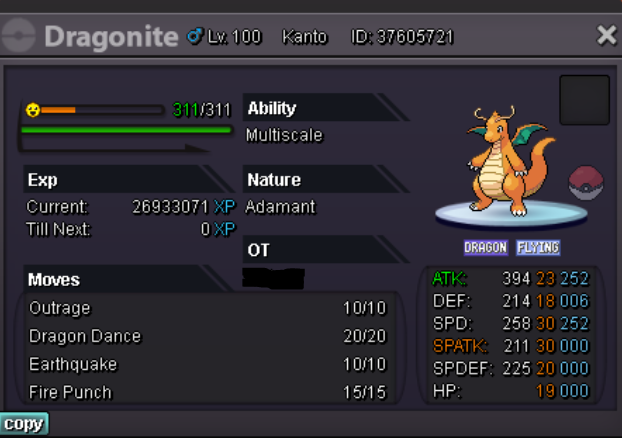
24 hours left Dragonite
-
beldum started. end at 04/16/22 17:55 Gmt+7
-
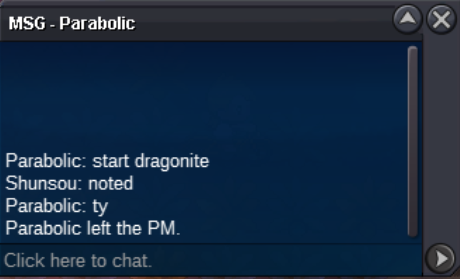
dragonite end in 04/16/22 02:45 Gmt+7
-
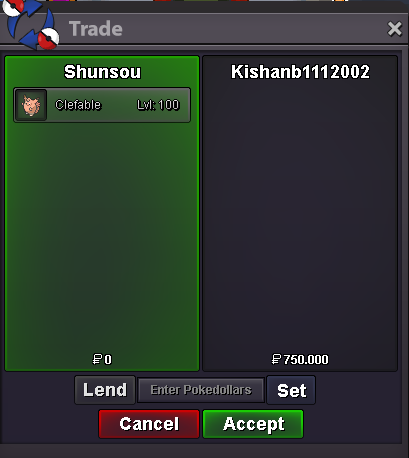
Each pokemon S.O: 500k Bid:50k Insta 2m Auction ended 48 hours after started Also accept Ivs/Nat RR: 700k/350k CC: 400k
-
yeah over 40 mins before this messagei mean it will be ended at 07:25 and the post is at 07:26 im sorry for what happend but i only did what i can do, or maybe anything wrong maybe can ask tmod for a help. anyway wish you the best luck
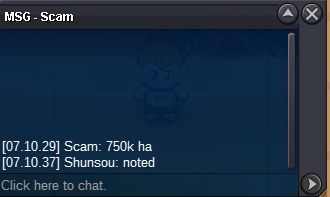
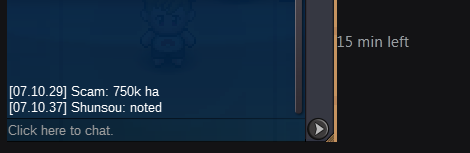
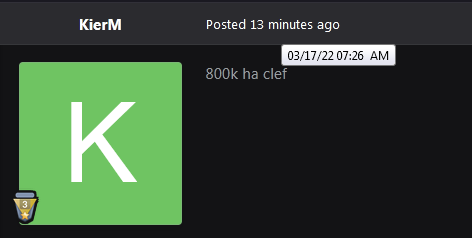 sorry the time was ended at 07:25 and your message come at 07:2615 min left
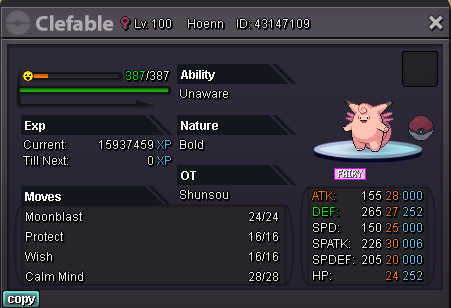
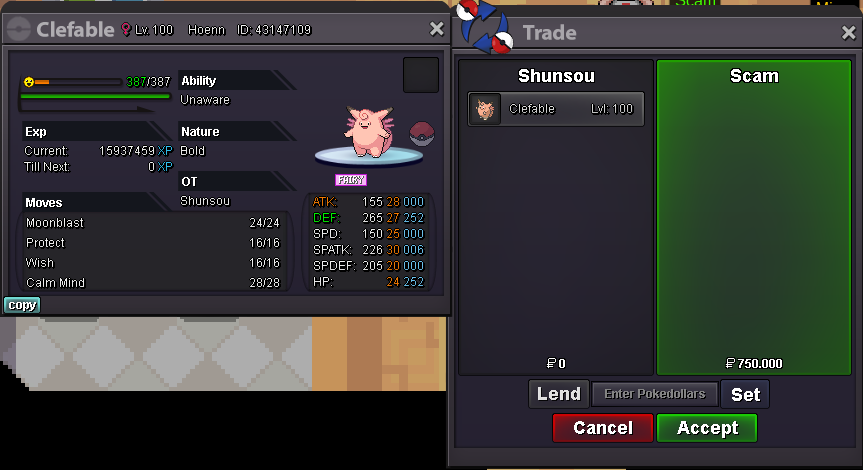
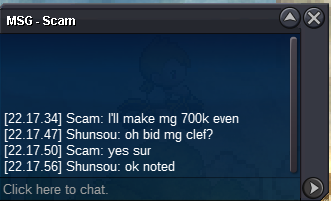
clefa mg 750k 15 hours left miss calculate time in aboveBump! H.a Clefa c.o 650k by nekotamin 10 hours left Mg Clefa c.o 600k by kishanb 15 hours leftnotedall 3 priced same, each started at 500k and same for bid and insta. only time counts different based when the pokemon startednoted clefa mg ended at 03/17/22 13:54 Gmt +7noted, h.a clefa ended at 03/17/22 07:22 Gmt +7All 3 will be started 500k bid 50k insta 2m auction will be ended 48 hours since started also accept IV/Nat rr:700k/350k cc:400k
sorry the time was ended at 07:25 and your message come at 07:2615 min left
clefa mg 750k 15 hours left miss calculate time in aboveBump! H.a Clefa c.o 650k by nekotamin 10 hours left Mg Clefa c.o 600k by kishanb 15 hours leftnotedall 3 priced same, each started at 500k and same for bid and insta. only time counts different based when the pokemon startednoted clefa mg ended at 03/17/22 13:54 Gmt +7noted, h.a clefa ended at 03/17/22 07:22 Gmt +7All 3 will be started 500k bid 50k insta 2m auction will be ended 48 hours since started also accept IV/Nat rr:700k/350k cc:400k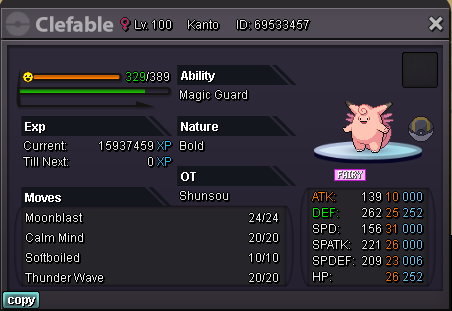



Account
Navigation
Search
Configure browser push notifications
Chrome (Android)
- Tap the lock icon next to the address bar.
- Tap Permissions → Notifications.
- Adjust your preference.
Chrome (Desktop)
- Click the padlock icon in the address bar.
- Select Site settings.
- Find Notifications and adjust your preference.
Safari (iOS 16.4+)
- Ensure the site is installed via Add to Home Screen.
- Open Settings App → Notifications.
- Find your app name and adjust your preference.
Safari (macOS)
- Go to Safari → Preferences.
- Click the Websites tab.
- Select Notifications in the sidebar.
- Find this website and adjust your preference.
Edge (Android)
- Tap the lock icon next to the address bar.
- Tap Permissions.
- Find Notifications and adjust your preference.
Edge (Desktop)
- Click the padlock icon in the address bar.
- Click Permissions for this site.
- Find Notifications and adjust your preference.
Firefox (Android)
- Go to Settings → Site permissions.
- Tap Notifications.
- Find this site in the list and adjust your preference.
Firefox (Desktop)
- Open Firefox Settings.
- Search for Notifications.
- Find this site in the list and adjust your preference.