New Trade Zone
Trade Zone is now live
Use the new Trade Zone for auctions and instant-price trades so Pokemon and item offers are easy to find.

Player7
Registered User
-
Joined
-
Last visited
-
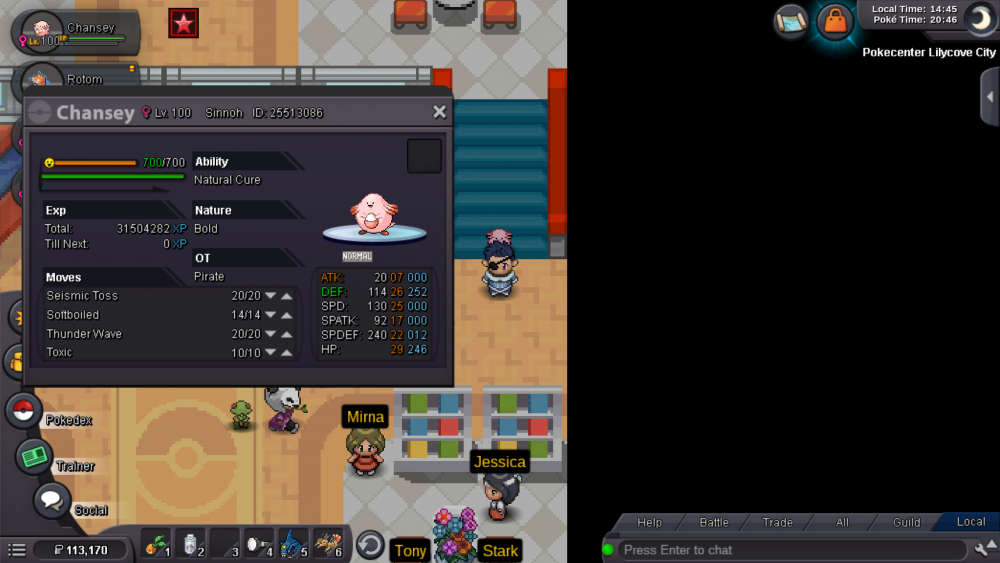
In game name: Pirate Server:Gold Id: screenshot attached Hi, I would require assistance in reducing 1 level of my chansey.
-
I've taken a screenshot, I don't want to sound paranoid but there is a player making wierd movements around where I was standing
-
Hi, problem is, my forum name and game name are different...like how people use their game name to log into forum, mine doesn't work like that hence 'player7'. But I can log into dashboard fine with my game name.
-
Hi, I just relogged again and my account has been moved yet again. I was near the top of pallet town but i log to find im near the surf area south of pallet town.. also my slot 1 Pokémon is dead?
-
I never give my details to anyone. And I use a unique password for every gaming account
-
Hi, I logged out in cerulean city at quite a few hours ago. I know log in to find my account standing in Pallet town, a city I haven't visited in a month or so. I thought I'd notify you guys just incase something happens later on. Account name: Pirate Thank you
-
In-Game Name: Pirate Discord Tag: PlayerHaterOfTheYear#1847 Server: Gold How often do you use Discord? Fairly often What is one suggestion you have for PRO Discord? More events