




New Trade Zone
Trade Zone is now live
Use the new Trade Zone for auctions and instant-price trades so Pokemon and item offers are easy to find.

Clumsygirl
Suspended
-
Joined
-
Last visited
Everything posted by Clumsygirl
-
Lets try one more time! can you add me on discord: vanity1996_
-
Hey, sorry for my late reply. Im online on clumsygirl2 now you can pm me in game. 🙂
-
Sorry i come back later for it 🙂
-
=
-
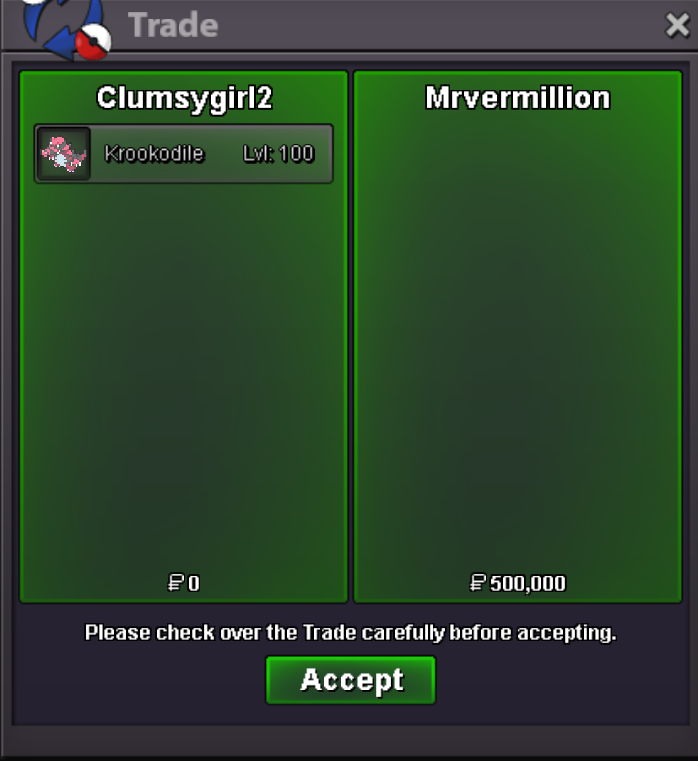
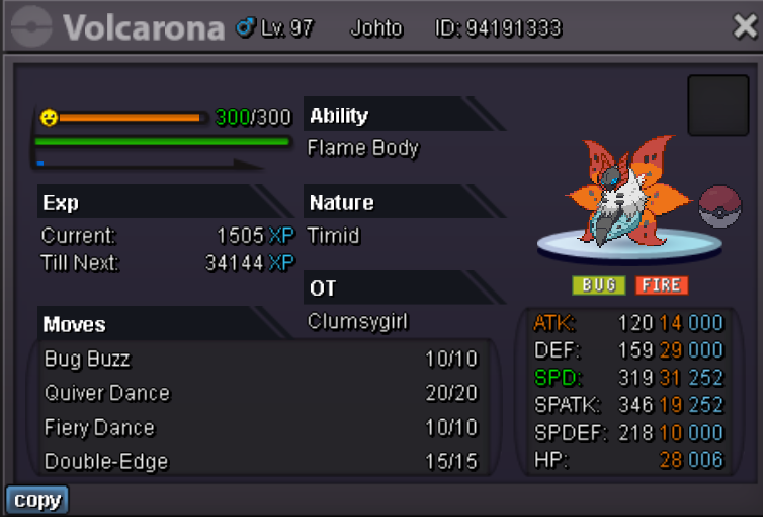
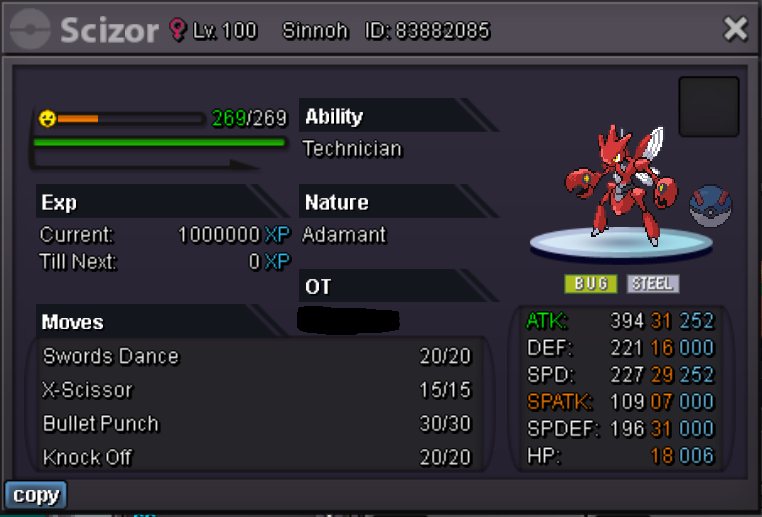
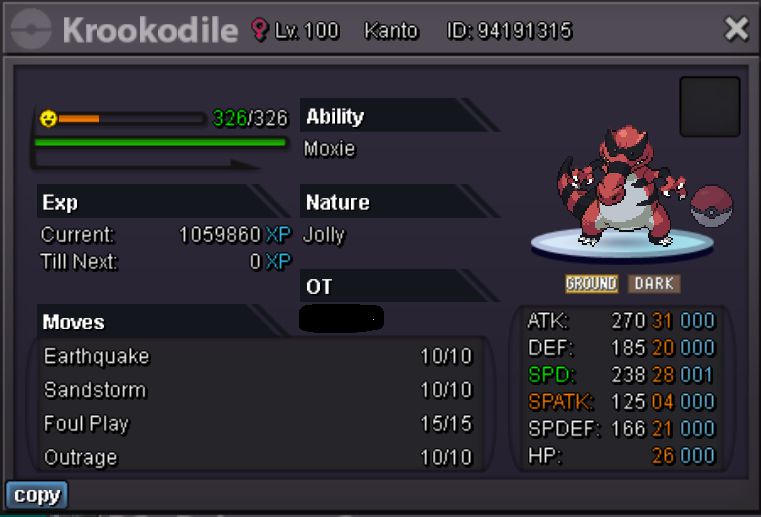
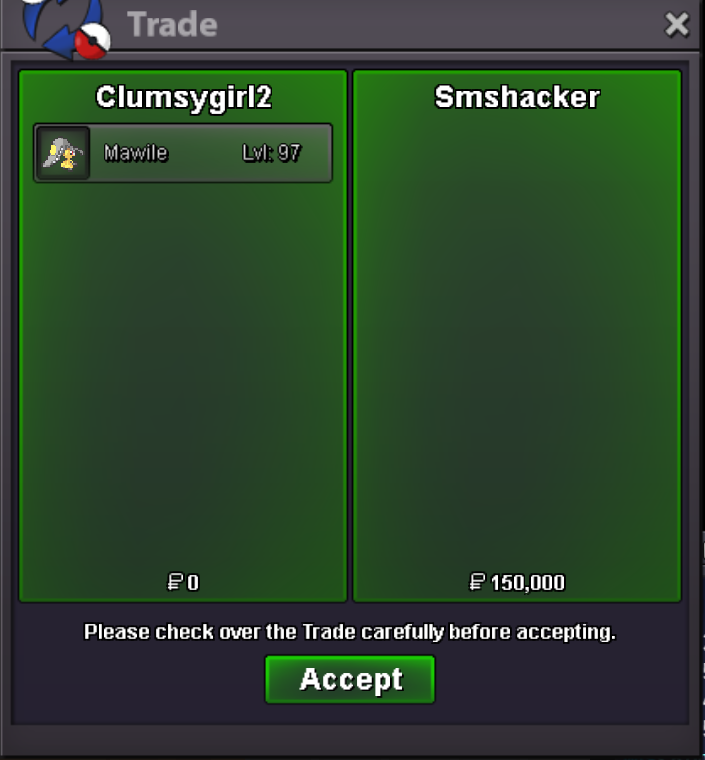
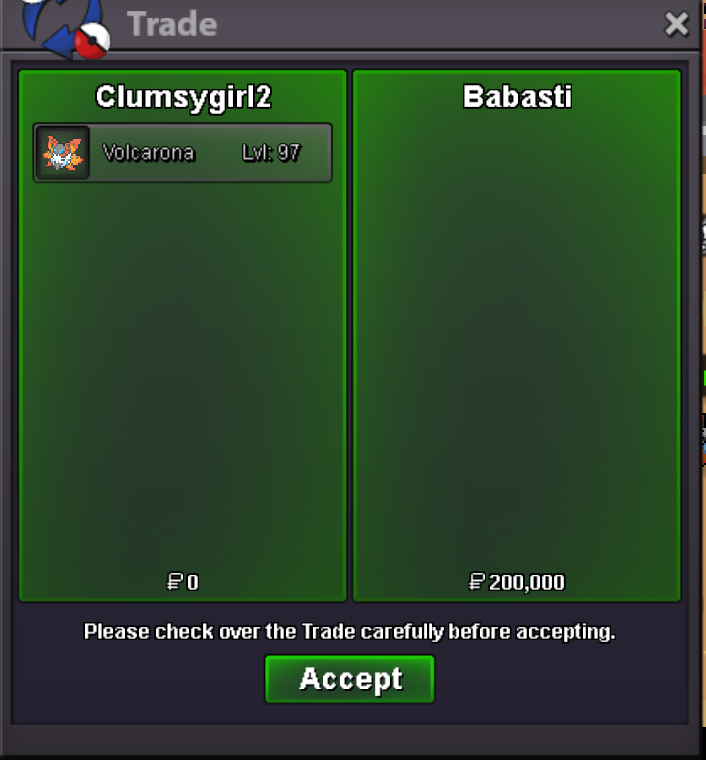
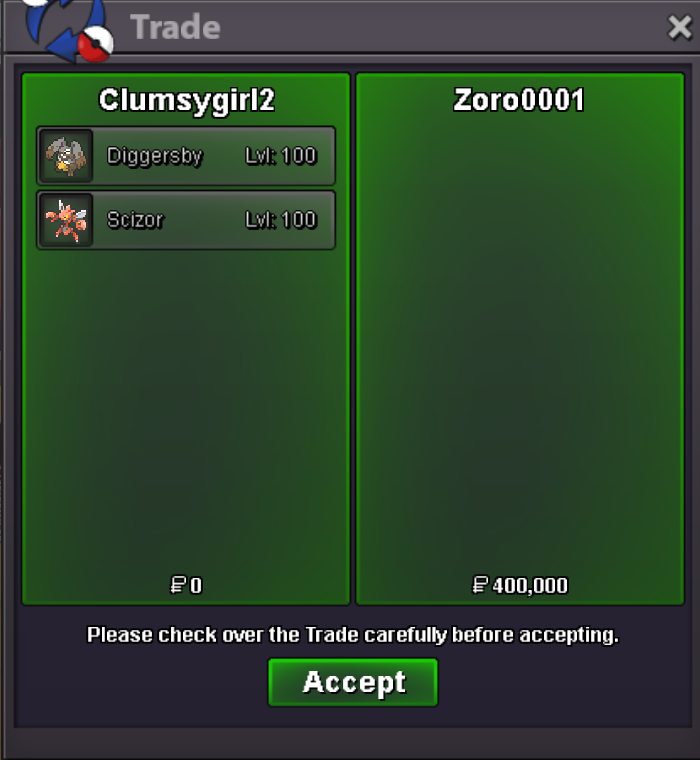
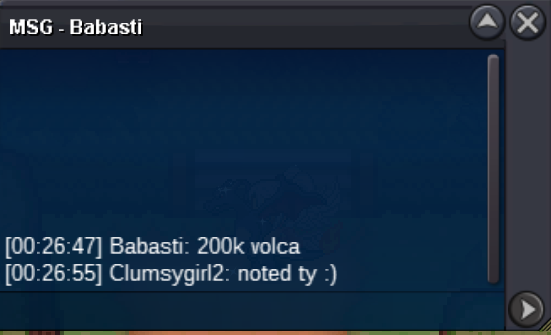
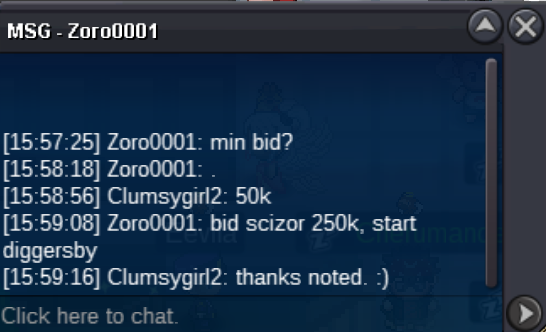
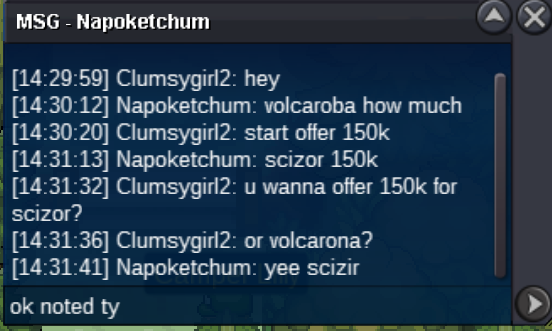
im online now again xDim online rnSince i didnt had really the time to auction because of ir problems you all got lucky with the cheap prices, so enjoy and ty for participate. The winners of the auction are: Diggersby 150k by @Zoro0001 Scizor 250k by @Zoro0001 Krookodile 500k by @Subr0za Volcarona 200k by @Babasti Zoroark 150k by @Financebro Congratz! Please kindly collect your price and send me a pm on Clumsygirl2.
 Maybe watch back to the the start for my auction from diggersby 🙂 it ended hours agoc.o of 200k for diggersby was to late so the winner is the one with 150k since auction already ended. sorry my bad.scizor 200k c.o
 250k c.o krook
 krook started since s.o has been made
 Welcome to Clumsygirl's auction Auction rules: - 150k start offer each its not a bundle. - min bid 50k. - you cant take your offer back - duration 26 hours after s.o - We keep us on the 15min rule Timer for first mon that started krookodile: https://vclock.com/timer/#countdown=25:55:00&date=2024-08-03T16:14:44&sound=xylophone&loop=1 Best of luck to everyone. ~Clumsygirl c.o 150k by zoro0001 c.o 200k by Babasti c.o 150k by financebro c.o 250k by Zoro0001 ends 19:32 EU s.o 150k c.o 500k by Subr0za ends 16:14 EU



 @Incandescent Hey Im sorry to bother you again but since Alfonsojose has not been online for +24 hours now. Im not sure how to do the trade. Since i cant get any contact with him. prob because of time differences. Would you be able to force the trade so i can close this auction? Thanks in advance. Its about Dusclops on this forum. 🙂sure pm me on clumsygirl2Hey do you have time for 6 mons? you can pm me on clumsygirl2Hey you have time for 6 mons? You can pm me on clumsygirl26,1thank you


Account
Navigation
Search
Configure browser push notifications
Chrome (Android)
- Tap the lock icon next to the address bar.
- Tap Permissions → Notifications.
- Adjust your preference.
Chrome (Desktop)
- Click the padlock icon in the address bar.
- Select Site settings.
- Find Notifications and adjust your preference.
Safari (iOS 16.4+)
- Ensure the site is installed via Add to Home Screen.
- Open Settings App → Notifications.
- Find your app name and adjust your preference.
Safari (macOS)
- Go to Safari → Preferences.
- Click the Websites tab.
- Select Notifications in the sidebar.
- Find this website and adjust your preference.
Edge (Android)
- Tap the lock icon next to the address bar.
- Tap Permissions.
- Find Notifications and adjust your preference.
Edge (Desktop)
- Click the padlock icon in the address bar.
- Click Permissions for this site.
- Find Notifications and adjust your preference.
Firefox (Android)
- Go to Settings → Site permissions.
- Tap Notifications.
- Find this site in the list and adjust your preference.
Firefox (Desktop)
- Open Firefox Settings.
- Search for Notifications.
- Find this site in the list and adjust your preference.