New Trade Zone
Trade Zone is now live
Use the new Trade Zone for auctions and instant-price trades so Pokemon and item offers are easy to find.

Lancastter
Suspended
-
Joined
-
Last visited
Everything posted by Lancastter
-
Bump
-
Bump
-
Bump
-
Start Bid: 4.5m Minimum raise: 200k End: 72hrs after first bid Start Bid: 4m Minimum raise: 200k End: 72hrs after first bid the pokes are currently in gold but can be moved to the server of the winner


-
Bump
-
Bump
-
Adamant Tyranitar 31atk 20+others ivs Timid h.a. Serperior 26+speed 20+other ivs(idc hidden power) Careful h.a. Gliscor 29+hp 20+other ivs Timid Hp Fire Magnezone 28+speed 20+other ivs Timid Shield dust Ribombee 26+spd 20+other ivs Adamant Scizor 31atk 20+other ivs Adamant Unburden Hawlucha 25+atk 29+spd 20+ other ivs Jolly Moldbreaker Excadrill 25+atk 29+spd 20+other ivs Jolly Limber Lopunny 28+atk 31speed 20+other ivs You can show too if only one iv is low TIA 🙂
-
Bump
-
Pokemon is in Silver. Free Transfer to Gold START OFFER: 4.5M MINIMUM RAISE: 300K ACCEPT: CC=400K, RR TICKET=700K END: 48HRS FROM THE FIRST BID

-
STARTING OFFER: 4.5M MINIMUM RAISE: 300K END: 48HRS FROM THE FIRST BID

-
-
Im online now. Pm me ingame Lancastter
-
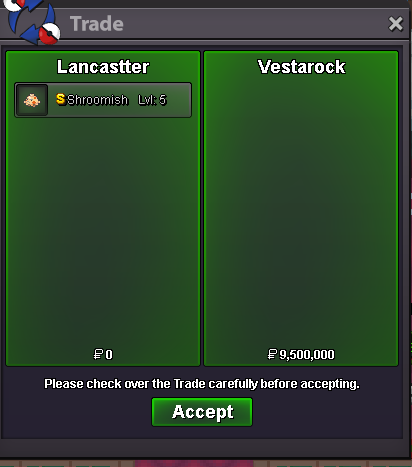
Hello. I want to sell this shiny shroomish. Not an auction. My asking price is 9.5m Can accept cc=400k reroll ticket=700k