New Trade Zone
Trade Zone is now live
Use the new Trade Zone for auctions and instant-price trades so Pokemon and item offers are easy to find.

Caiomaist
Registered User
-
Joined
-
Last visited
Everything posted by Caiomaist
-
Hello, I'm using the ClamWin Free Antivirus. I'll try to shutdown to extract the file. [EDIT] Don't know if it's about the new client (update), but now, closing the antivirus + new client download, it worked. Thank you so much for your attention! Have a good day. [EDIT-2] Well, sort of worked. On the carpet I've extracted the file the archive keeps there, but when I try to copy it to my desktop, it gets thrown to quarentine again, but it's fine anyway.
-
Still doesn't work, tried downloading it again, tried extracting it with 7ZIP, the client archive doesn't get extracted, it shows on the carpet, but after like 2 sec, just disappears. But I'm still able to play, but everytime I want to open the client, have to open the .zip file and double click on the client and only the client, then it opens. Thanks anyway!
-
It was actually that, sorry for asking a dumb question! Thank you so much for your answer!
-
When I try to extract the .zip archive that I've downloaded from the site, all the archives but the Client goes normal. When trying to extract just the client, it shows the icon where I extract, but 1sec later it disapears. If I doubleclick on the client archive (in the zip file), it starts extracting, then opens the client normally and I can play, but can't extract the archive so it stays like in my desktop.
-
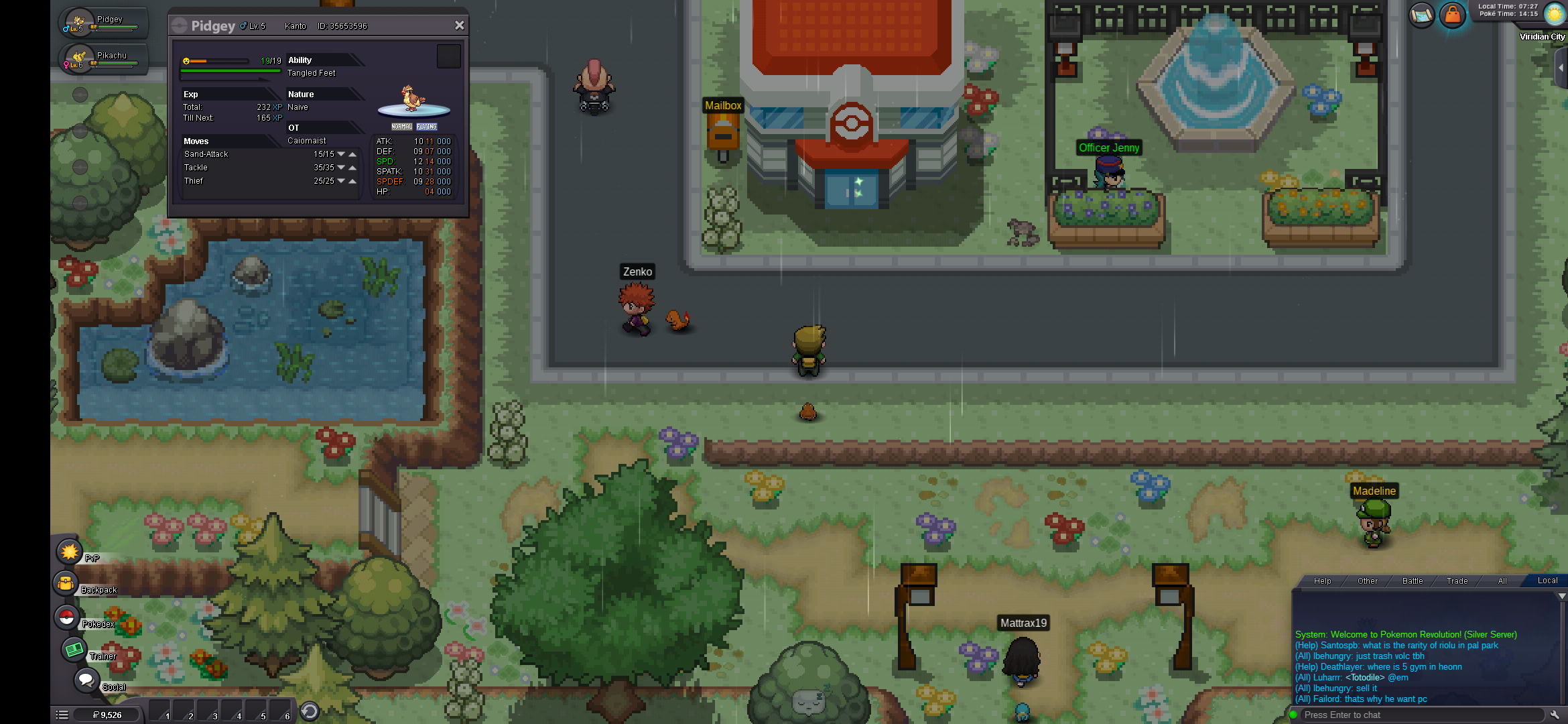
I'm new to the game, downloaded it to my phone (It's a Xiaomi Mi 9), but it only shows one resolution in the options, and it's tooooo small, sometimes can't even click on the things I need, I've seen some posts about the resolution being too "zoomed in", like some things don't even been seen in the screen, but mine is the oposite, it's too small, and wanted a lower reso so I could click everything without any problems. Here's a screen. Couldn't search for this problem, sorry if it's already solved in somewhere else. Obs.: In the "Fixed Post" here in the forum doesn't help, because in my options only shows one resolution.