New Trade Zone
Trade Zone is now live
Use the new Trade Zone for auctions and instant-price trades so Pokemon and item offers are easy to find.

Diloot
Suspended
-
Joined
-
Last visited
Everything posted by Diloot
-
-
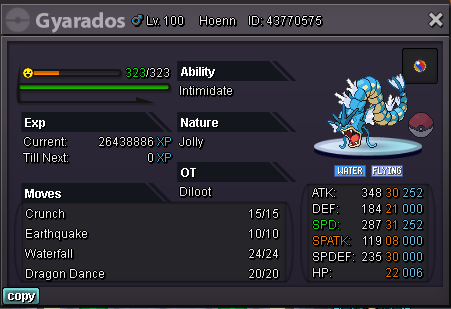
start offer : 150k min bid : 50k insta : 1m auction ended in 24h accept all payment
-
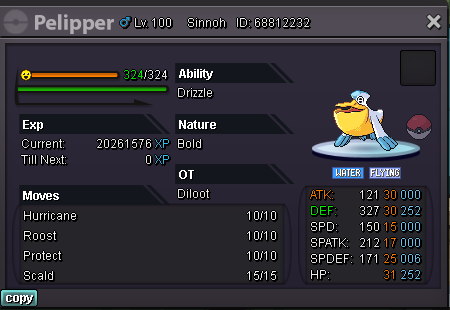
start: 200k min bid: 50k insta: 1m all payments is accepted. auction ended in 2 days
 auction ended zetzumi wons.o : 800k min bid :100k insta: 2m auction ended in 24 hours
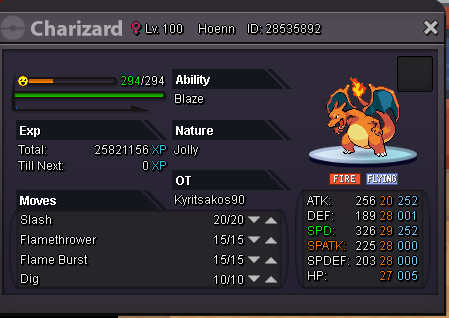 auction ended. puceau won the auction add me in game IGN: dilootstart offer: 150k min bid : 50k insta : 800k auction ended in 10 hours
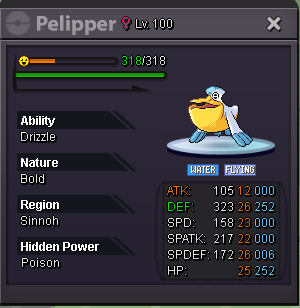 sorry for late zetzumi won the auction. i will contact you in game1.5mstartstart offer : 300k min bid : 50k insta : 1.5m auctions ended in 24 hours
 start offer 500k min bid 50k insta 1.5m auction ended in 24h
 ok auction ended add diloot in game pleasecurrent offer 1.1m
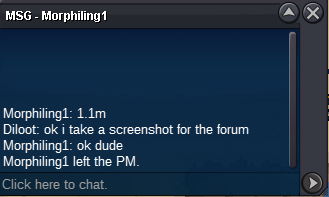 accept cc 370k. Start offer 1m min bid 100k insta 3m auction end in 2 days IGN: diloot
 ok no probleme thank you for your help .sorry i did a mistake about the hour, i think it was between 12:30 and 12:36 am . i looked in my pc and it wasnt in there and yes im sure is a ratled jolly.sorry in dont have th ID, it is the +20 magikarp without speattack attack +20 defense +20 speed 29 exactly attackspe 07 or 08 may be spedefense 20 exactly hp +20 sorry i remember only thisat 01:35 am today, i accidently released my ratled jolly Magicarpe can you give me some help please ? thank you in advance