New Trade Zone
Trade Zone is now live
Use the new Trade Zone for auctions and instant-price trades so Pokemon and item offers are easy to find.

Looni
Registered User
-
Joined
-
Last visited
-
ok sorry i foud the lights u can close the post
-
No lights

-
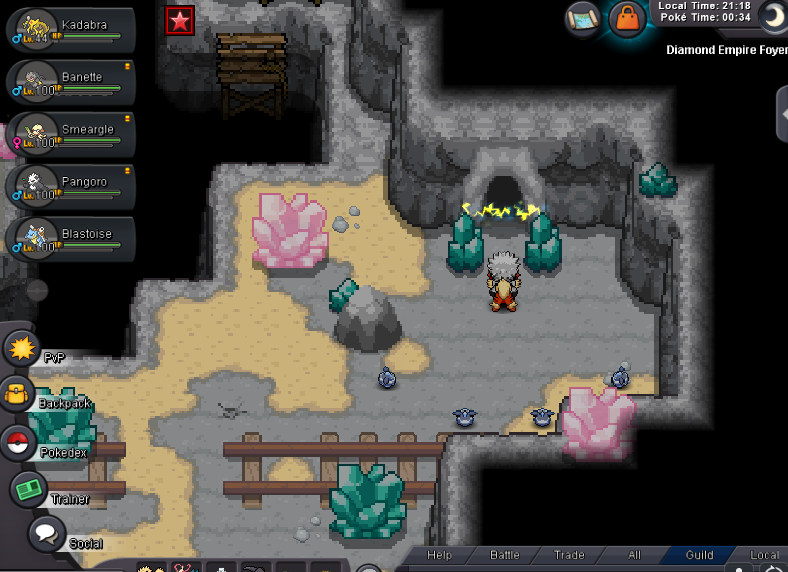
hi thank you, i remember i stopped the quest in the maze not knowing what to do, and now i have no lights at night with dynamic options enable and i dont have access to the door where the carbinks are
-
up??
-
there is no light to follow in the maze after that so i guess i didnt battle her earlier, ( coz i started quest during eastern event and didnt completed it )
-
Hello im doing the Diancie quest actually and merilyn is not in the cave i dont know what to do thank you

-
Hello moi c'est Looni 34 ans je suis facteur et suis en jeu entre 15h et 23h generalement, mon but est de continuer a pvp, etant actuellement chez predators, je pense pouvoir contribuer un peu au rating de la guilde, et surtout pouvoir jouer avec des fr, matter les match des autres et conseiller si besoin et me faire conseiller 🙂 Jai eu des reroll iv plutot venere (praize Lord Bidoof et le double reroll) et suis motivé plus que jamais a casser des fions en pvp 🙂 (et yen a dautres :p)


-
3.12m
-
2.8M
-
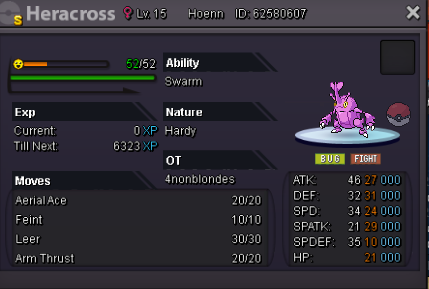
timer off winner is gurjant666noted ! 30 min left18h leftthank you timer onHi i sell this beautiful heracross Start offer 2M5 Bid 250k 48 hrs after first offer