New Trade Zone
Trade Zone is now live
Use the new Trade Zone for auctions and instant-price trades so Pokemon and item offers are easy to find.

Leviaot
Registered User
-
Joined
-
Last visited
-
Hello Xylos, i remember i still not finish quest heatran , this is my mistake. sorry for disturb , please close topic,thanks for repply. But i not understand why i can log in my ingame in forum althought i have entered correct username and password.
-
Hi staff it me again,this time when i do quest catch celebi my master ball is missing and i want ask when do the quest there is npc lock up my masterball? becaube when i catch done i use escape rope
-
i have fount npc boss cooldown checker is wrong time check yesterday i have check boss nearo he said it's ready but when im go there he said wait for 4 day. i hope you are can fix this thanks for read
-
Thanks for repply , i understand and accept it but still little sad :( but it's ok. Thanks againt for spent time for my problem. Wish you have an effective working day.
-
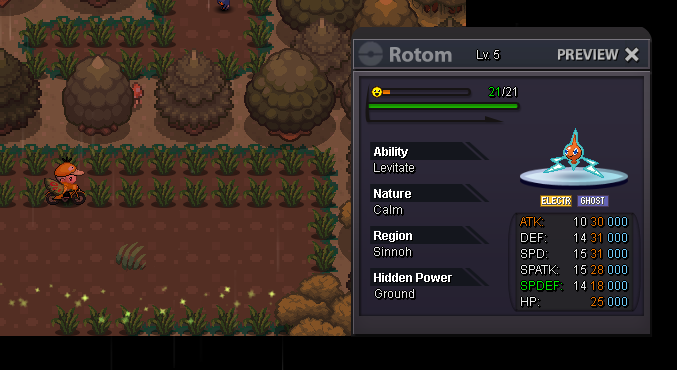
Maybe the server was crashed right after that because I didn't see it there so it was unclear. But I'm sure it was successful because the rotom appeared on my party so I could see its iv.
-
hello staff i have one rotom need to your help reback it my ingame: song0ku9x i have catch it in morning then off game aboute 30min and back it disappear i hope you can reback it thank you if you help me sir.