




New Trade Zone
Trade Zone is now live
Use the new Trade Zone for auctions and instant-price trades so Pokemon and item offers are easy to find.

Saxytitania
Registered User
-
Joined
-
Last visited
Everything posted by Saxytitania
-
Name change Username : Saxy New username : Elleaf Server to charge money from : gold
-
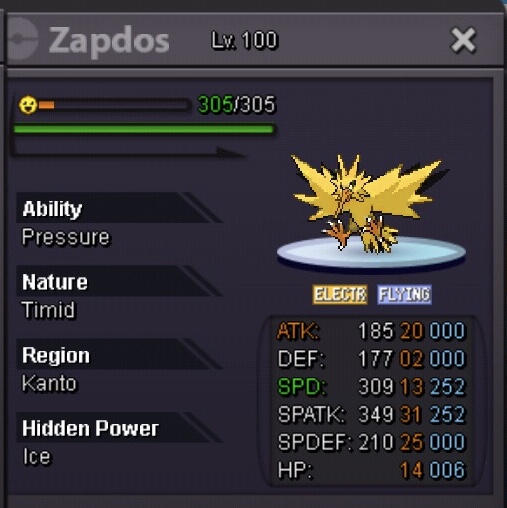
+1 need better hp ice zap
-
Hello I’d like to suggest this small change . Have you ever close pm chat by mistake at least once during your playtime or maybe even more . Well i have done it several times:SquirtleShy: , which is frustrating especially when buying / selling stuffs . I think that the arrow button ( that minimize/maximize the pm chat ) should be put on the left side , cause it is too close to the close/exit button in my opinion . This will definitely help mobile users .

