




New Trade Zone
Trade Zone is now live
Use the new Trade Zone for auctions and instant-price trades so Pokemon and item offers are easy to find.

Krmpiee
Registered User
-
Joined
-
Last visited
-
I think you can go to an NPC Relearner at cerulean, to re-learn the move crunch.. It only cost 2k poke dollars. Hope this tip helps from a fellow trainer XD Have a good day!
-
Up! Great services quick and fair! Ratings: 10/10 Feedback: Yeah I'll definitely come back if Im lazy enough to ev train my pokes. x)
-
up!
-
WTB Epic Dratini h.a ada with 30+ spd 25+ atk or something close ^^
-
I forgot its name as it was unexpected, maybe it was the same for him hahaha I hope he has a big heart to return my gyara XD
-
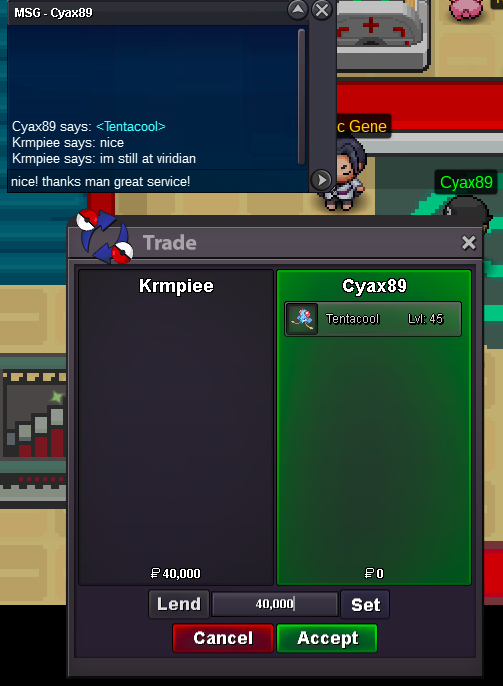
Hello Dev's and Mod's! I would like just to ask a little bit of your help about the lending bug i think, the other day I borrow/lend my poke to some player in exchange of poke dollar I forgot its name though because Im unaware and unexpected of this kind of situation, and yes it's a lend Im 100% sure of it. So I was asking for a spare of your time if you could help me I'd definitely appreciate it! And also I missed my gyara so bad hehe. I hope you will consider this thread. :) Have a Good day and Game on! Time Date/Trade Happened: July 28, 2019 at around 10pm - 4am (Local Time) My Timezone: GMT +8 Server: Gold Lost Pokemon: Gyarados Lvl 100 Ev Trained with ATK and SPD. (Adamant) Moveset: Dragon Dance, Crunch, Surf, Earthquake. PS: The picture attached below is it's pre-evolution. (Screenshot taken couple of weeks ago).

