New Trade Zone
Trade Zone is now live
Use the new Trade Zone for auctions and instant-price trades so Pokemon and item offers are easy to find.

D4rktsuna
Registered User
-
Joined
-
Last visited
Everything posted by D4rktsuna
-
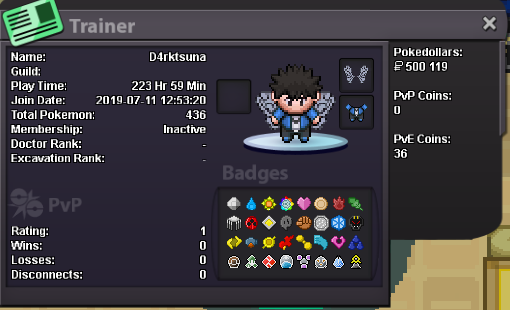
Hello My real name is lou and my ingame name is d4rktsuna and my discord id is ᵗˢᵘᶰᵃ#9555 and im rly online like 2-6h per day, im a 21old guy and im from algeria, i speak english/french/arabic. I have 200+ hours playtime and i think its time for me to start the mmo aspect of the game so i think joining a guild would be a good idea for me, i checked a lot of guilds info and i chosed to apply to yours cause it looks rly enjoyable. Im not rly sure about my goal in the game, but im enjoying the pve aspect and the catching part of this game, i didnt start the pvp part but im rly interesting about it andi want to start this part. Here is my traincard and i hope u will accept me in ur great familly