




New Trade Zone
Trade Zone is now live
Use the new Trade Zone for auctions and instant-price trades so Pokemon and item offers are easy to find.

Jeffcoxinha
Registered User
-
Joined
-
Last visited
Everything posted by Jeffcoxinha
-
Finish2 min leftBumpBumpBumpStart offer: 2m Min raise: 250k End: 72 hours after first bid
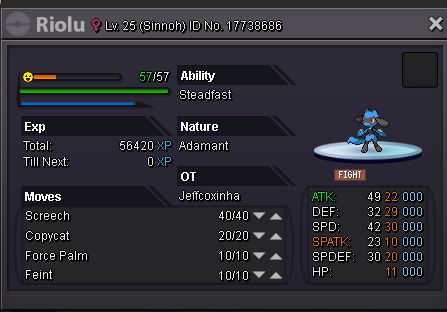
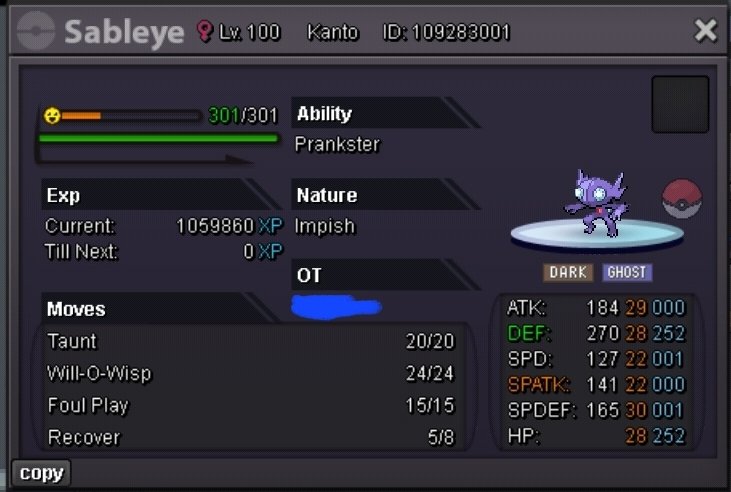 StartI buy kommo-o sassy600k550k800k1mWtb trash mons 10k each (Check the list) Pansear Panpour Pansage Pidove Blitzle Roggenrola Woobat Tympole Venipede Petilil Maractus Dwebble Zorua Trubbish Gothita Frillish Joltik Klink Axew Cubchoo Shelmet Druddigon Golett Bouffalant Rufflet Vullaby Call me on discord: coxinha1818700kNero God *-*Name : Jeffcoxinha Server : Gold GMT : Brasil -03:00 Link
 Good Bye Mikami <3 Very good video, but the best gift was his presence in the pro. =cMEMBER CATEGORY Smartest: Mikami Friendliest: Louginbr Funniest: Stank Coolest: Kronobr Comeback Player of the Year: StarkTheReturns Most Talkative: Ruuffyjr Most Trustworthy: Idougz Most Helpful: Jingoku Most Missed: Ratoqfuma Most Influential: Deidaraa Most Intriguing: Lucasddr35 STAFF CATEGORY Best GM: Noisia Best CC: Shaui Best MOD: Mutantspider Best CS: Biaozila Best Artist: Sirmeowington Best Mapper:Spectify Most Professional Staff: Letrix Most Friendly Staff: Mutantspider Most Dedicated Staff: Suhuzen Most Honorable Former Staff (who is NO LONGER staff): DimitryTop !wtb mount sh swampert 650k



Account
Navigation
Search
Configure browser push notifications
Chrome (Android)
- Tap the lock icon next to the address bar.
- Tap Permissions → Notifications.
- Adjust your preference.
Chrome (Desktop)
- Click the padlock icon in the address bar.
- Select Site settings.
- Find Notifications and adjust your preference.
Safari (iOS 16.4+)
- Ensure the site is installed via Add to Home Screen.
- Open Settings App → Notifications.
- Find your app name and adjust your preference.
Safari (macOS)
- Go to Safari → Preferences.
- Click the Websites tab.
- Select Notifications in the sidebar.
- Find this website and adjust your preference.
Edge (Android)
- Tap the lock icon next to the address bar.
- Tap Permissions.
- Find Notifications and adjust your preference.
Edge (Desktop)
- Click the padlock icon in the address bar.
- Click Permissions for this site.
- Find Notifications and adjust your preference.
Firefox (Android)
- Go to Settings → Site permissions.
- Tap Notifications.
- Find this site in the list and adjust your preference.
Firefox (Desktop)
- Open Firefox Settings.
- Search for Notifications.
- Find this site in the list and adjust your preference.